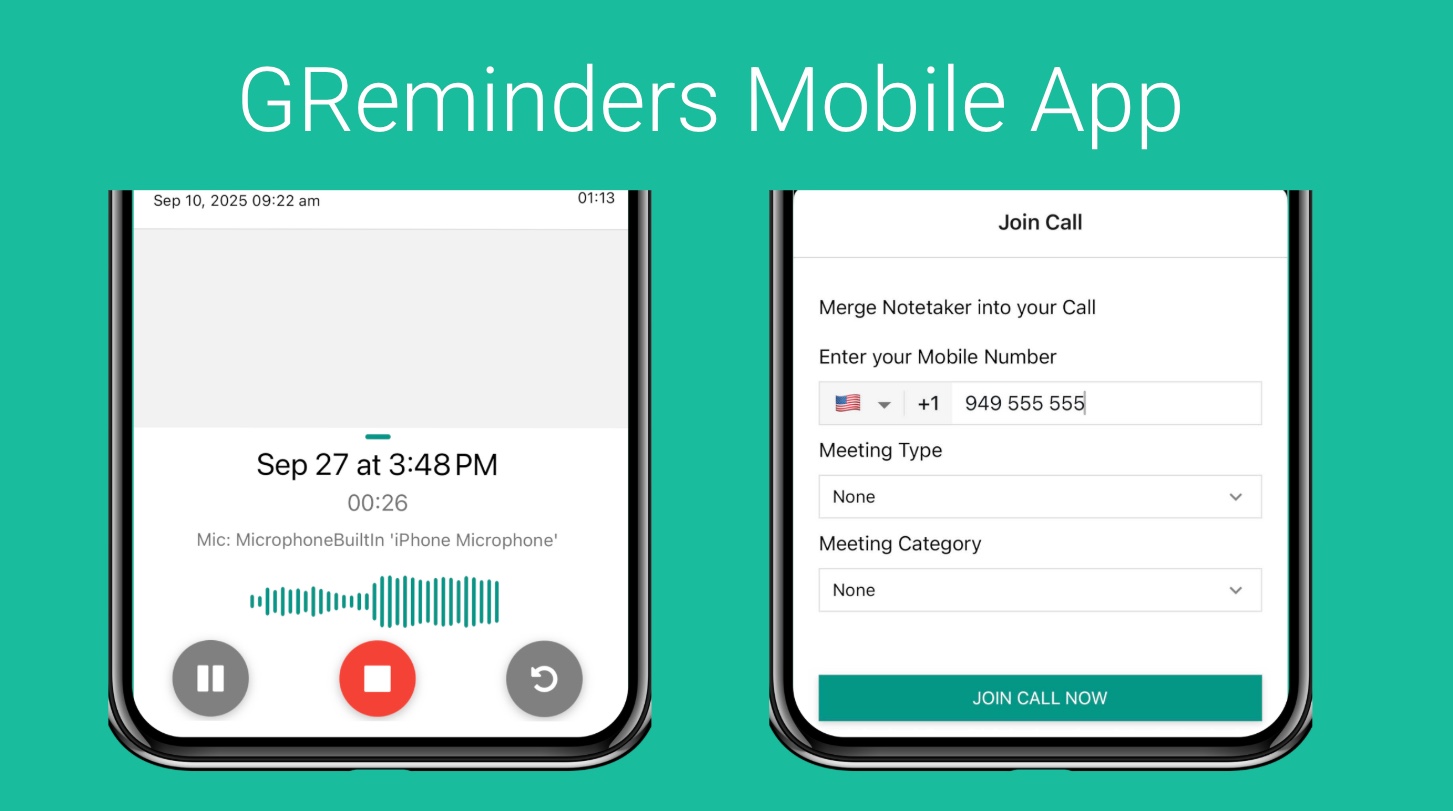
GReminders has a Native Mobile Application for both iOS and Android. The primary purposes of these applications are:
- In Person Meetings
- Join Phone Calls (via the Call Merge Feature)
Download these using the links below based on your Platform
For iOS (iPhone or iPad)

For Android
Please note: To Use GReminders Mobile Apps you need an AI Notetaker License.\
Android Recording Troubleshooting
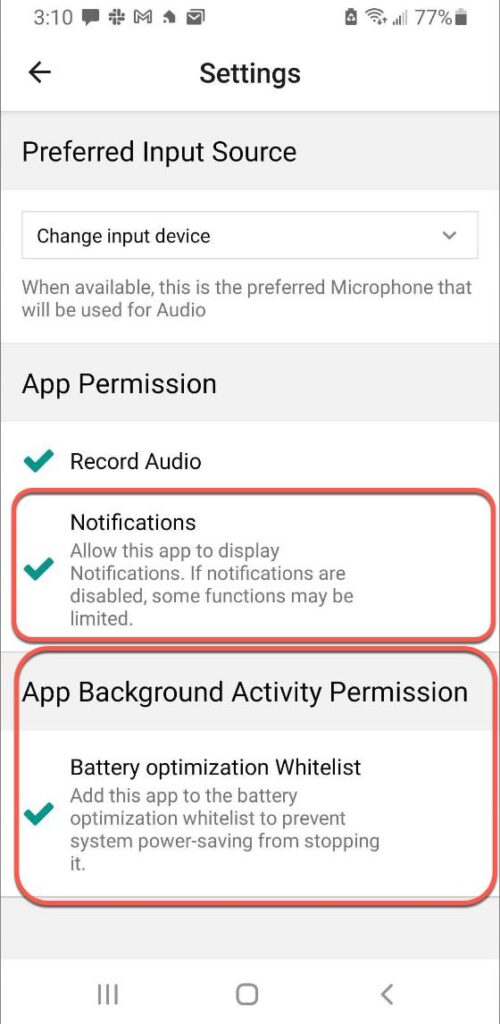
If Recording is being disabled once the phone goes to sleep make sure you have BOTH
- Battery Optimization Whitelist Enabled
- Allow Notifications Enabled
for the GReminders App.
Go into the Settings of the application and enable BOTH Battery Optimization Whitelist AND Notifications as you see below:
For Android Pixel users:
To enable battery optimization whitelist, click on “Battery optimization Whitelist” in the GReminders app and press the arrow button to the right of “Allow Background Usage.”

Now click on “Unrestricted” which will allow the GReminders mobile app to be officially whitelisted regarding battery optimization.

If you have any questions please contact [email protected]
FAQs
What platforms are the GReminders mobile applications available on?
GReminders has native mobile applications available for both iOS (iPhone or iPad) and Android devices.
What are the primary purposes of the GReminders mobile applications?
The primary purposes of the GReminders mobile applications are to facilitate in-person meetings and to join phone calls via the Call Merge feature.
How can I fix recording being disabled on the GReminders Android app when the phone goes to sleep?
To fix recording issues on Android, ensure that both Battery Optimization Whitelist and Allow Notifications are enabled for the GReminders app. For Pixel users, you need to whitelist the app by selecting 'Allow Background Usage' and setting it to 'Unrestricted' in the Battery Optimization settings.