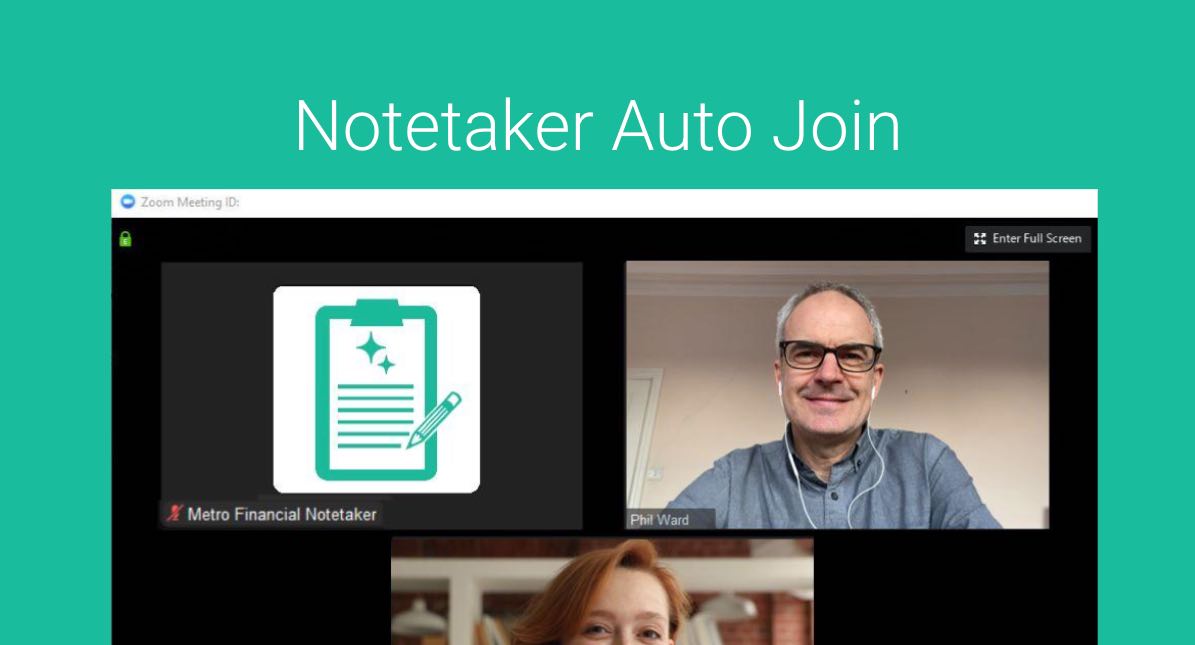
Users should be selective about which meetings the notetaker joins to ensure it is used where it provides the most value. While automatic note-taking can save time and capture important details, not every meeting requires transcription or summaries.
Enabling the notetaker for client calls, discovery meetings, or important internal discussions can help preserve key insights and action items, while leaving it off for quick check-ins or sensitive conversations. Being intentional about when the notetaker joins helps maintain privacy, reduce unnecessary recordings, and keep notes focused on the meetings that matter most.
Under Notetaker > Settings you will find default settings for when Notetaker Joins your Meetings
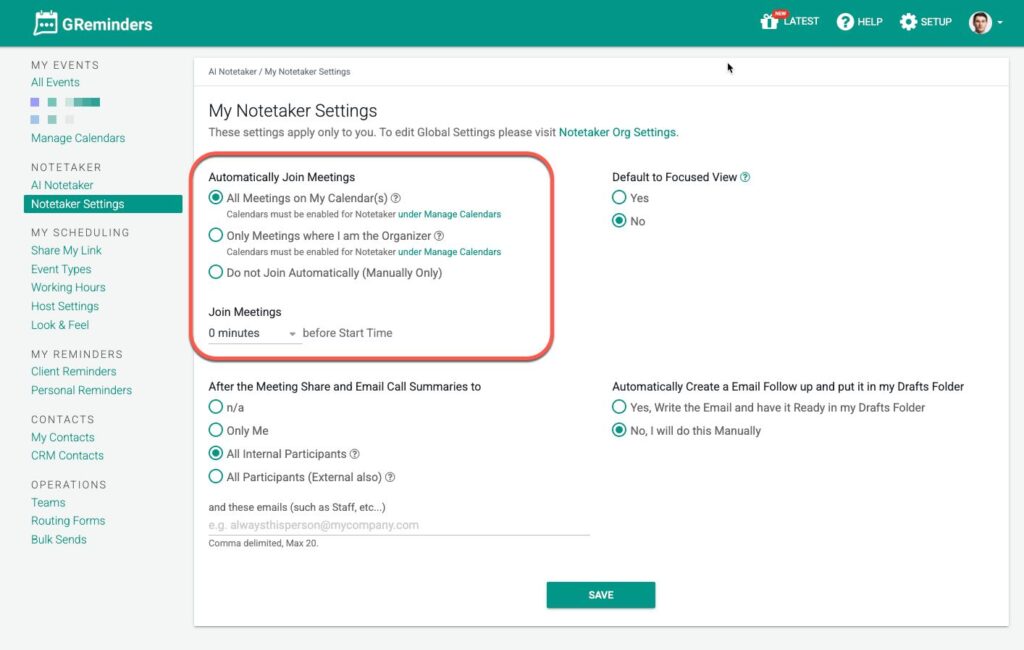
Here you can also specify if you want Notetaker to join your calls early. 0-10 minutes early. Please note if you have a waiting room, Notetaker will wait in the waiting room for up to 10 minutes AFTER the scheduled start time (if you don’t let it in), before it times out and leaves. (so up to 20 minutes if you have it join 10 minutes early)
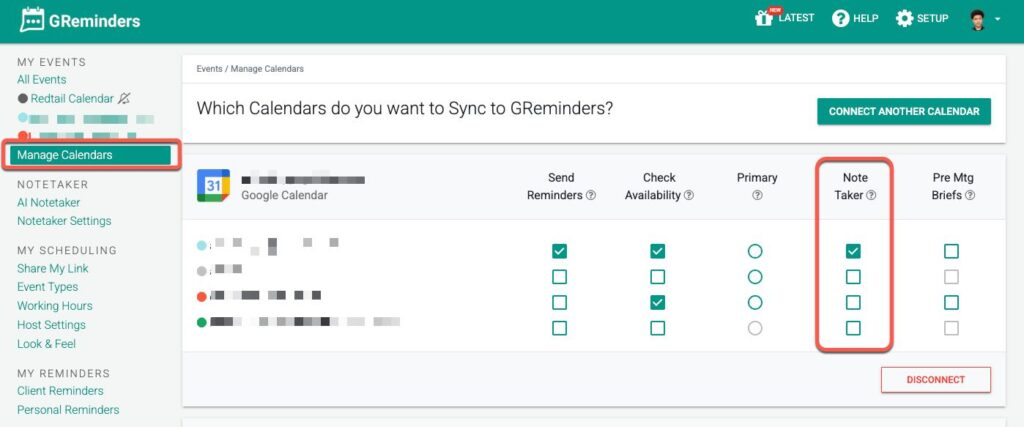
Note: IF you have more than one calendar connected, it is a good idea to review WHICH Calendar should auto join. This setting is under Manage Calendar, make sure Notetaker has a checkbox.
Then when you are looking at your My Events page you will see which meetings it has selected to auto join. Only Web Meetings (Zoom, MS Teams, etc…) are eligible for auto joining. All other meetings such as in person require manual start OR VOIP Calls can be configured within your VOIP provider settings.
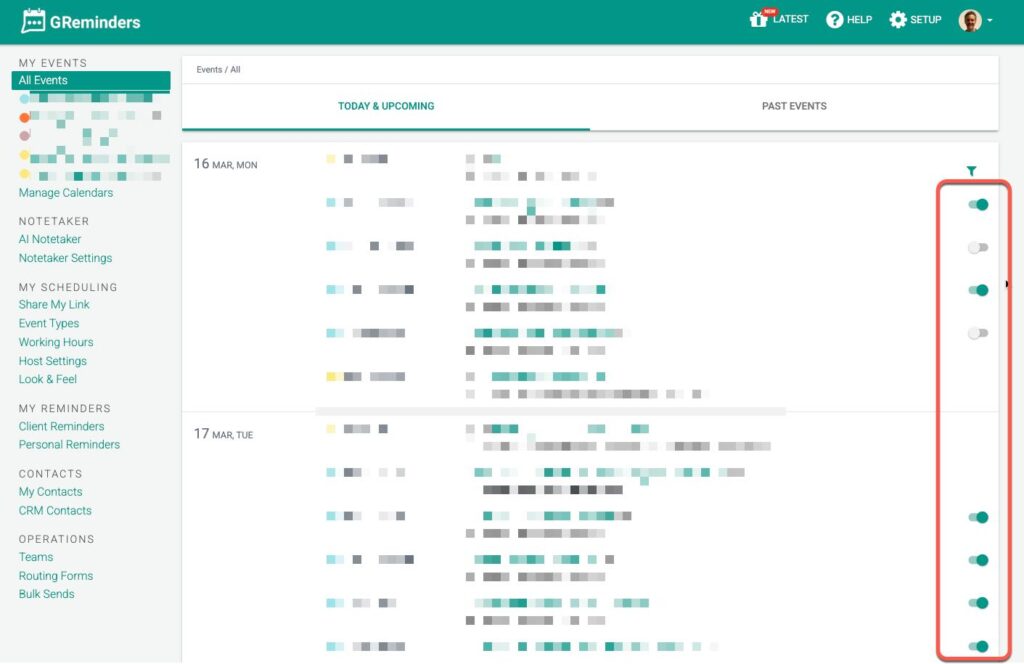
If you do not want Notetaker to join a call automatically simply toggle the switch on the right. This will prevent Notetaker from joining those calls you want to exclude.
Note: If you toggle a event OFF (to not join), we will also toggle any other internal participants with the same setting.
Remember, by default we deduplicate notetaker where there is more than one internal person on a call, so you dont have multiple notetakers from the same organization joining (which would be redundant).
This gives you full control over which meetings Notetaker should automatically join or not.
Any Quesitons? Email to [email protected]
FAQs
Which meetings should the Notetaker join automatically?
The Notetaker should be enabled for client calls, discovery meetings, or important internal discussions to preserve key insights and action items. It is recommended to leave it off for quick check-ins or sensitive conversations to maintain privacy and reduce unnecessary recordings.
How can I control which meetings the Notetaker joins automatically?
You can manage this under Notetaker > Settings by specifying default settings for when the Notetaker joins meetings. Additionally, you can toggle the switch on the My Events page to prevent the Notetaker from joining specific calls automatically. If you have multiple calendars connected, review and select which calendar the Notetaker should auto join under Manage Calendar.
What happens if I have multiple internal participants on a call regarding the Notetaker?
By default, the system deduplicates the Notetaker so that only one Notetaker from the same organization joins the call to avoid redundancy. Also, if you toggle an event off to prevent the Notetaker from joining, this setting will apply to other internal participants as well.