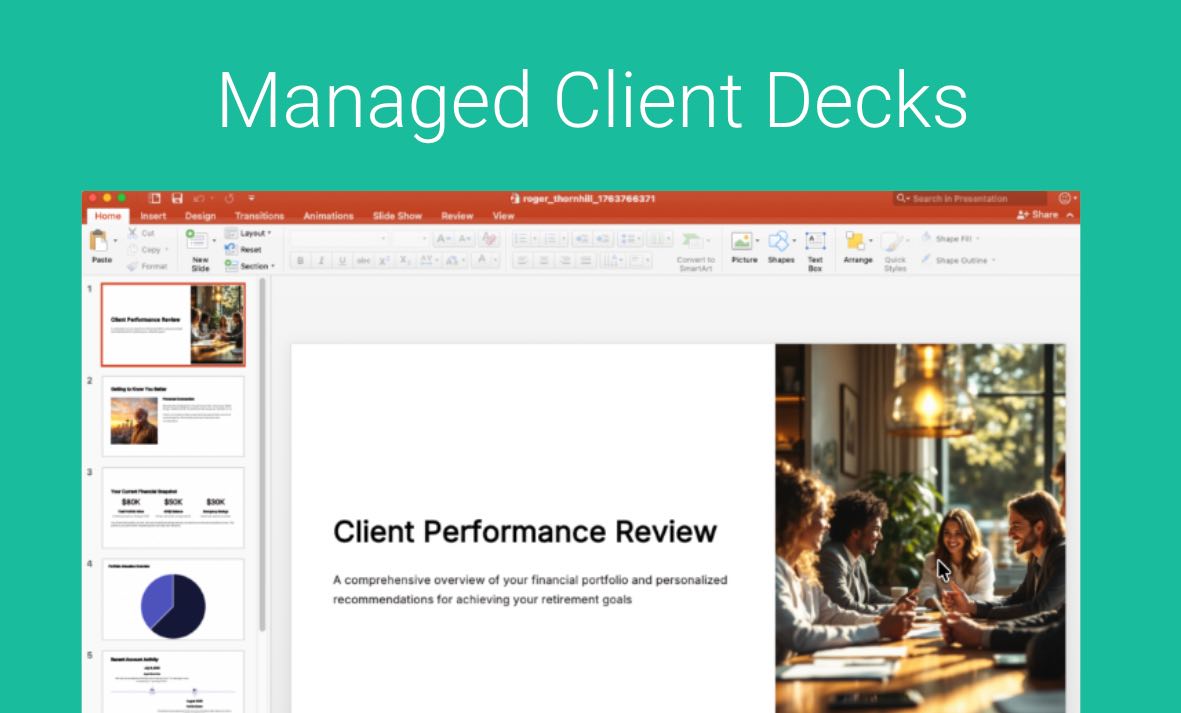
Managed Client Decks are Designed for Consistency, Not AI Guesswork
Standard AI Presentations can vary slide by slide based on the Pre Meeting Brief Content.
Managed Client Presentations are different. They are built specifically for repeatable, structured meetings (typically 5 to 15 slides) – such as:
- Financial Plan Presentations
- Annual & Semi-Annual Reviews
- Quarterly Business Reviews (QBRs)
- Onboarding & Portfolio Updates
Instead of AI guessing what to build, you get a rock-solid, repeatable deck that strictly follows your exact slide flow and formatting every single time.
Note: You must be on the Business Plan AND be on the Premier Support Contract with GReminders.
How It Works: We Build It, You Just Click “Generate”
We took the hassle out of template setup by turning it into a completely done-for-you service:
- Send Us Your Sample Deck: Hand off your existing slide deck or example presentation (5–15 slides).
- We Do the Heavy Lifting: Our team custom-configures your layout and maps every dynamic field directly to your GReminders and CRM data.
- Automatic Data Population: When a meeting comes up, your standardized deck populates automatically with live client data—perfectly formatted, accurate, and ready to present.
Why You’ll Love It
- Accuracy: Eliminate copy-paste errors, outdated figures, and awkward typos during high-stakes meetings.
- Reliable Slide Flow: Every client gets the exact same structured, high-quality experience without unexpected AI surprises.
- No Design Fiddling: No more wrestling with text boxes or building complex CRM data tags yourself.
How to Format Your Presentation Templates for GReminders AI Automated Slide Decks
To automate your client annual review presentations, GReminders utilizes its own AI driven, block based presentation engine.
Unlike traditional platforms like PowerPoint or Google Slides where elements are dragged and dropped onto a completely freeform canvas, Our AI system builds presentations using a structured grid that places objects like text boxes, images, etc.. into a row and column format. This allows our automated system to securely and accurately inject your client data (like account balances, portfolio performance, and personal milestones) directly into your master layout without breaking the design.
To ensure your master template is fully compatible with our automation pipeline, please follow these visual and structural guidelines when preparing your presentation files.
What’s Supported
Our automation engine thrives on clean, structured data blocks. We can accurately replicate your annual review flows using these native elements:
- Explicit Text Placeholders: Pre-completed presentation information in the text boxes so the AI system can detect and replace the old information with new client data and statistics OR placeholders including [Client Name], [Annual Income], [Client Age], etc… so the AI system can be prompted to replace these with updated information.
- Clean Side-by-Side Splits (Grid Layouts): Standard column splits (e.g., an advisor commentary paragraph on the left column, and a client asset allocation chart on the right column) are fully supported and executed beautifully.
- Native Financial Tables: Standard Tables work well. If you need a clean breakdown of portfolio performance, asset classes, or fee structures, utilize a native table block rather than trying to align numbers using spaces or tab keys.
- Chronological Milestones (The Timeline Block): For wealth management timelines (e.g., milestone planning from age 60 to age 70+), you can feature a dedicated timeline layout that maps data chronologically with high precision (Timeline style may be adjusted slightly in the final template).
- Compliance Disclosures: Uniform disclosure text blocks or regulatory footers placed cleanly at the very bottom of a card will remain perfectly locked and unaffected by dynamic data changes above them.
What’s Not Supported
Traditional presentation habits often conflict with automated grid layouts. Please ensure your template does not include any of the following:
- Text Layered Directly Over Images: Stacking a text box over an image will result in the text being separated or obscured during data injection. Text and images must live in independent blocks.
- Floating Elements & Overlapping Shapes: You cannot float small disclosure boxes, icons, or shapes arbitrarily in corners or partially overlapping other text. Everything must occupy its own distinct row or column space.
- Complex Shape-Group Diagrams: Custom visual diagrams built by grouping dozens of individual circles, arrows, and squares together (e.g., a hand-built “wealth pyramid”) cannot be interpreted by the AI. These should be flattened into a single image asset instead.
- Staggered, Irregular Column Rows: Mixing column structures within the same horizontal block (such as a 3-column block directly intersecting a staggered 2-column block) breaks the grid logic.
Submit Your Deck
Click the button to send us your Sample Deck
Examples
Here are some great template examples for your convenience:
Take back control of your prep time and deliver flawless, consistent client reviews every single meeting. Request your Managed Presentation setup today and let our team turn your favorite slide deck into a seamless, automated CRM workflow.
FAQs
What are Managed Client Presentations?
Managed Client Presentations are structured decks designed for repeatable meetings, ensuring consistency in slide flow and formatting without relying on AI guesswork.
How does the Managed Client Deck generation process work?
You send your existing slide deck, our team custom-configures the layout, and when a meeting comes up, your deck automatically populates with live client data.
What guidelines should I follow for formatting my presentation templates?
Templates should use clean, structured data blocks, explicit text placeholders, and avoid overlapping elements or complex diagrams to ensure compatibility with the automation engine.