AI Notetaker is driving meaningful efficiencies for Post Meeting Follow Ups, Action Items, and Opportunity Recommendations.
After Notetaker you will see recommendations for Tasks or Opportunities to be created:
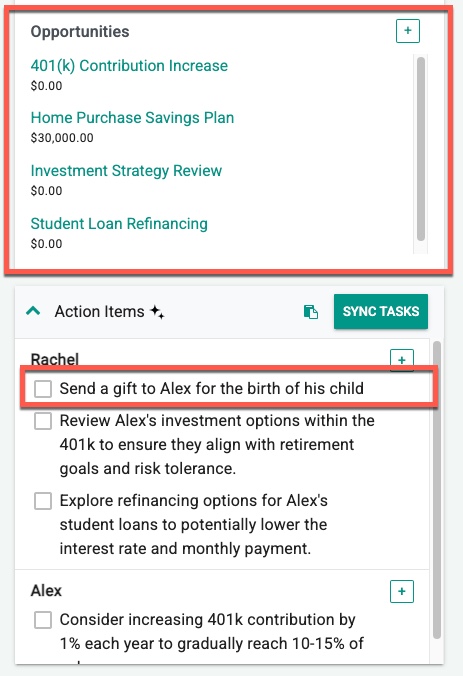
Want to recommend a Gift to be sent after the Birth of a Child is mentioned? Recommend an Insurance Product if certain life events occurred? You can do this now.
Go to Setup > AI Action Directives
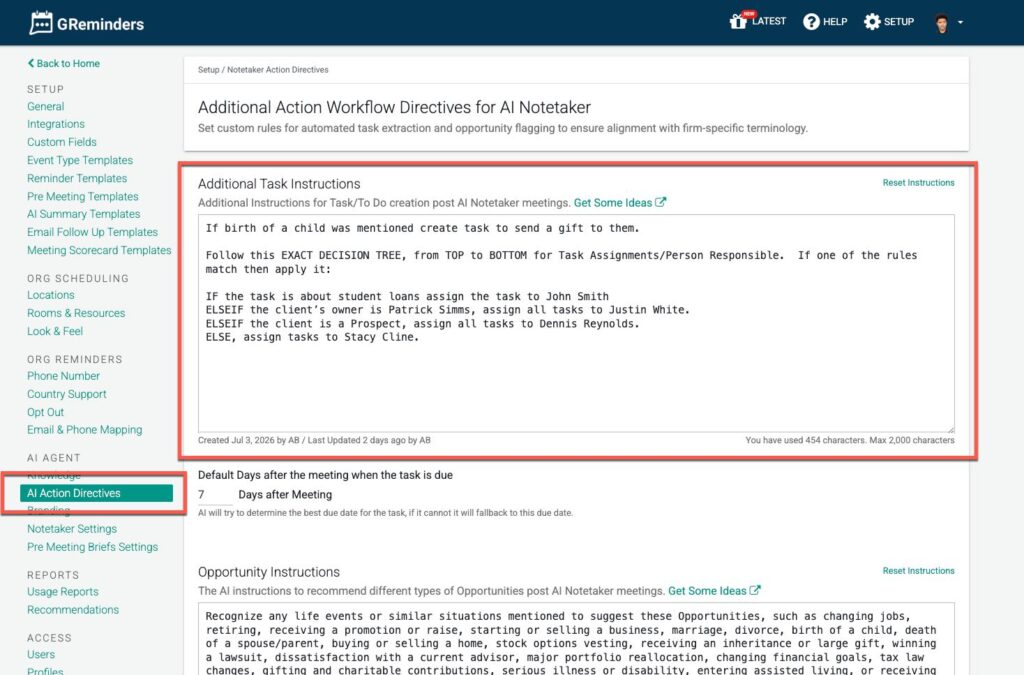
You can now customize additional Task Instructions and/or Opportunity Instructions/Recommendations.
Simply add additional instructions for Tasks or Opportunities.
Task Examples
Since the AI is Client and Ownership aware you can reference things like:
If the Client is Owned by [User A] assign all tasks to [User B].
This works well for example if User B always supports User A.
or
IF the task is about trusts assign the task to John Smith
If all tasks related to Trusts should be assigned to John Smith
John Smith must be a user in your CRM or whatever Project Management tool you use so that it is automatically assigned to them.
Once you make these changes and process new Notetakers you should get these new tasks assigned to them. Here is an example:
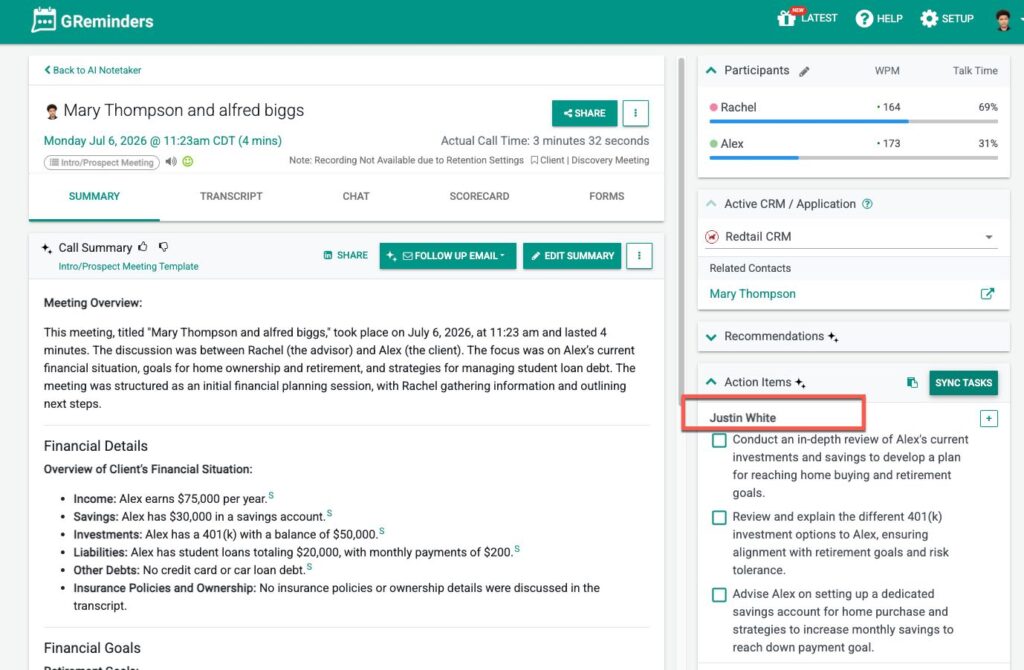
Once you click on Sync Tasks you should see the tasks assigned automatically to the right person:
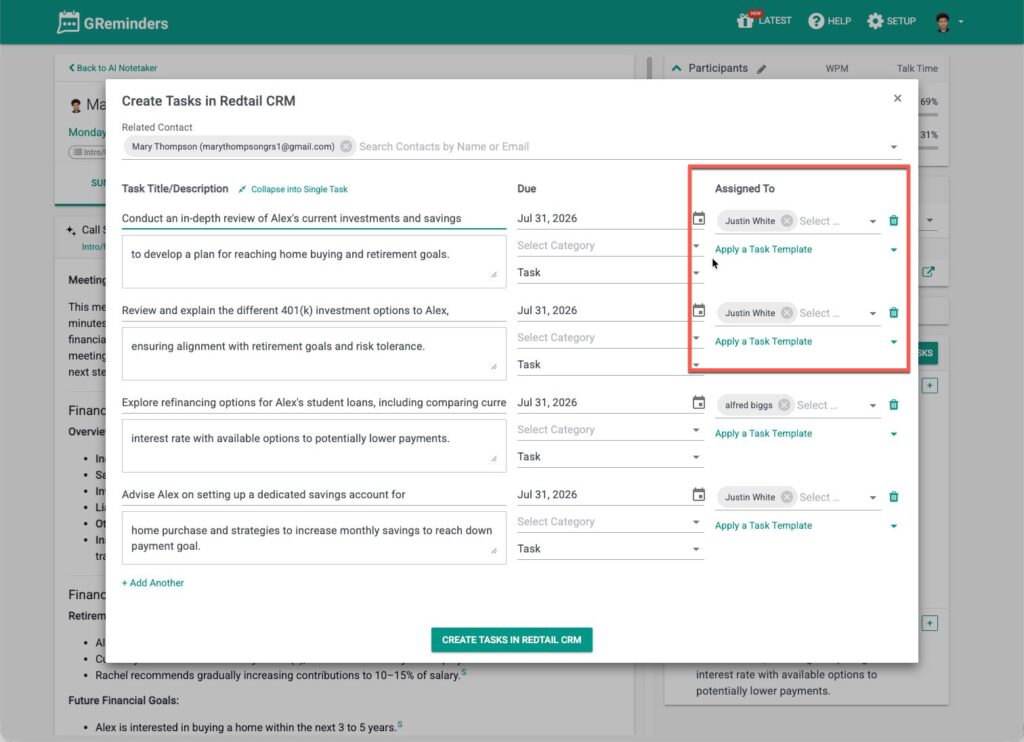
Simple as that.
If you have any questions please contact [email protected]
FAQs
What is the purpose of AI Notetaker?
AI Notetaker drives efficiencies for Post Meeting Follow Ups, Action Items, and Opportunity Recommendations.
How can I customize Task or Opportunity Instructions?
You can customize additional Task Instructions and/or Opportunity Instructions by going to Setup > AI Action Directives and adding your instructions.
How are tasks assigned to users in the system?
Tasks can be assigned based on client ownership or specific criteria, such as assigning all tasks about trusts to a designated user like John Smith.