
AI is most valuable when it understands the context of your business. By connecting GReminders to Claude, financial advisors can go beyond general-purpose AI and interact directly with their calendars, CRM, and client data using natural language. Schedule meetings, check availability, look up clients and households, answer questions about your practice, and access information across your connected systems—all from a single conversation with Claude. Instead of switching between applications or manually searching for information, GReminders gives Claude the context it needs to help you work faster, stay organized, and focus more time on serving your clients.
Use Cases Supported
- Booking a Meeting for yourself
- Booking a Meeting on behalf of another User
- Understand your and others Availability
- Lookup Clients, Contacts and Households from your CRM
- Ask about information within your Database / CRM
- Same “Ask Anything” as on a contact record (Assuming you give it enough information to pull the right contact/household)
TLDR
Connect Claude via Connectors use:https://claude.ai/directory/connectors/greminders
Setting Expectations
The Scheduling components are the most robust.
Ask Anything on the Contact/Household Record is solid and works similar to inside GReminders.
The “Ask Anything” “General” (Not Contact Specific) needs configuration and tuning. Out of the box we need to understand the use cases we are trying to support and then we can try to figure out how to achieve those. Work with our Customer Success team to get the most out of this.
Setting it Up
This works on both Personal or Team/Enterprise Claude Accounts. We highly recommend Team or Enterprise Accounts from Claude, which prevents Claude from doing any AI Training on your Data.
Go to your Claude Home Page: https://claude.ai
For Team or Enterprise Claude Accounts
Click on your Avatar at the bottom left and select Organizational Settings
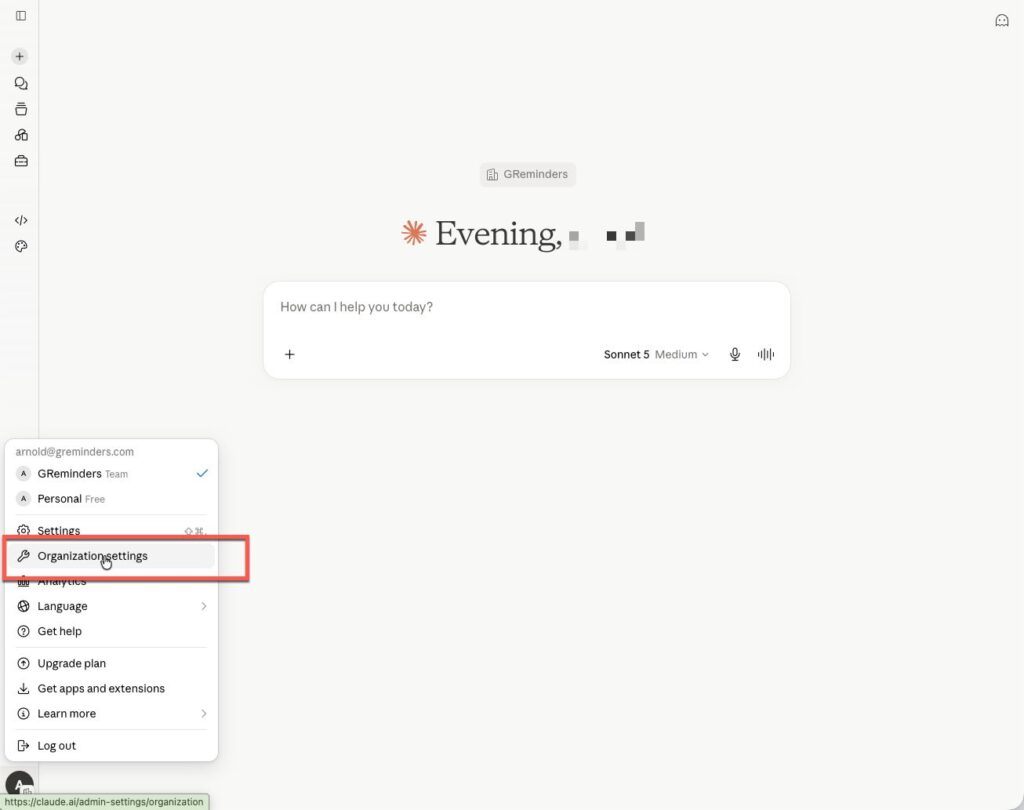
Click Connectors (under Libraries) > Add
Search for “greminders”
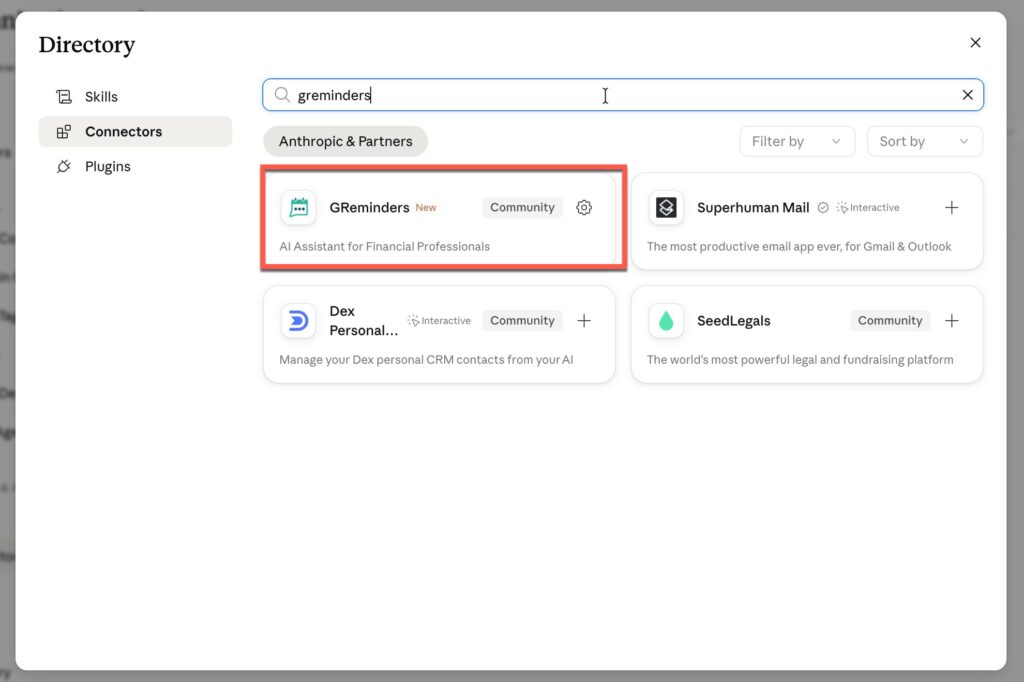
Click on it and click Add to Team
Next click Connect
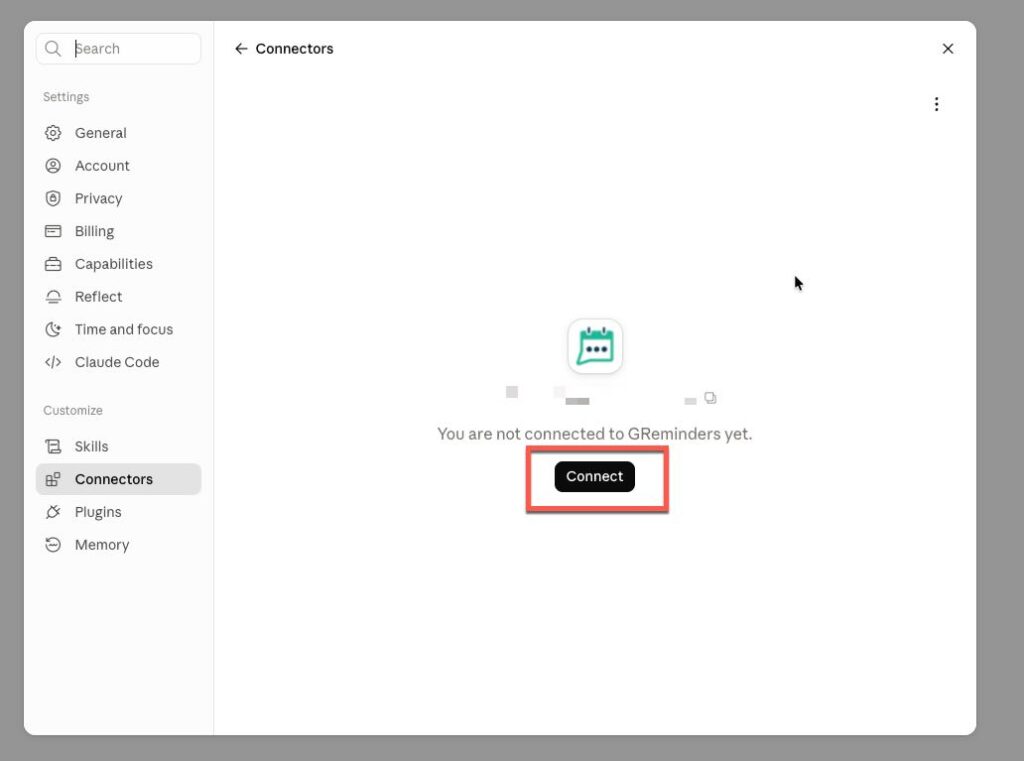
This will take you out to the GReminders Login screen, you will need to login with your GReminders Credentials and approve the Connection.
Check the Box and click Approve
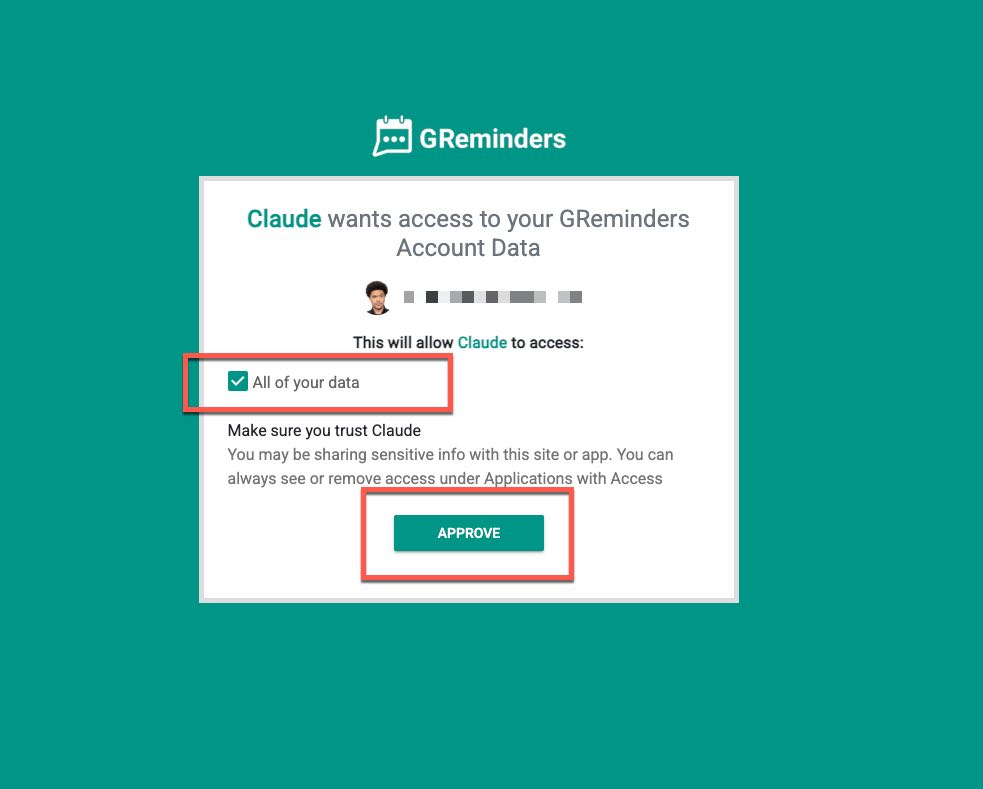
Note: Claude does NOT have access to all your data, you will allow it to do certain things.
After you Approve it should take you to this screen where you can toggle which “Tools” or actions you allow Claude to do:
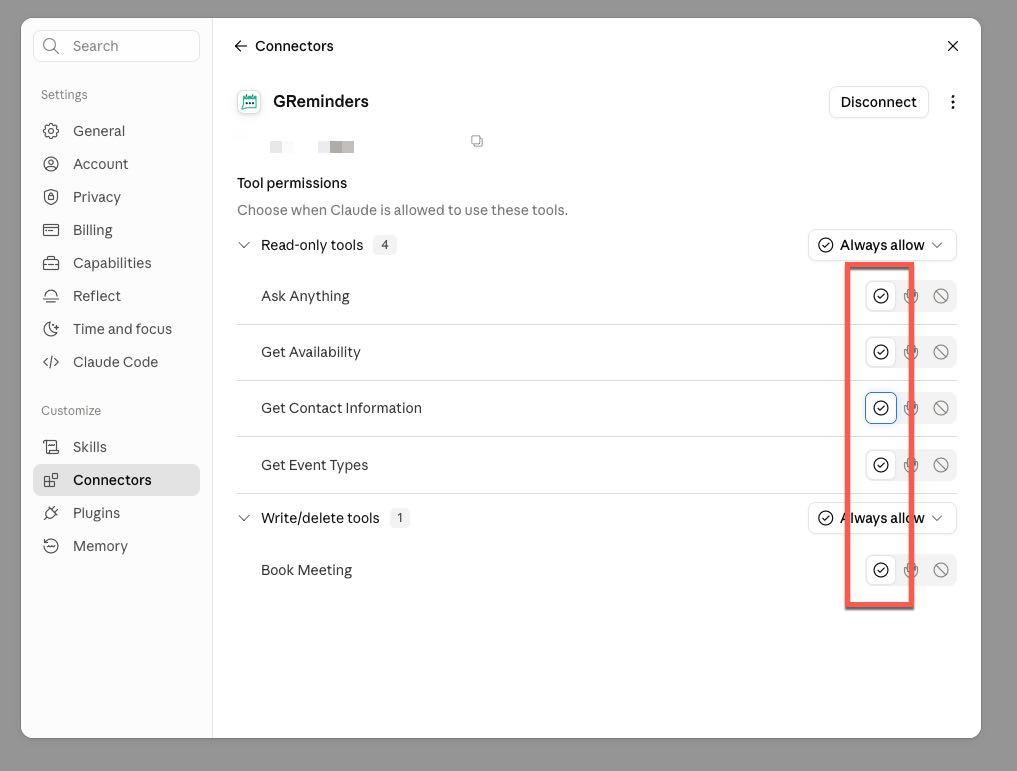
Toggle all of them to ALLOW.
Please note, if you have others in your Organization who want to use this they will also need to authenticate themselves just like you did above, skipping the “Connector” Steps.
Using It
Next Go back to your Claude Home Page
Start asking questions.
Example prompts:
- What are my event types?
- Book me a meeting with [CLIENT NAME] for next week (if client is on your CRM database we should be able to pull data from it)
- Find availability for [TEAM MEMBER] (this being another user)
- What clients will turn 65 this year
- How many active clients do I have
- Should work with any Statuses, Types, Tags, etc…
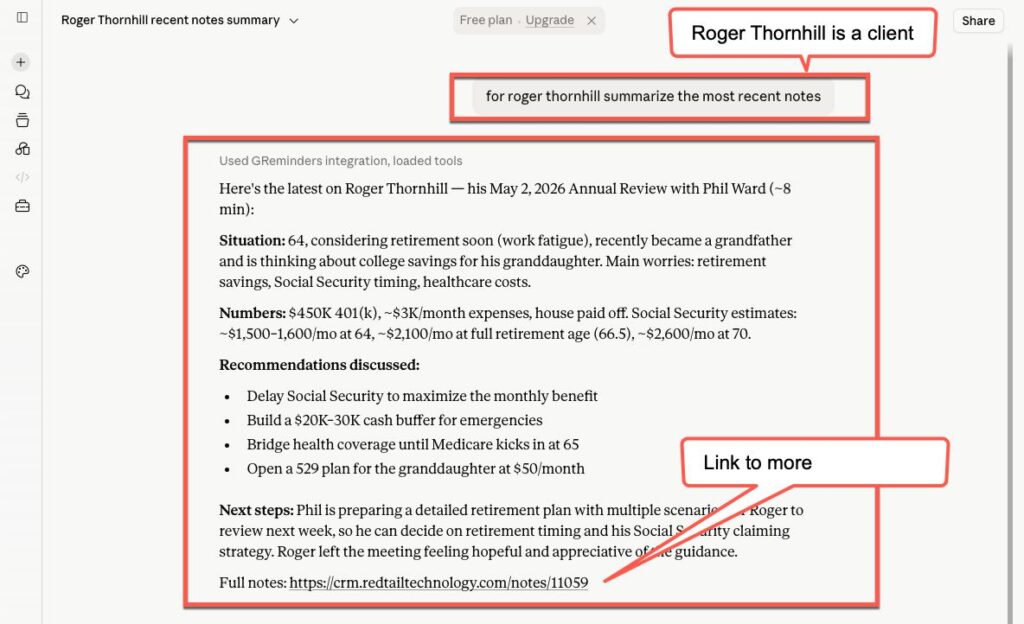
- Summarize the last few interactions with [CLIENT NAME]
- for [CONTACT NAME] summarize the most recent interactions
Here some examples:
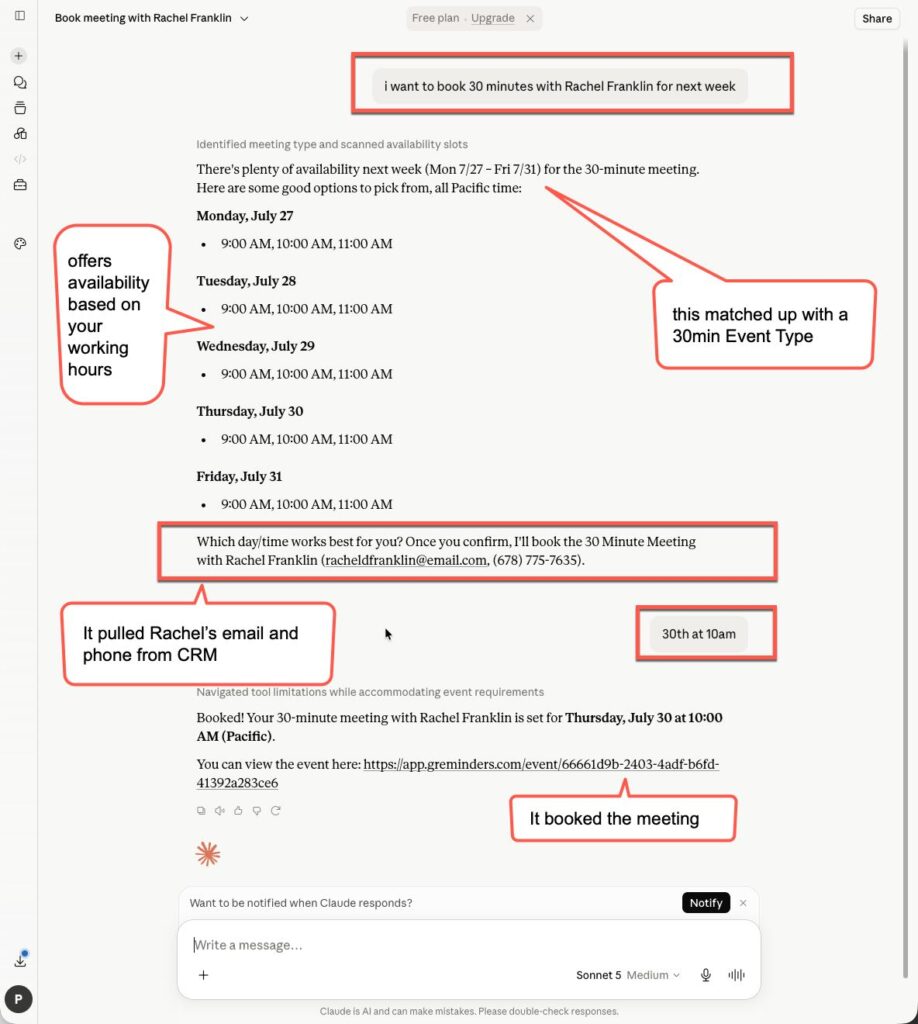
Or asking about recent interactions with a client:
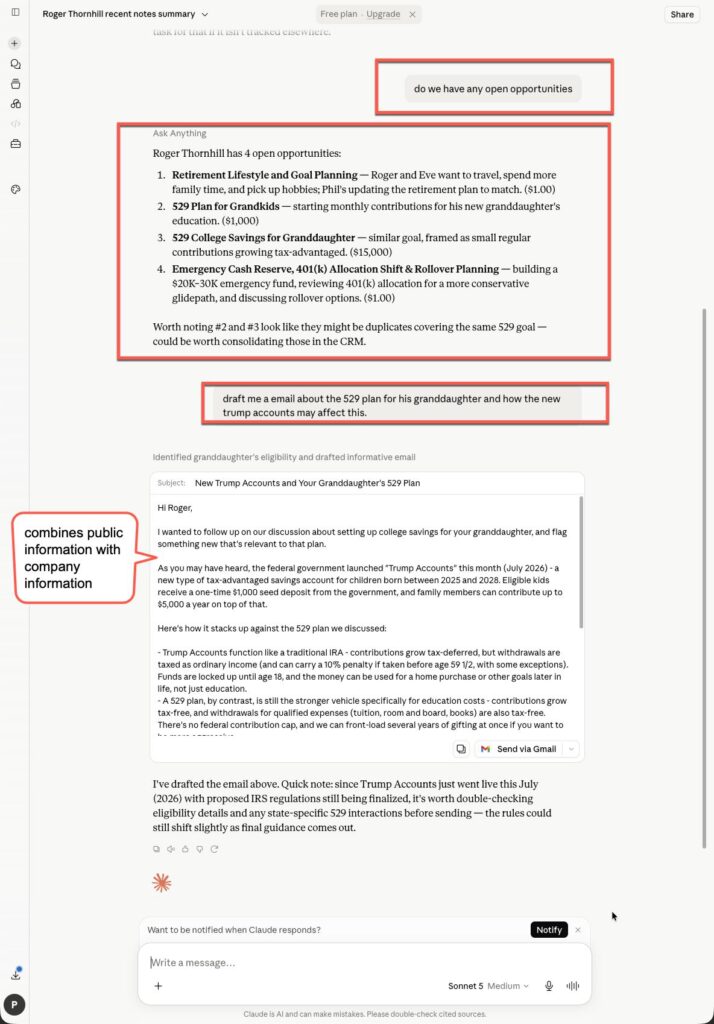
Ask it to Draft Emails, or about Open Opportunities:
This is just the beginning of what’s possible with GReminders and Claude. Whether you’re streamlining scheduling, finding client information in seconds, or using AI to answer questions across your connected systems, the opportunities are virtually limitless. As we continue to expand the integration, even more capabilities will become available to help advisors and their teams work smarter.
WE HIGHLY RECOMMEND working with our Customer Success Team to get the most out of this. We want to explore Use Cases and Best Practices so you get the full potential of GReminders with Claude.
Reach out to [email protected]
FAQs
What can I do with GReminders and Claude integration?
You can schedule meetings, check availability, look up clients and households, answer questions about your practice, and access information across your connected systems using natural language.
How do I set up GReminders with Claude?
Go to your Claude Home Page, click on your Avatar, select Organizational Settings, then Connectors, add GReminders, and log in with your GReminders credentials to approve the connection.
What types of accounts are recommended for using GReminders with Claude?
Team or Enterprise Claude Accounts are recommended as they prevent Claude from doing any AI training on your data.