
Going to an Event, Conference or Trade Show? Want to meet folks there in a specific Time Zone?
Let’s say you work in Chicago, but are heading to Los Angeles for an event that you want to allow your clients or prospects to book a meeting for. Here is how you do that.
First, don’t block your calendar for those dates on your main calendar.
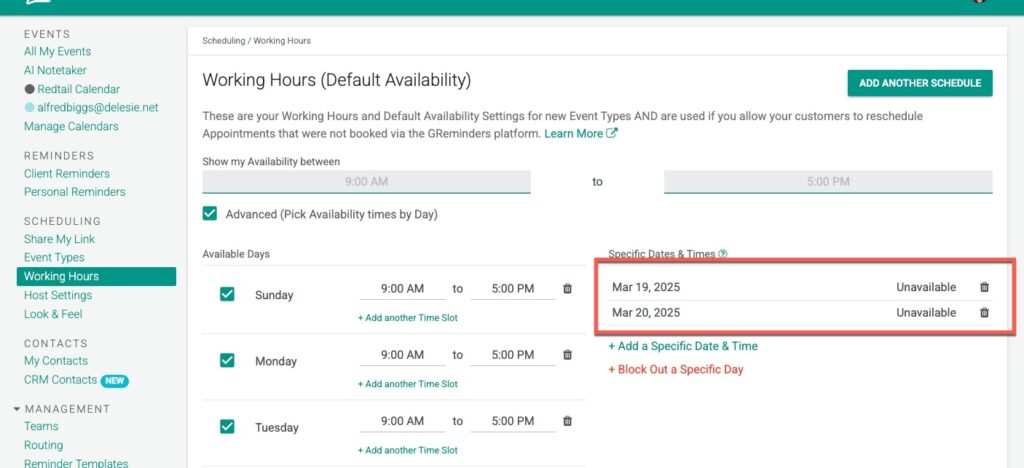
Go into your “primary” Working Hours and block those dates (March 19-20 in our example below) so normal events don’t end up on your calendar for those dates (this, of course, is optional).
Next, Create a NEW Event Type.
Under the Location select Custom Working Hours
FIX the Timezone to the Timezone of the Location you are heading to (In this case Pacific time) AND select the Days you will be at the Conference.
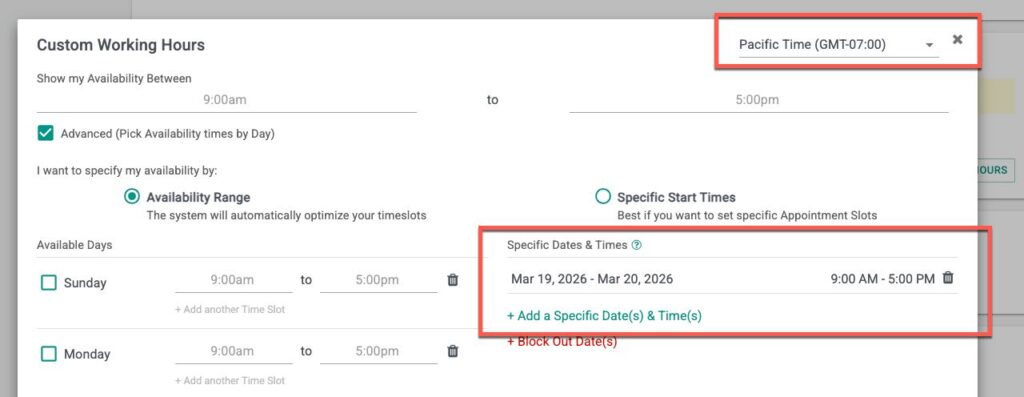
This will automatically set the Fixed Timezone below as well.
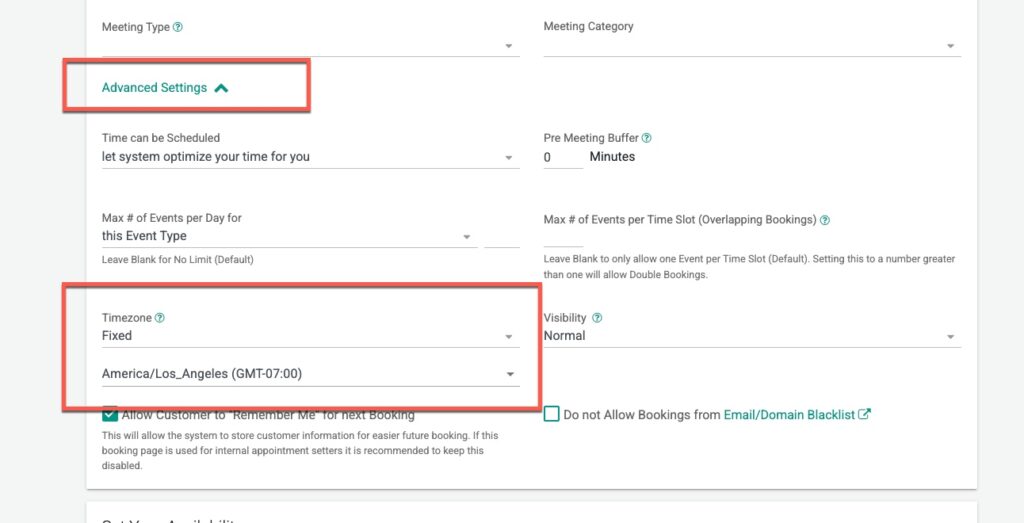
Save your Event Type.
Next, share this Event Type Link with your Clients. When they go to book, the time zone will be FIXED to the time zone selected regardless of WHERE they are scheduling from.
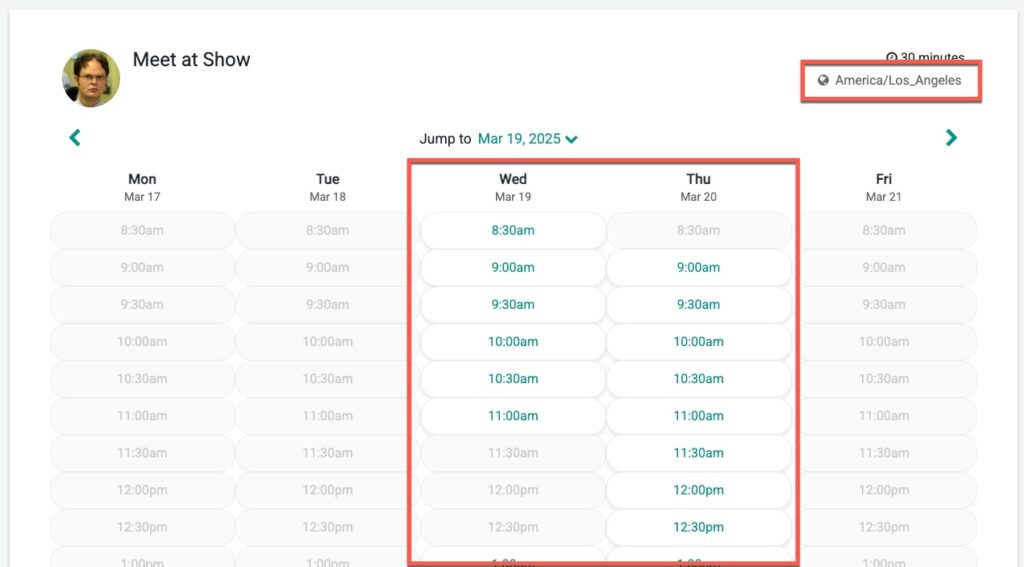
That’s It.
Any questions? Email to [email protected]
Happy Scheduling
FAQs
How can I allow clients to book meetings with me in a different time zone when I attend an event?
Create a new Event Type with a custom working hours location, fix the time zone to the event's location time zone, select the days you will be at the event, and share the Event Type link with your clients. This ensures the booking time zone is fixed regardless of where clients schedule from.
Should I block my calendar for the event dates on my main calendar?
It's recommended not to block your main calendar for those dates. Instead, block those dates in your primary Working Hours to prevent normal events from being scheduled during that time. This step is optional.
What happens when I set a fixed time zone in the new Event Type?
Setting a fixed time zone in the Event Type automatically fixes the time zone for bookings, so clients will see and book meetings in the event location's time zone regardless of their own local time.