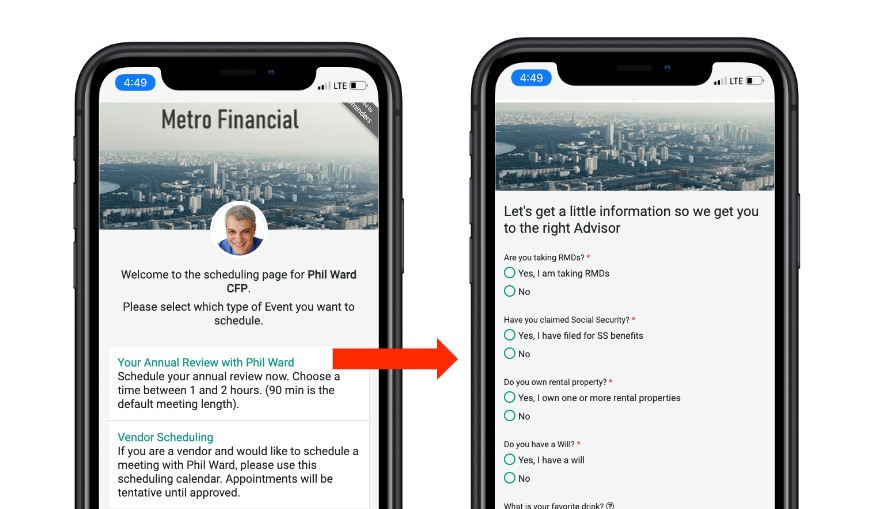
Event Types are normally used for various types meetings that allow you to book One on One or for Teams. Typically you are sharing your Booking link in your Email Signature or through other channels such as on your website, social, etc…
If, on this booking page, you want to offer links to other forms or pages on your website, Redirect Event Types are your answer.
Typical Use Cases include:
- Sending a Prospect to a Team Routing Form (perhaps you want to ask questions before routing that user to the right person in your company)
- Sending a Client to a Page on your Website to learn more about a specific product or service
- Sending a Client to another Team Member for them to book with them
You can do all this by using Redirect Event Types.
Simply create another Event Type, and select Redirect Event Type:

Give it a Name and Description, just like your other Event Types.
then Enter the redirect URL. This can be any URL, it could be a routing form link, it could be a page on your website, etc…
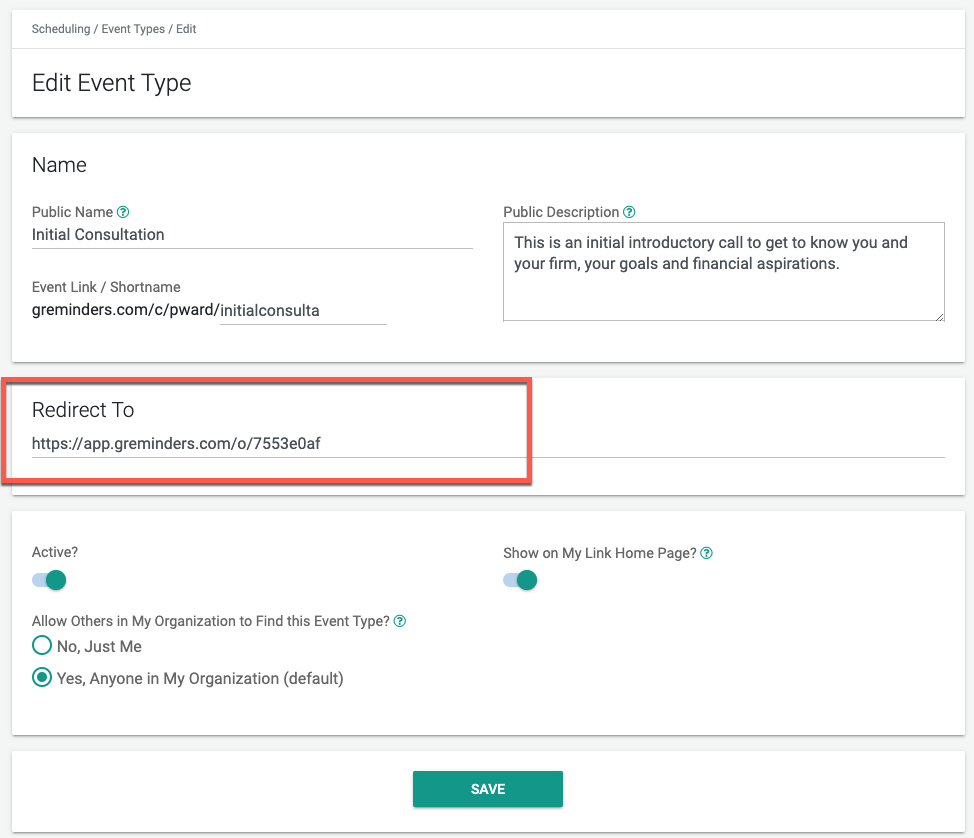
Once you save, you will see that this Event Type shows up on your primary “My Link” aka Booking Page like so:
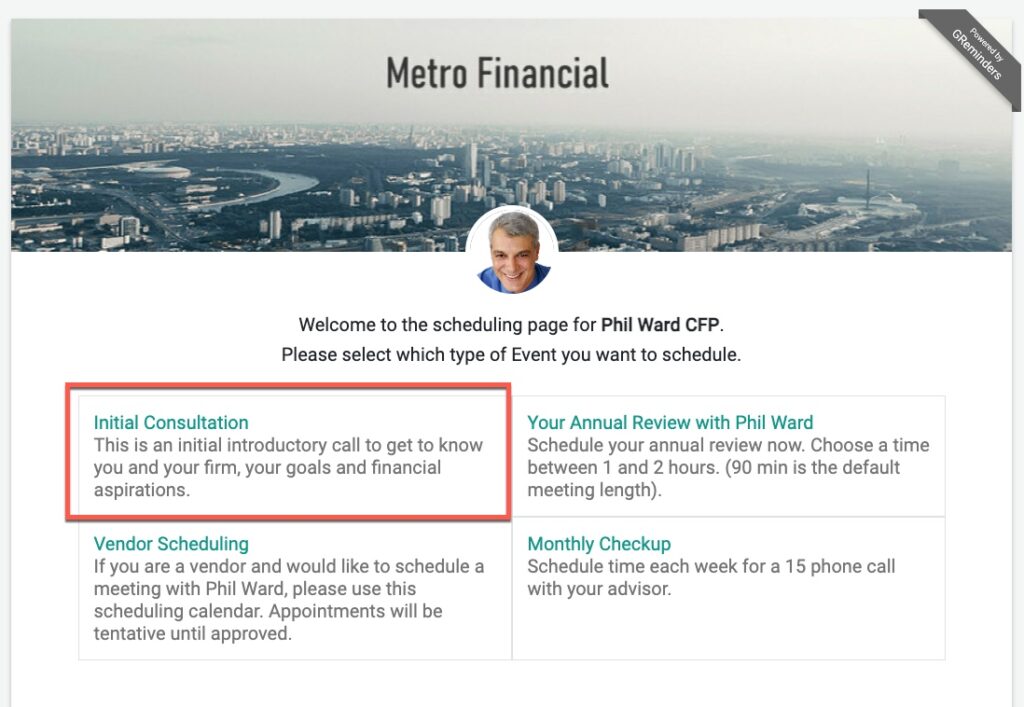
The client or prospects clicks on it and simply gets redirected to the proper place.
It looks just like any other Event Type, but also serves as a powerful way to move people to the right places based on their scheduling needs.
This works on both User or Managed Event Types.
Please Note: Event Type Redirects are currently only available on the Business Plan or above.
Any Questions? Please contact [email protected]
Happy Scheduling
FAQs
What are Redirect Event Types used for?
Redirect Event Types are used to offer links to other forms or pages on your website from your booking page, allowing you to send prospects or clients to specific routing forms, product pages, or other team members for booking.
How do I create a Redirect Event Type?
To create a Redirect Event Type, simply create a new Event Type, select Redirect Event Type, give it a name and description, then enter the redirect URL. Once saved, it will appear on your primary booking page and redirect clients to the specified URL when clicked.
Are Redirect Event Types available on all plans?
No, Redirect Event Types are currently only available on the Business Plan or above.