GReminders connects with Investipal so your AI Notetaker Meeting Summaries can be used automatically to build client proposals and prep for upcoming meetings.
Connecting the Integration
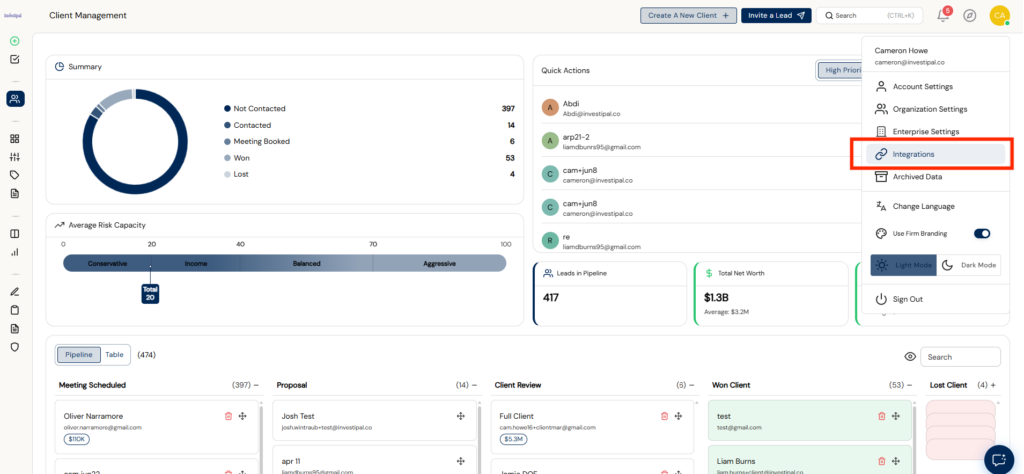
- In Investipal, click your profile icon (top right) and select Integrations.
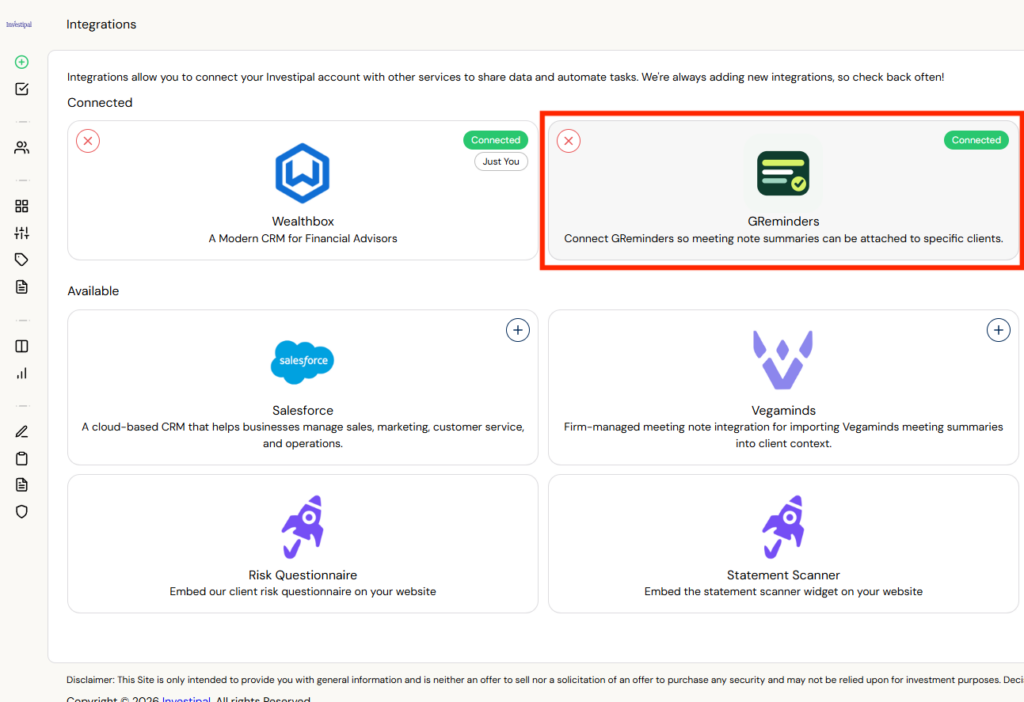
- Find GReminders in the integrations list and connect it. This links GReminders at the user level.
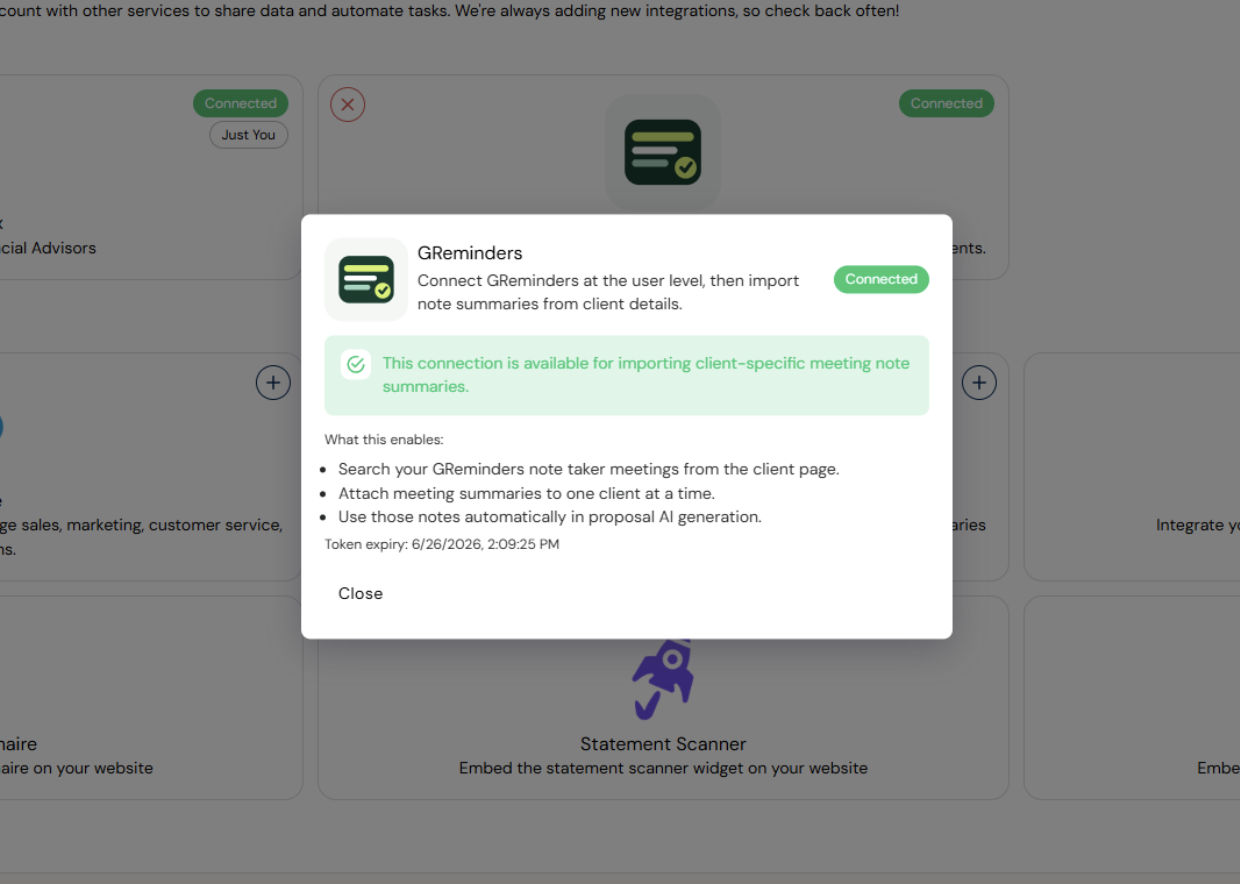
- Once connected, the integration lets you search your GReminders meetings from any client page, attach summaries to a client, and use those notes in proposals and meeting prep.
Using the Integration
- Open a client record and go to the Notes tab. In the Client Context section you’ll see options to add notes and import meeting summaries.
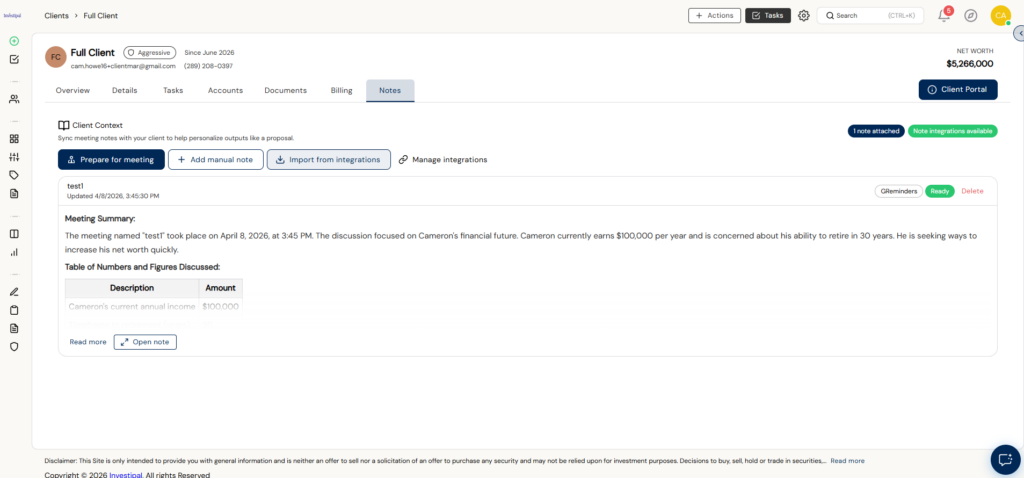
- Click Import from integrations, then search your GReminders AI Notetaker meetings by title or summary. Find the right meeting and click Attach to add the summary to that client.
- For proposals: the attached notes are automatically available to personalize Investipal’s AI-generated client proposals.
- For meeting prep: click Prepare for meeting in the same Client Context section. Investipal’s AI Assistant uses the client’s context – including your attached GReminders notes – to generate talking points and a prep brief for your next conversation.
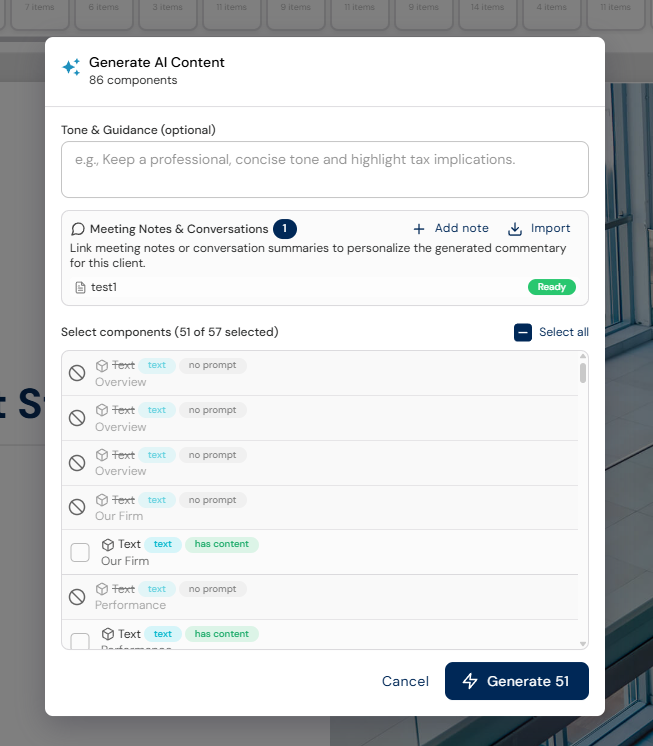
That’s it! You’re now ready to begin building custom client proposals using GReminders and Investipal.
FAQs
How do I connect GReminders with Investipal?
In Investipal, click your profile icon, select Integrations, find GReminders in the list, and connect it.
How can I use GReminders meeting summaries in client proposals?
Open a client record, go to the Notes tab, click Import from integrations, search for your GReminders meetings, and attach the summary to the client.
What does the integration allow me to do for meeting preparation?
The integration lets you use attached GReminders notes to generate talking points and a prep brief for your next conversation.