Using SmartOffice as your CRM? Here is the GReminders Integration
Get the following benefits when connecting SmartOffice and GReminders together:
- Create new Contacts/Households in SmartOffice when a new prospect schedules a meeting with you
- If you are manually putting events on your Google/Outlook calendar, GReminders will automatically lookup phone numbers, timezones, etc… on your client to send the proper Reminders/Notifications to the right place.
- When Client Notifications are sent out, log these back to your SmartOffice client record.
- When using GReminders’ AI Notetaker automatically log summaries back to SmartOffice Households/Contacts
- Writeback Action Items / Tasks after a meeting to the proper Client Record.
Native Scheduling
Additionally when you install the GReminders Sidebar into Chrome or Edge you will automatically see Scheduling Buttons in your SmartOffice Calendar and or Contacts
On the Calendar Page
You will find a Share Booking Link Button.
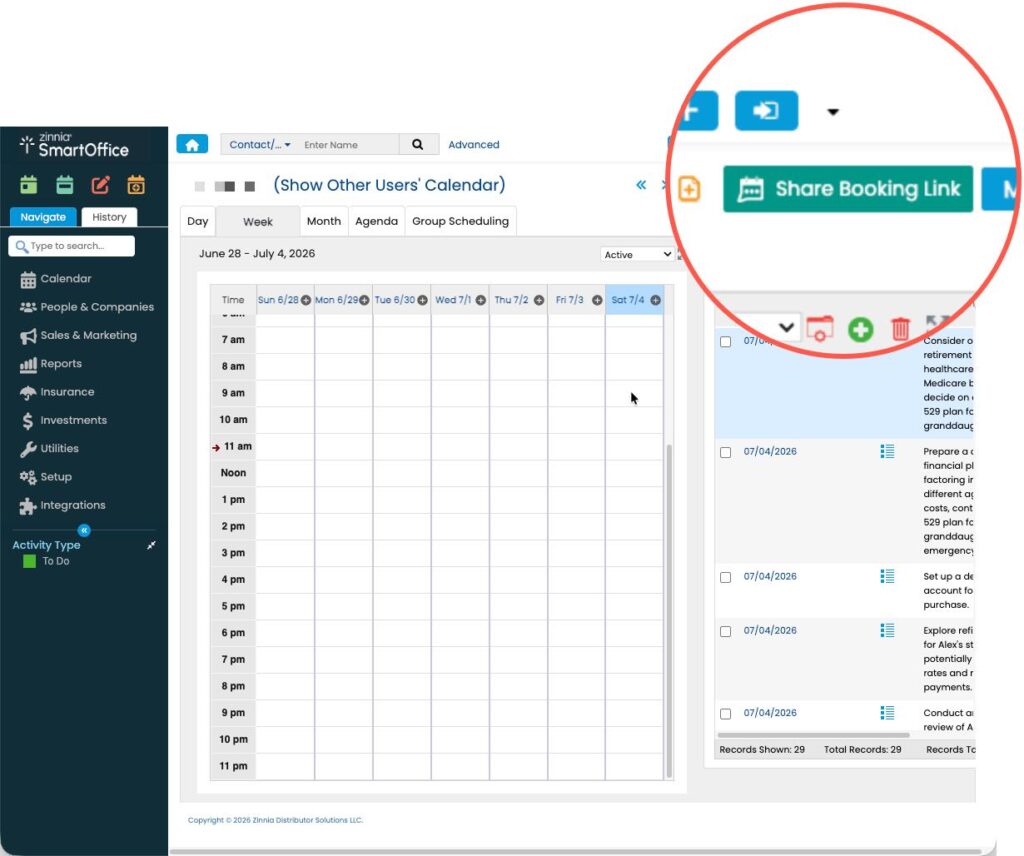
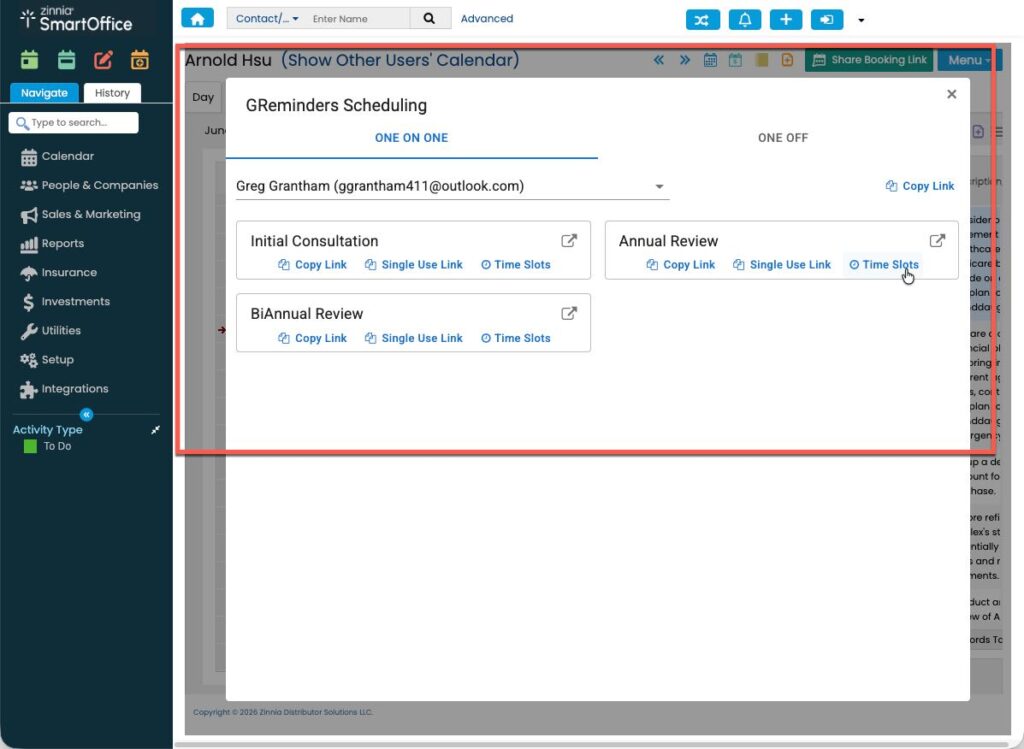
This will get you access to your and other team member’s Event Types. Share the Link, Share Single Use Links or Share Specific Times of availability in your Email
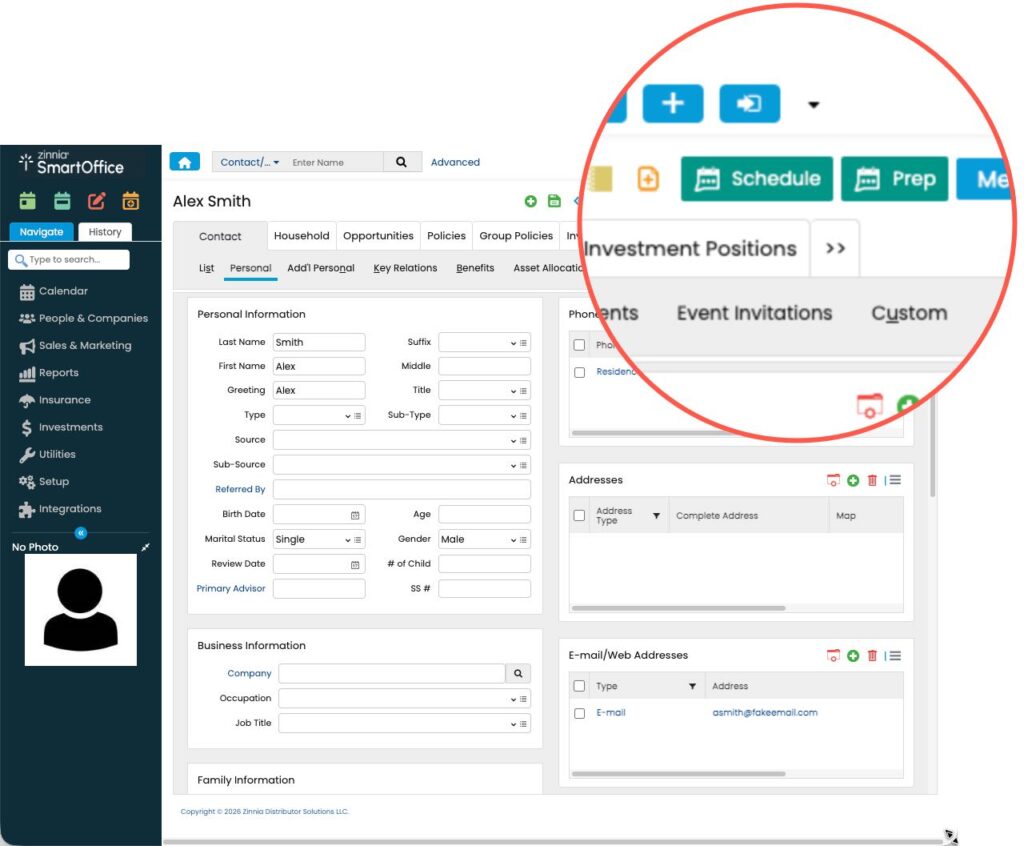
On the Contact Record
Share Booking Links or Prepare for Meetings using AI Generated Pre Meeting Prep
One-on-One Booking Links
The One on One tab in the sidebar houses all of your customized meeting templates—whether you are hosting a prospect demo, an annual financial review, or a new customer onboarding session.
- Copy Link: Quickly grab your standard URL to send in an email or text.
- Single-Use Link: Generate a one-time link to prevent clients from booking unexpected future meetings on your calendar.
- Share Available Times in Email: Copy and paste available timeslots into your email.
One-Off Meetings with Multiple Advisors
Coordinating schedules for team-based advice just got easier. The sidebar’s One Off tab allows you to create custom, ad-hoc meetings that loop in colleagues on the fly without having to build permanent team templates.
- Select your event type, custom name, and duration.
- Choose the primary organizer and add internal team participants.
- The sidebar automatically generates a unique calendar link that checks overlapping availability across multiple advisors’ calendars simultaneously. Paste it straight into your email or message—no back-and-forth required.
- When you use this with Account Teams the system automatically pulls the right Advisors and CSAs into your Meeting.
AI-Powered Meeting Prep
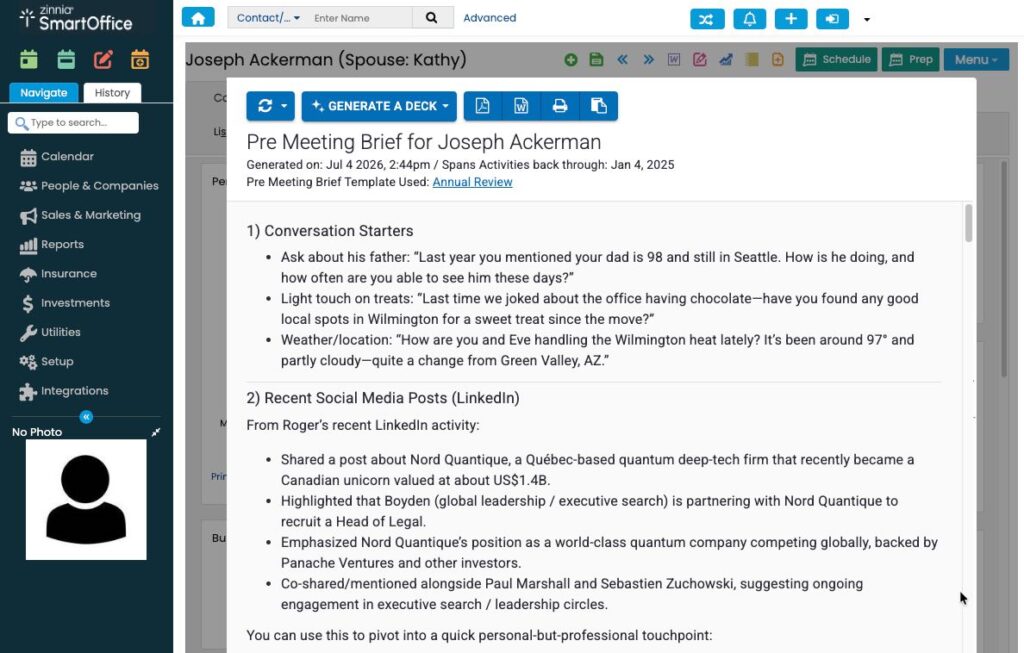
Or click on the PREP Button and get a Pre Meeting Brief generated for you.
Preparation is the key to a successful client review. While SmartOffice gives you a great overview of past activities, tasks, and portfolio information, the GReminders extension takes your prep work to the next level with an AI Meeting Prep button right inside the sidebar view when viewing SmartOffice contact records.
That’s It
Start a Free Trial today.
For help connecting GReminders to SmartOffice, Click Here
Any questions, email to [email protected]
FAQs
What benefits do I get by integrating SmartOffice with GReminders?
You can create new contacts in SmartOffice when a prospect schedules a meeting, automatically log client notifications, use AI Notetaker for summaries, and write back action items to client records.
How can I share booking links with clients?
You can share booking links via the Share Booking Link Button on the Calendar Page, generate single-use links, or copy available timeslots to paste into your email.
What is the AI Meeting Prep feature?
The AI Meeting Prep feature generates a Pre Meeting Brief to enhance your preparation for client reviews, accessible through the PREP Button in the GReminders sidebar.