Hubly is a workflow and operations management platform built specifically for financial advisory firms — it helps teams automate and track client onboarding, money-movement, recurring services, and team tasks so nothing “slips through the cracks.”
It is not a CRM itself; rather, Hubly integrates with CRMs like Redtail CRM or Wealthbox and uses existing client data to power standardized, repeatable workflows — making service delivery more efficient and consistent across a firm.
GReminders now integrates with Hubly in the following ways:
- Launch a Hubly Workflow after someone Books a Meeting with you via one of the Event Types
- Create a New Contact in Hubly (assuming they do not exist yet)
- Recommends Workflows Based on Meeting Content (Post AI Notetaker)
Step 1: Connect
First connect your Hubly Account in GReminders. Go to Setup > Integrations > click on Hubly
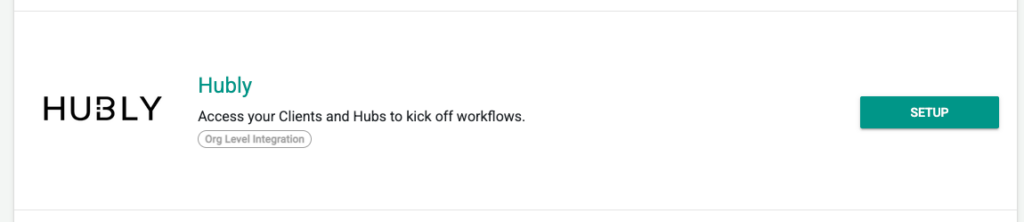
You will be prompted to login to your Hubly account and authenticate.
Once you do so your Org is connected to Hubly and your User Account.
Note: IF you have other users they should now also connect THEIR Hubly user account by going to Profile > My Integration and logging in to their Hubly using their Hubly Credentials. This will ensure each user has the right permissions and will launch the workflows on their behalf.
Step 2: Launch Workflows when clients Schedule a Meeting
Go to any Event Type (your own or a Managed Event Type), and go to the Automation Section of the Event Type.
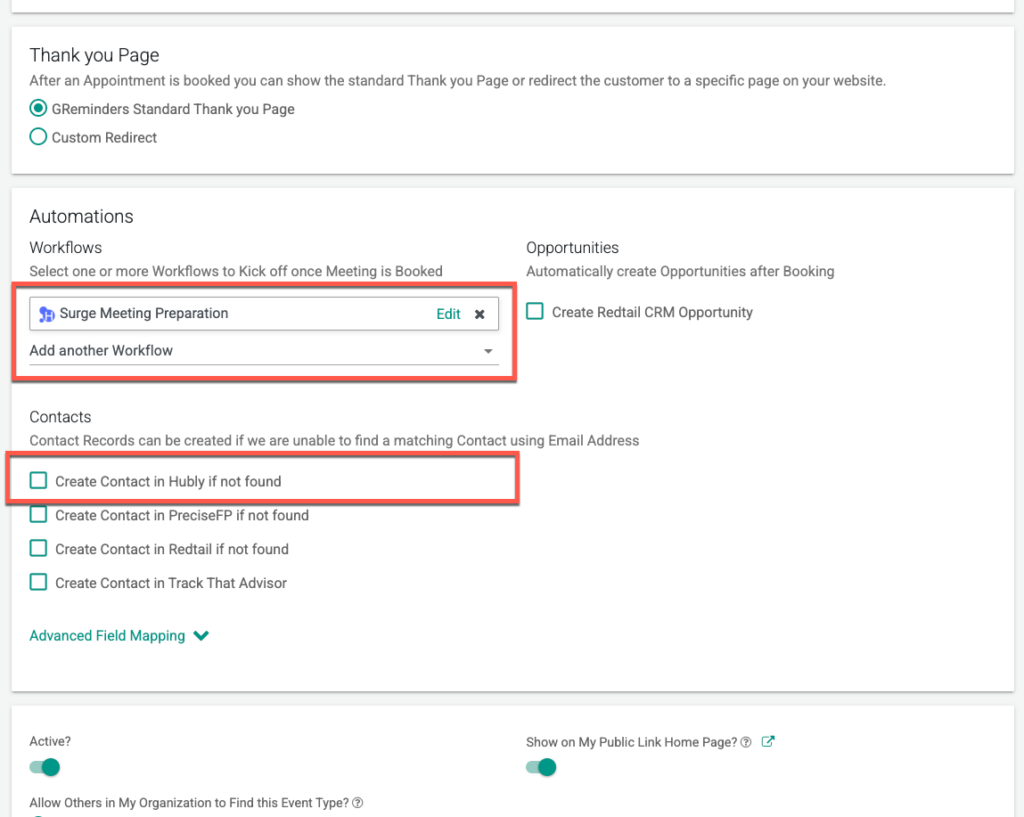
Here you can select one or more Workflows that you want to launch when a Meeting is scheduled with you or your team. These will be all your Hubly Templates that you have enabled or created.
Note we will do a email lookup in Hubly to make sure that person/household is in Hubly in order to launch the workflow.
If the person does not exisy we can automatically create a Contact in Hubly first. Please check the “Create Contact in Hubly if not found” checkbox. Don’y Worry, we will not create duplicates.
Once a Meeting is booked the Hubly Workflow will launch and you can manage Workflows Hubly just like normal.
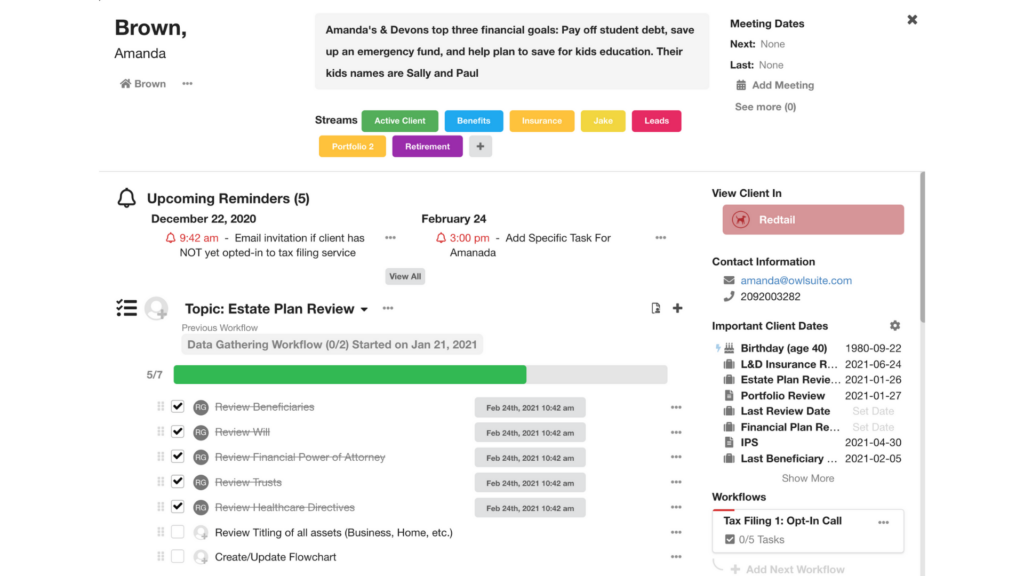
Get Workflows Recommended to you
After AI Notetaker Summarizes your Calls the system will recommend Workflows based on the Content of your Calls.
Below you will see some Workflow Recommendations based on the Summary of the Meeting you had with your client:
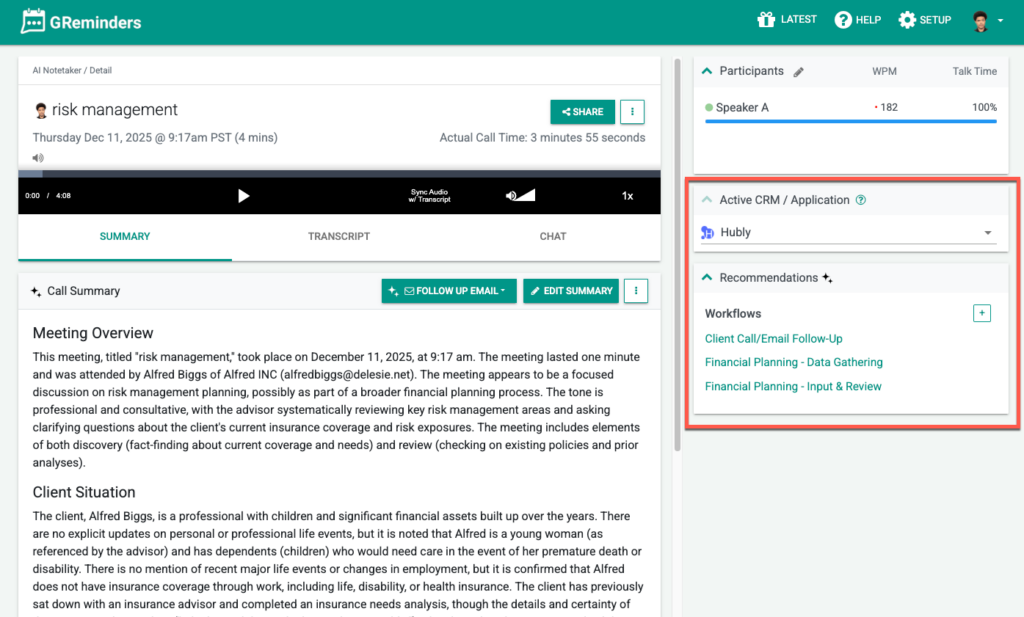
Click on it and you can decide which Workflows you want to launch. If the contact is not automatically linked you can search for your Hubly Contact, and simply click Launch
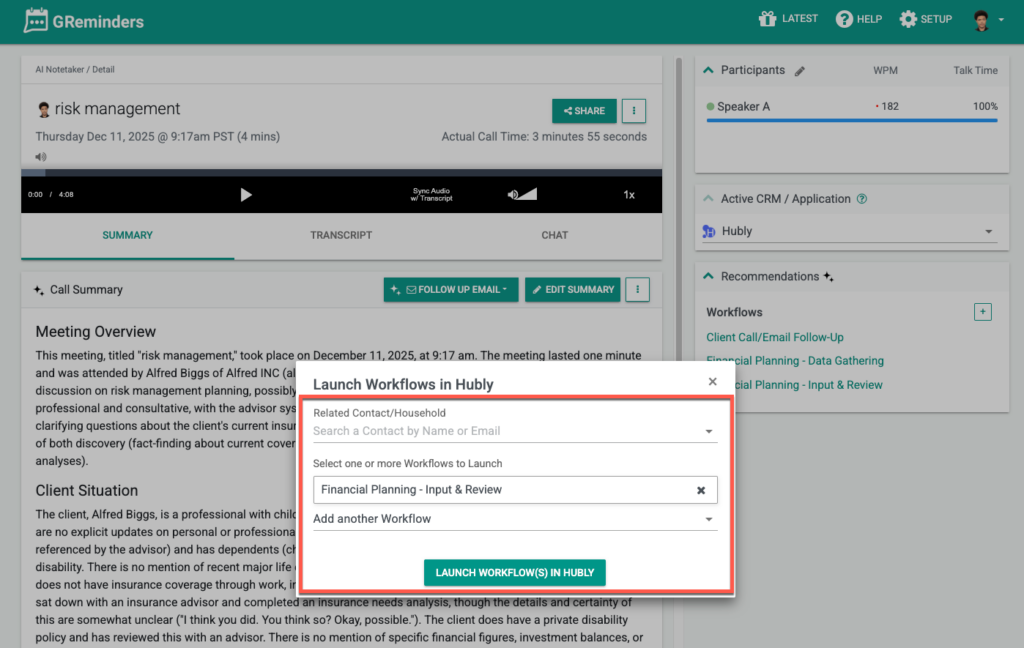
That’s It
Any Questions? Contact [email protected]
Happy Operations!
FAQs
What is Hubly and how does it integrate with CRMs?
Hubly is a workflow and operations management platform designed for financial advisory firms. It is not a CRM itself but integrates with CRMs like Redtail CRM or Wealthbox, using existing client data to power standardized, repeatable workflows that improve service delivery efficiency and consistency.
How do I connect my Hubly account to GReminders?
To connect your Hubly account to GReminders, go to Setup > Integrations > click on Hubly. You will be prompted to log in and authenticate your Hubly account. Other users should also connect their Hubly accounts via Profile > My Integration to ensure proper permissions and workflow launching on their behalf.
How can I automate launching Hubly workflows when clients schedule meetings?
In GReminders, go to the Automation Section of any Event Type and select one or more Hubly Workflows to launch when a meeting is scheduled. The system will look up the client in Hubly by email and can automatically create a new contact if not found, avoiding duplicates. Once a meeting is booked, the selected Hubly Workflow will launch automatically.