Agencybloc AMS+ is a very popular CRM used by Health Insurance Agencies.
GReminders is now integrated with AgencyBloc for purposes of:
- Writing AI Notes and Tasks back to Individual Records
- Scheduling and Sending SMS Notifications to Clients
Getting Connected
First you need an API Key from AgencyBloc. Contact AgencyBloc support and ask for your API SID and API Key.
Once you have this information go to your GReminders account and go to Setup > Integrations > and find AgencyBloc. Click Setup
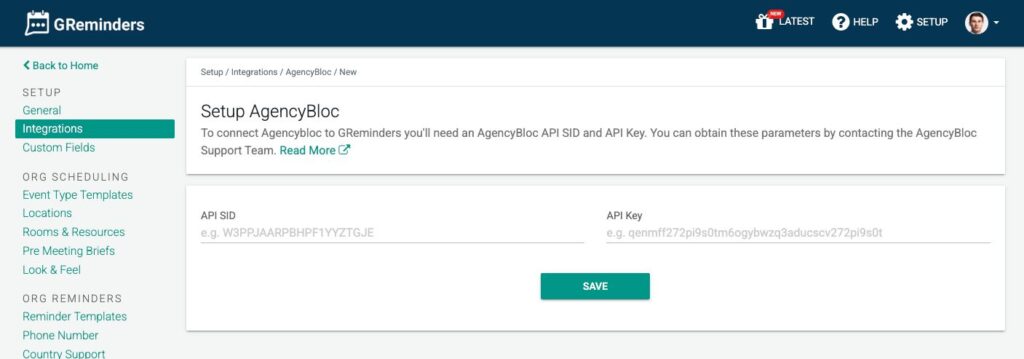
Next, enter your API SID and API Key you received from AgencyBloc here.
Click Save
At this time you should be fully connected.
Writing AI Tasks & Notes Back to AgencyBloc
Navigate to one of your AI Notetaker Records
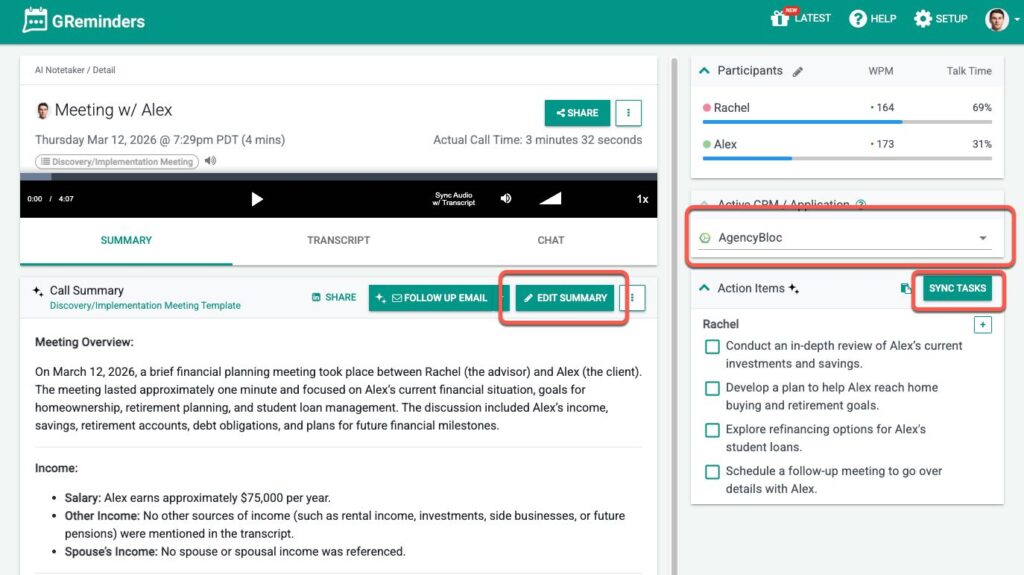
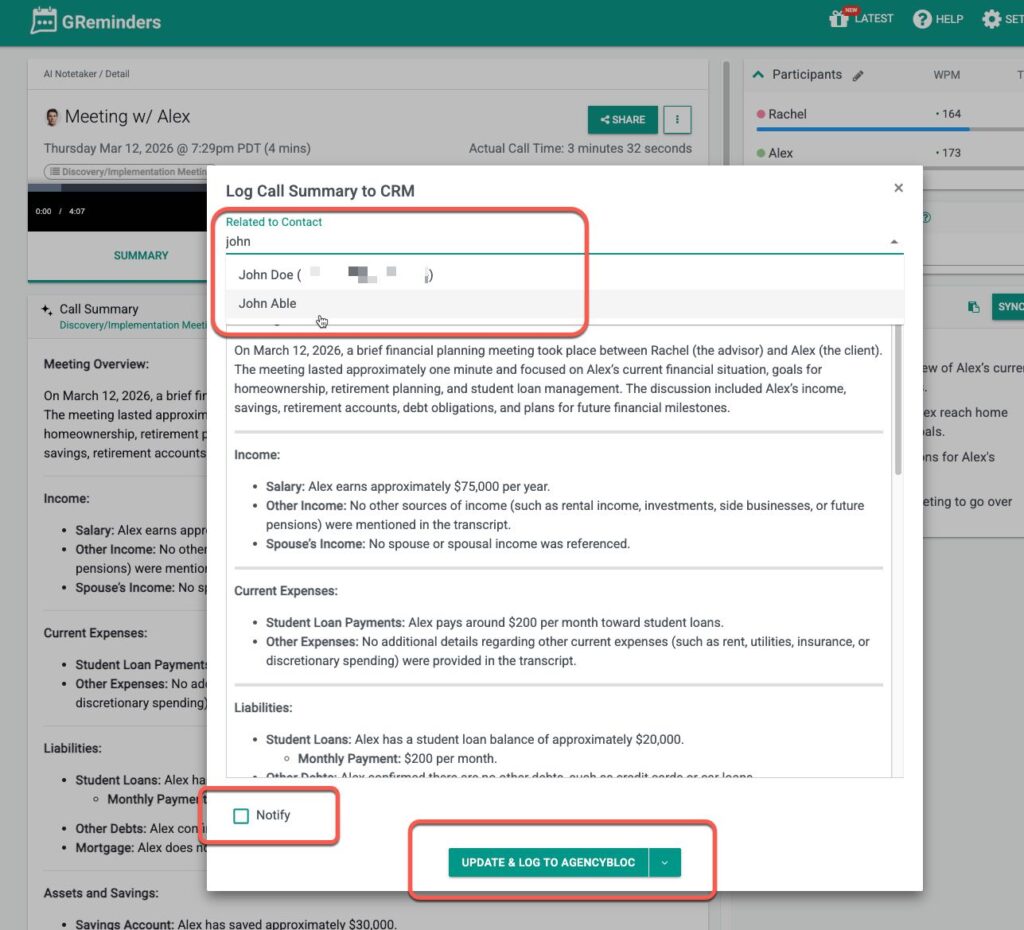
Click Edit Summary. From here you should be able to search any Contacts from AgencyBloc.
Select the right Contact, Review your Notes and click Update in AgencyBloc.
Next Tasks. Click Sync Tasks.
Decide which tasks you want to push or edit them here. Then simply click Create Tasks in AgencyBloc
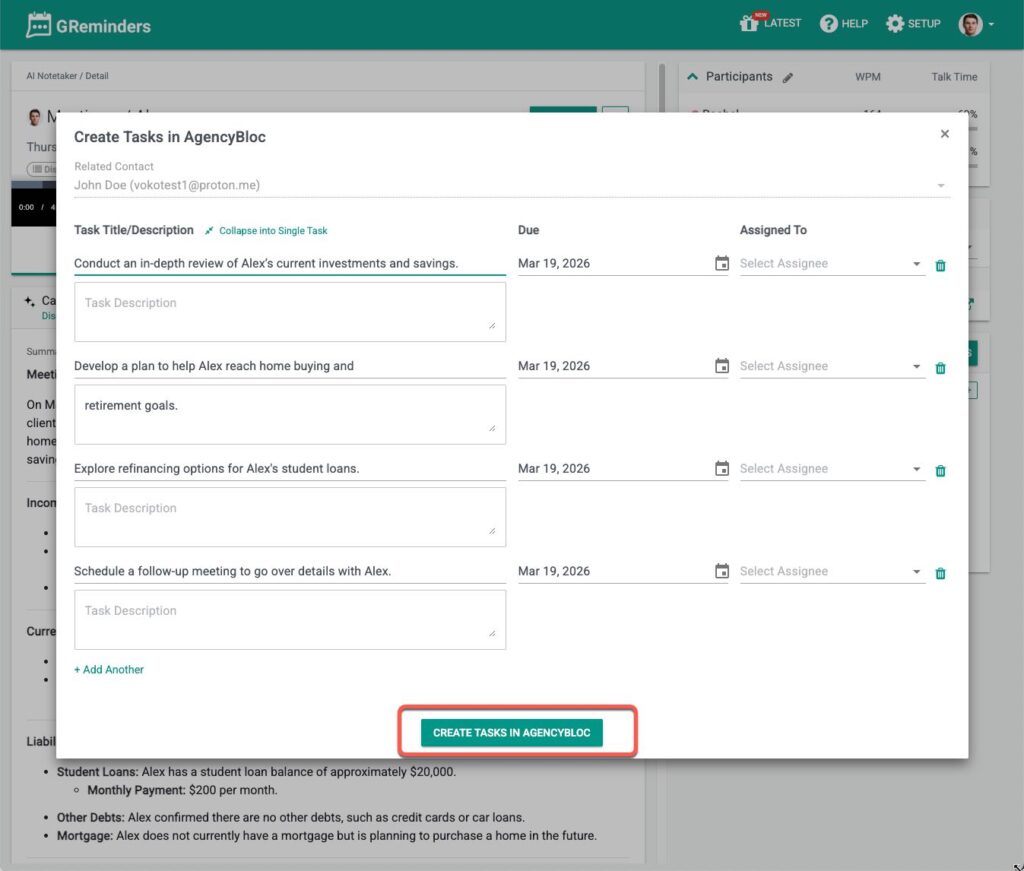
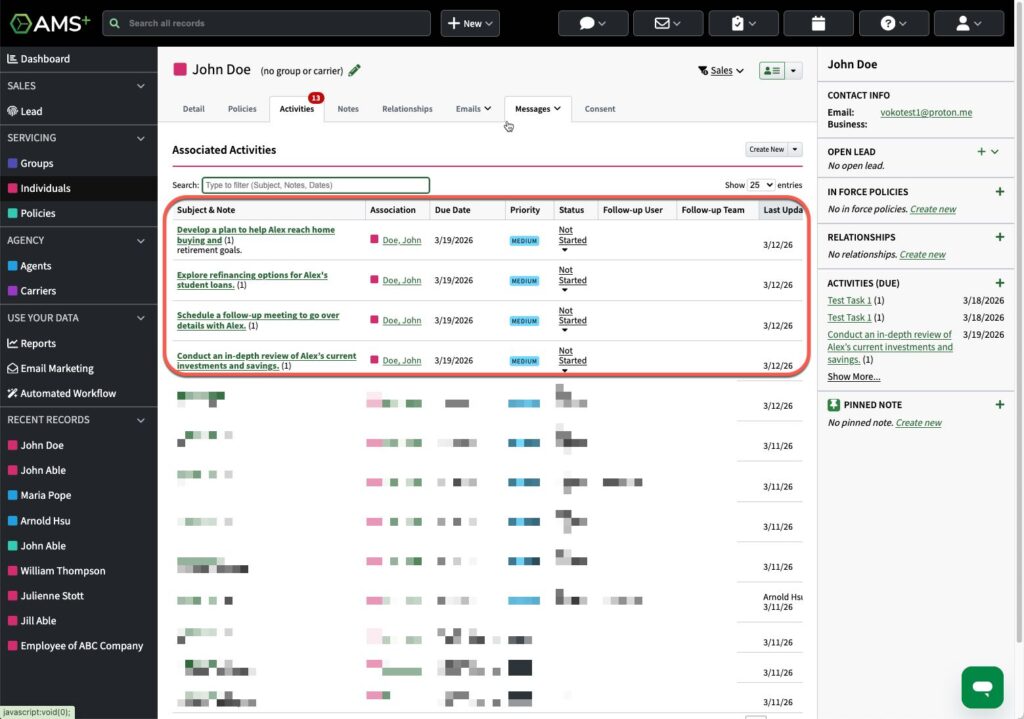
This will move the tasks from GReminders into your AgencyBloc Activities area within that Individual.
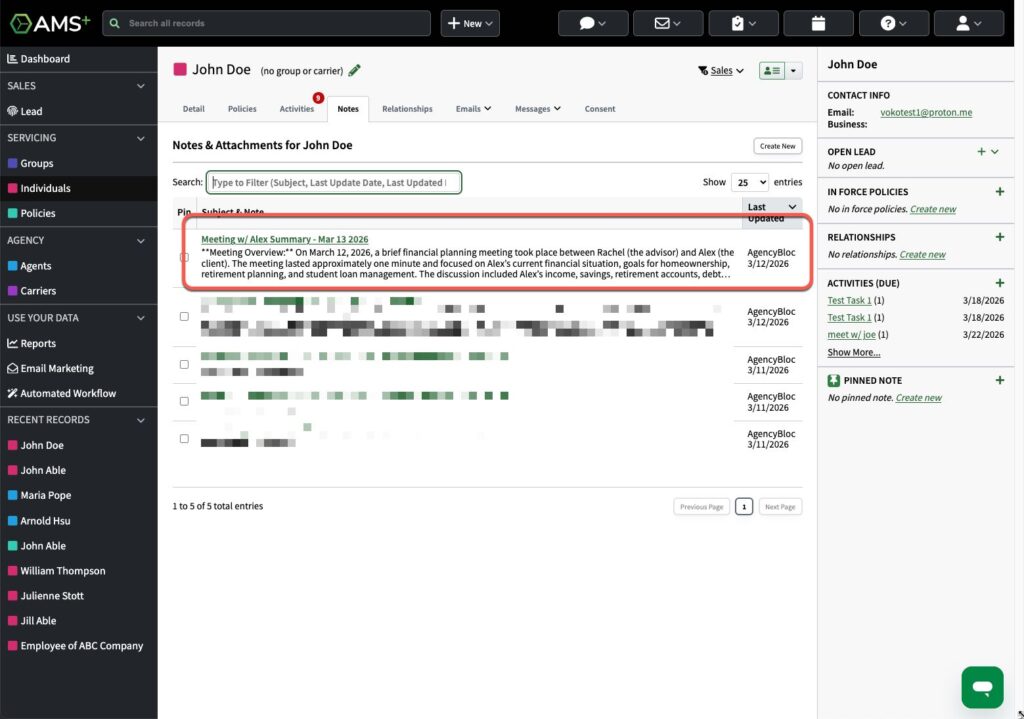
When you navigate to your AgencyBloc Individual record you should see the notes and tasks that were written:
Activities in AgencyBloc
Getting Phone Numbers from AgencyBloc to Send SMS
If you use Outlook or Google Calendar GReminders can automatically search Contacts within AgencyBloc to get relevant phone numbers for purposes of reminding Clients of Upcoming Appointments.
Simply invite the client to your Outlook or Google Calendar using their Email and we will try to find the corresponding Phone Number in AgencyBloc. Once we have it we will use the SMS Reminders feature within GReminders to send SMS Notifications.
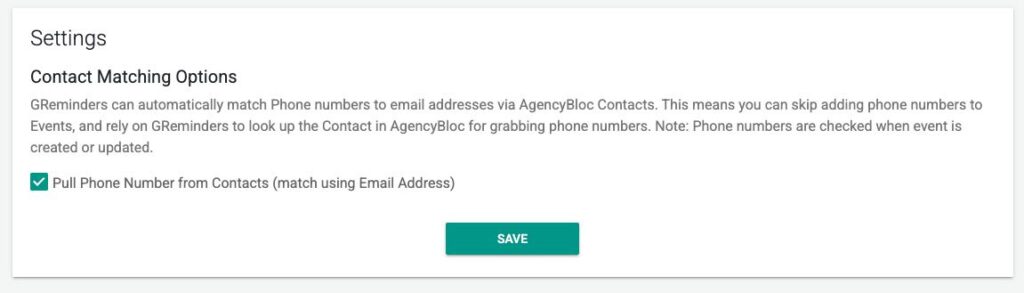
To enabled this feature go to Setup > Integrations > AgencyBloc and make sure the checkbox is enabled for Contact Matching
That’s It.
We would love to hear your feedback.
Any questions? Contact [email protected]
FAQs
How do I connect GReminders with AgencyBloc?
First, obtain your API SID and API Key from AgencyBloc support. Then, in your GReminders account, go to Setup > Integrations, find AgencyBloc, click Setup, enter your API SID and API Key, and click Save. You should then be fully connected.
How can I write AI notes and tasks back to individual records in AgencyBloc using GReminders?
Navigate to one of your AI Notetaker Records in GReminders, click Edit Summary, search and select the appropriate Contact from AgencyBloc, review your notes, and click Update in AgencyBloc. For tasks, click Sync Tasks, select or edit tasks, then click Create Tasks in AgencyBloc to push them to the Activities area within the individual record.
How does GReminders send SMS notifications to clients using phone numbers from AgencyBloc?
If you use Outlook or Google Calendar, GReminders can automatically search AgencyBloc contacts for relevant phone numbers when you invite clients using their email. To enable this, go to Setup > Integrations > AgencyBloc in GReminders and enable the Contact Matching checkbox. GReminders will then use the SMS Reminders feature to send appointment notifications.