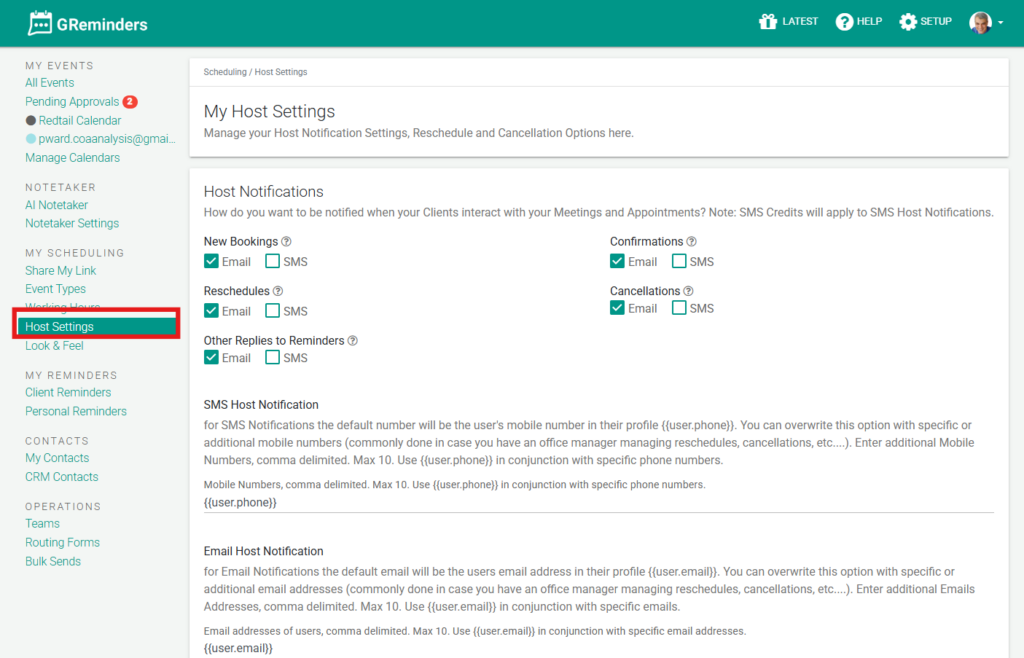
Host settings allow you to:
- Control how you receive notifications, as well as add additional phone numbers and email addresses you would like to receive your host notifications at.
- Add buffers to appointments scheduled manually on your calendar.
- Control when you’ll allow clients to reschedule or cancel appointments with you.
- If you do allow rescheduling, you can determine when someone can book a new appointment if the original meeting was scheduled manually.
- Determine how many times your events can be rescheduled.
- Determine how far in advance One Off Meetings can be booked via the GR Sidebar and when these One Off Meetings can be rescheduled.
- Decide if you wish to leave canceled appointments on your calendar or remove them completely.
- Finally, if you set up appointment approvals, here is where you determine the length of time before an appointment is automatically declined.
- NOTE: If you have universal HOST SETTINGS for your firm, these can be established under SETUP > GENERAL > Check Override User Notification Settings.

Reminder, Host Settings do NOT include notifications for bulk sends. Notifications for bulk sends are managed within the bulk send directly.
That’s it! Any questions? Please email [email protected]
Happy Scheduling!
FAQs
What can I control with Host settings?
Host settings allow you to control how you receive notifications, add additional phone numbers and email addresses for notifications, add buffers to manually scheduled appointments, control client rescheduling and cancellations, determine rescheduling limits and timing for One Off Meetings, decide whether canceled appointments remain on your calendar, and set appointment approval timeframes.
Can I manage notifications for bulk sends in Host settings?
No, notifications for bulk sends are not managed in Host settings. They are managed directly within the bulk send process.
Where can I set universal Host settings for my firm?
Universal Host settings for your firm can be established under SETUP > GENERAL by checking the Override User Notification Settings option.