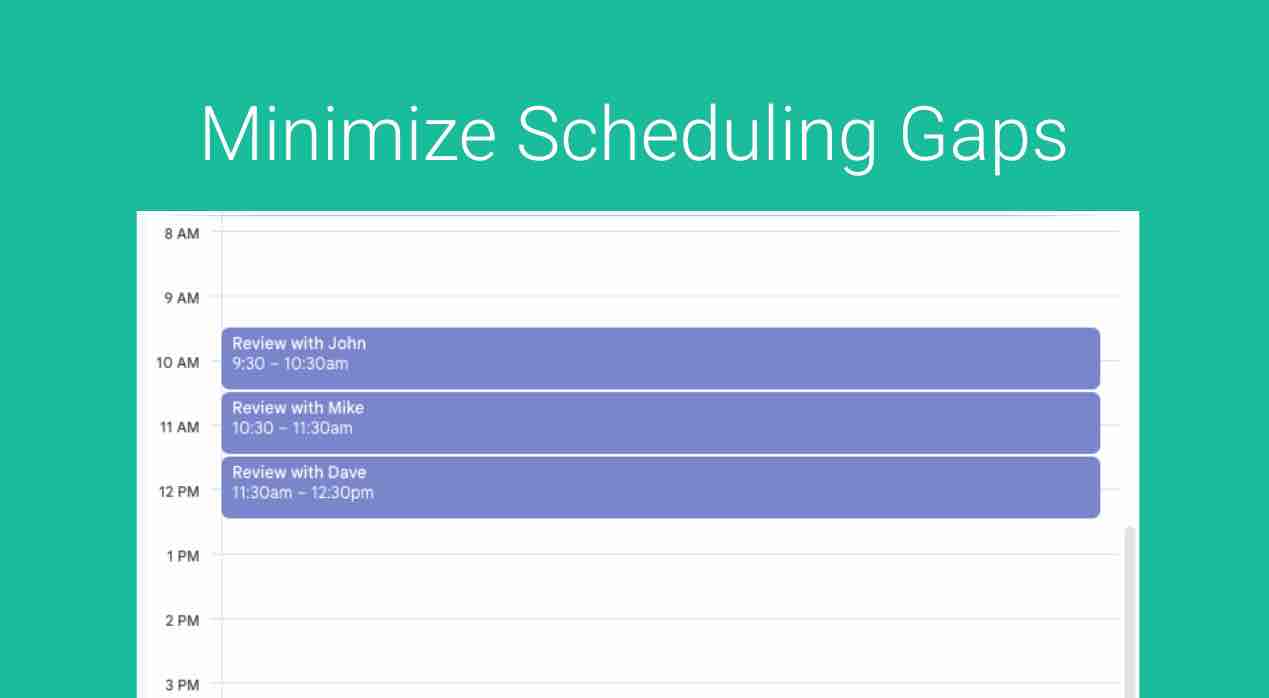
Contiguous Slots is an intelligent availability control designed to maximize time with clients and reclaim uninterrupted focus time. Instead of scattering appointments across open blocks – creating unusable 15- to 45-minute gaps of “dead time” – Contiguous Slots clusters client bookings directly against designated Anchor Slots or existing calendar events.
How It Works
- Set Anchor Slots
Define target starting points for your scheduling blocks (e.g., 9:00 AM or 1:00 PM). Initially, public booking pages offer only these two anchor points. - Sequential Clustered Booking
Once the anchor slot is booked, the system automatically expands availability solely to the slots that directly follow the existing appointment (“butting up” against it). - Compact Calendar Expansion
Subsequent meetings must snap directly to the front edge of the growing cluster. Open availability expands outward sequentially rather than leaving isolated gaps throughout the day. - Preserved Focus Blocks
By packing meetings back-to-back within designated windows, remaining calendar segments stay unified into wide, unbroken stretches for deep work, strategic projects, and admin tasks.
Setting It Up
Go to one of your Event Types or setup a new Event Type.
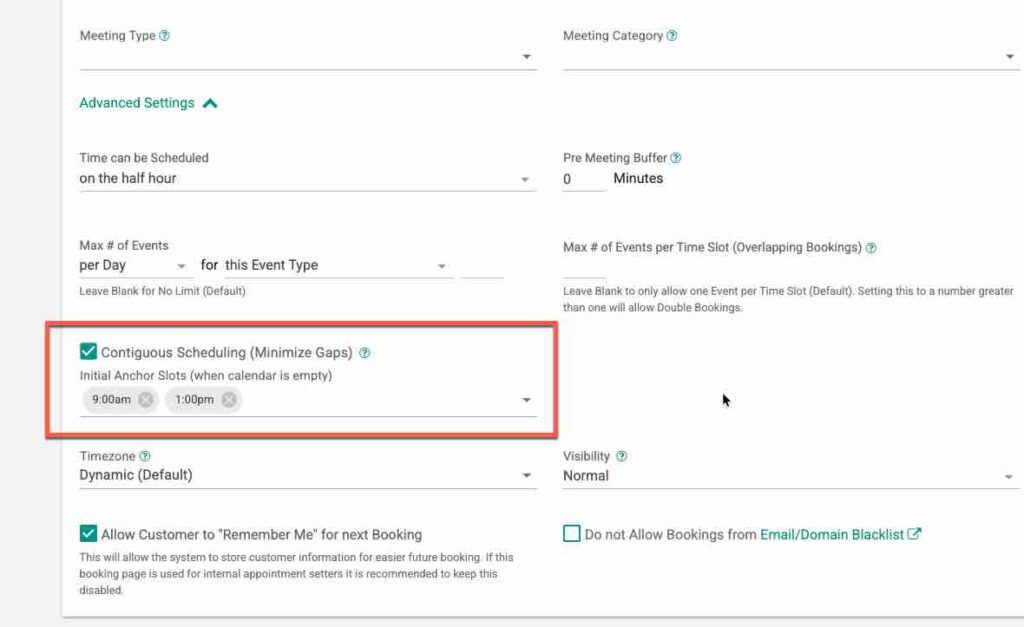
Click Advanced under Event Bookings and check the Contiguous Scheduling (Minimize Gaps) checkbox.
Next Select initial Anchor Slots. Make sure these times fall within your Working Hours. These are the initial times that will be available for booking (assuming you do not have any other busy events at the same time). Note: Your existing availability times will be fully supported along with your Working Hours.
When you go to book this meeting you should see similar availability to this:
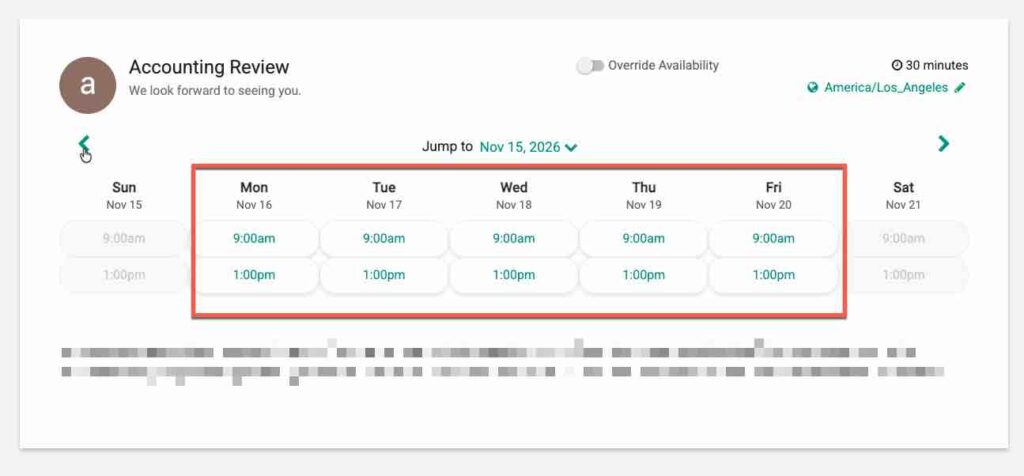
Note, if you already have a meeting scheduled at one of these times some times may be blocked.
Once a client Books one of these slots, lets say Wed 9am, the next available slot for Wed will be 9:30am (in this example the meeting is 30min long).
Example:
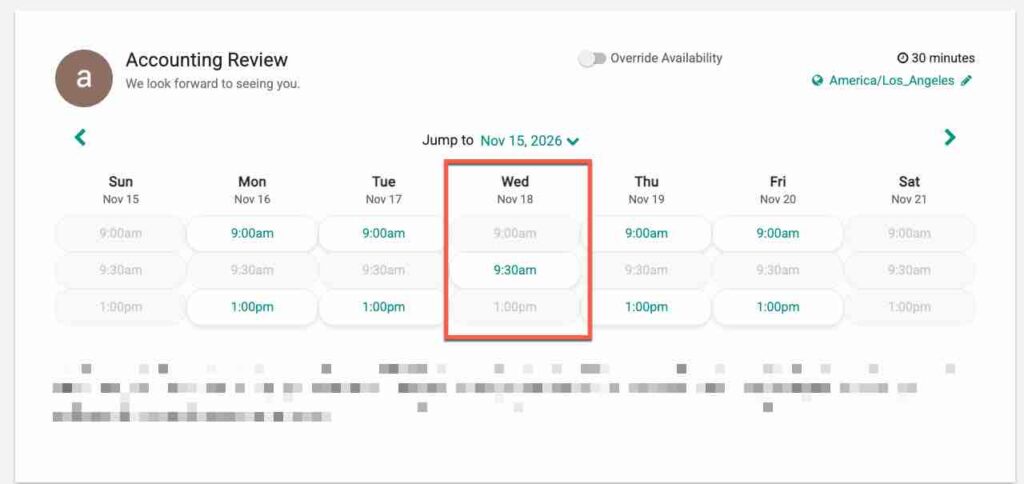
Meeting Buffers will be respected, so if you had a 15 min post meeting buffer your next appointment (in this case) would be available at 9:45am.
Note: This feature is only available to 1:1 Event Types or 1:1 Managed Event Types are the moment.
That’s It. Any questions? Email to [email protected]
FAQs
What is Contiguous Slots?
Contiguous Slots is an intelligent availability control that maximizes client time and minimizes gaps in scheduling by clustering appointments around designated Anchor Slots.
How do I set up Contiguous Slots?
To set up Contiguous Slots, go to your Event Types, click Advanced under Event Bookings, check the Contiguous Scheduling checkbox, and select your initial Anchor Slots within your Working Hours.
What types of events support Contiguous Slots?
Contiguous Slots is currently available only for 1:1 Event Types or 1:1 Managed Event Types.