Simplii is a popular VoIP and Text Messaging Platform. You can now send Text/SMS Reminders and Bulk Sends via your Simplii SMS Phone Number.
Setting It Up
First go to your Simplii Chrome Extension and create a Webhook.
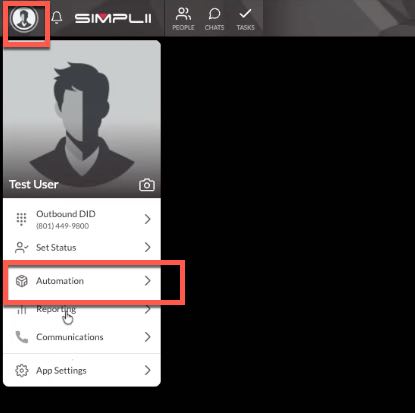
Click your Profile Picture and then Automation
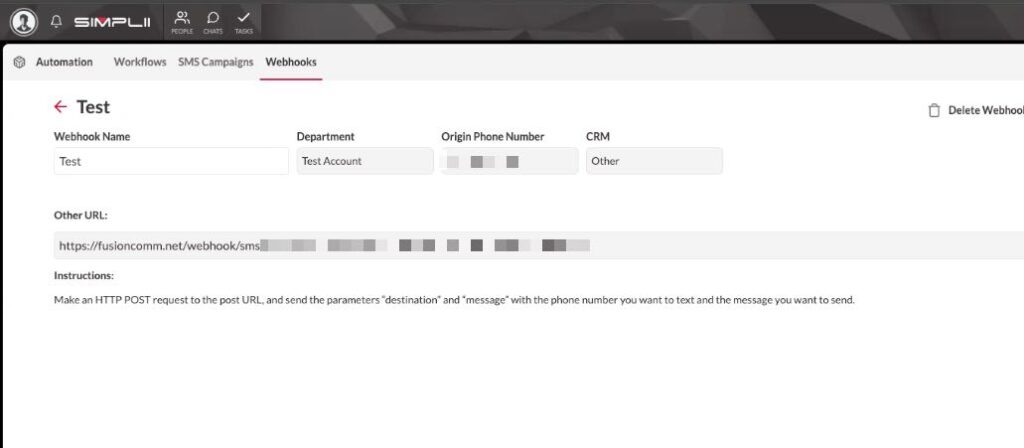
Next select Webhooks and click the PLUS sign to create a new Webhook.
Name it: GReminders, select the phone number you want to use and select OTHER in the CRM Dropdown
This will generate a URL. Copy this into your Clipboard
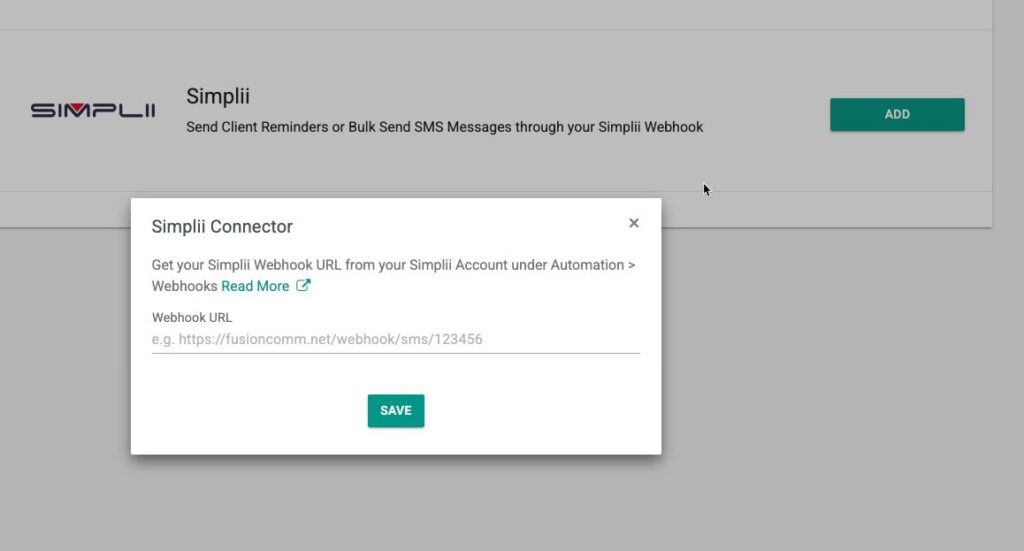
Next, go to GReminders and click My Profile and find Simplii in the Integration Menu
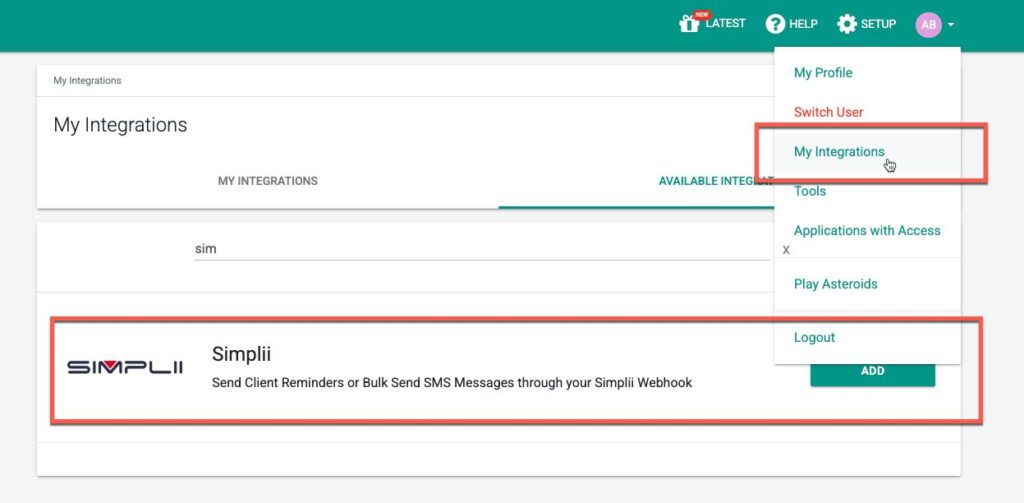
Click ADD and Paste in the URL that you received above from the Simplii Application.
Using the Simplii Account
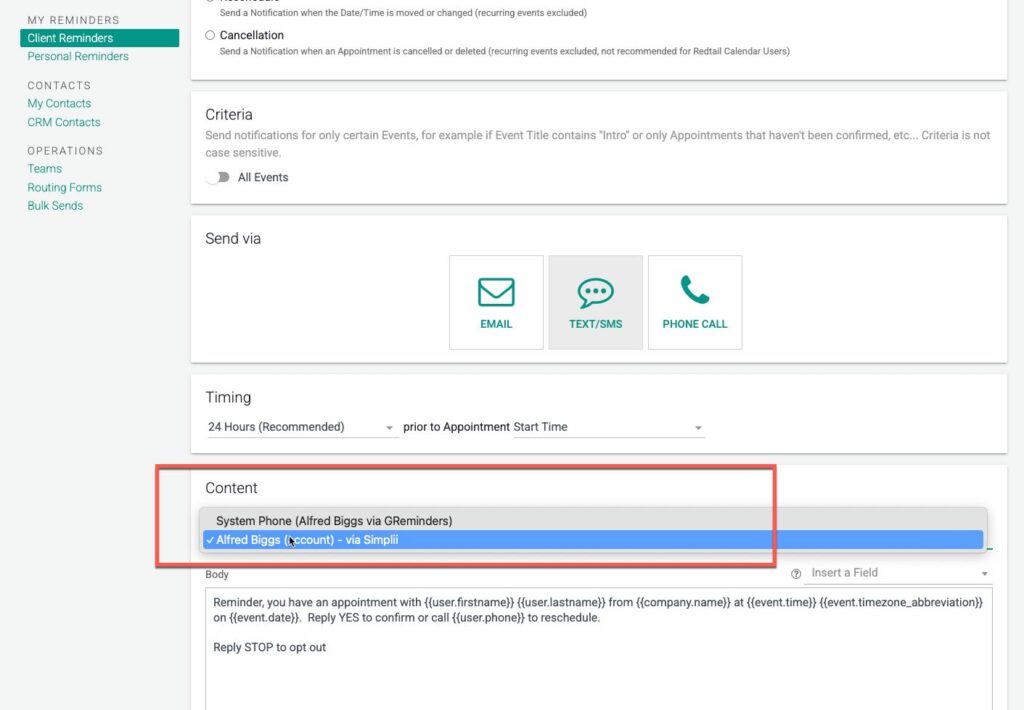
Go to your Client Reminders or Bulk Sends, select send via SMS and then select the FROM dropdown. This should now have your Simplii Account listed. Select it and all messages will come from your Simplii Text Messaging Account
Thats It
You can read more about Bringing your own SMS number and additional settings and options here.
Any questions? Please email to [email protected]
FAQs
How do I set up a webhook for Simplii in GReminders?
Go to your Simplii Chrome Extension, click your Profile Picture, then Automation. Select Webhooks and click the PLUS sign to create a new webhook. Name it GReminders, select your phone number, choose OTHER in the CRM dropdown, and copy the generated URL. Then, in GReminders, go to My Profile, find Simplii in the Integration Menu, click ADD, and paste the copied URL.
How do I send SMS reminders or bulk messages using my Simplii account in GReminders?
In GReminders, go to Client Reminders or Bulk Sends, select send via SMS, and then choose your Simplii Account from the FROM dropdown. All messages will then be sent from your Simplii Text Messaging Account.
Where can I get help if I have questions about using Simplii with GReminders?
If you have any questions, you can email support at [email protected] for assistance.