Managing client scheduling, marketing outreach, and CRM hygiene can often feel like juggling three separate jobs. Enter the GReminders FMG Suite Integration – a seamless bridge designed to automate client acquisition, streamline post-meeting follow-ups, and keep your marketing lists sharp with zero extra manual effort.
Here is a look at what this powerful new connection unlocks for your practice:
1. Embed Scheduling Widgets Directly into FMG
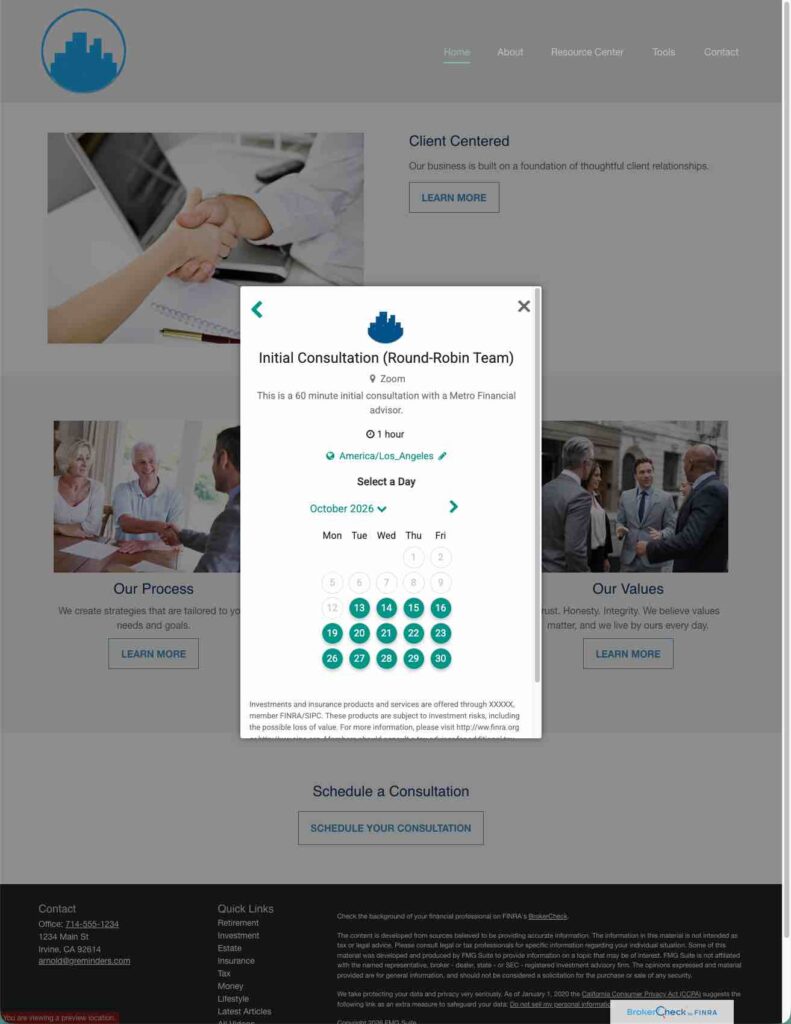
Eliminate friction for prospective clients visiting your website. You can now embed your customized GReminders scheduling widget directly onto your FMG site. Whether a visitor lands on your homepage or a dedicated landing page, they can instantly pick a time on your calendar – no back-and-forth emails required. Read More
2. Instant Contact Creation & Dynamic Group Tagging
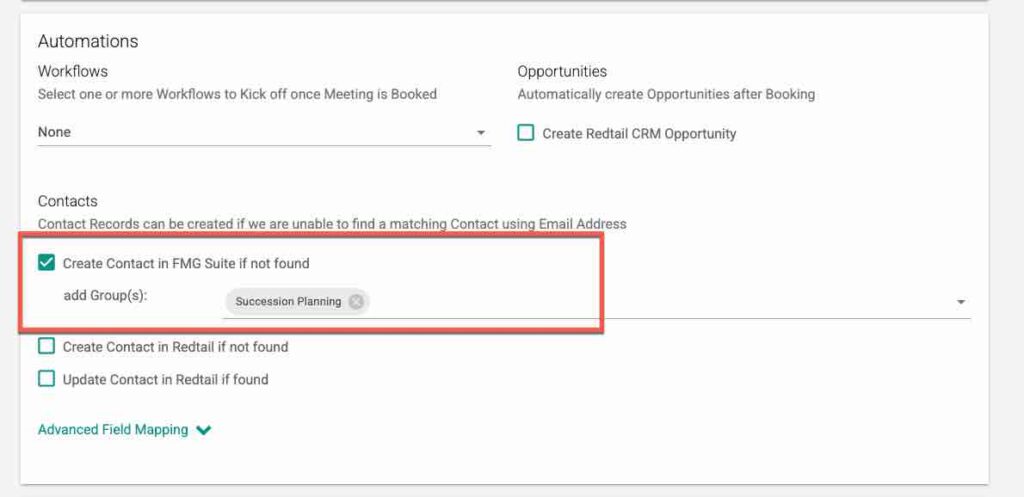
When a new prospect books an appointment through a GReminders Booking Link, GReminders doesn’t just create a calendar event – it automatically:
- Creates a new contact record in FMG.
- Adds the prospect (or existing client) to target Contact Groups.
Whether you are routing new leads into a “New Prospect Nurture” campaign or organizing current clients into specific service tiers, your marketing database stays up-to-date in real time.
3. Smart Email Follow-Ups with Relevant Article Recommendations
Finding the right article or thought leadership piece to send after a meeting takes time. With this integration, when you prepare post-meeting email follow-ups in GReminders, the system can search your FMG Content Library for relevant resources. You can easily attach high-value articles, guidebooks, or market commentary directly tailored to the conversation you just had.
4. AI Notetaker Automated Group Assignments
Our GReminders AI Notetaker does more than transcribe meetings—it turns conversations into targeted marketing actions. Based on the specific topics detected during your discussion, GReminders suggests adding the contact to relevant FMG Contact Groups automatically:
- Discussed college savings? The system prompts to add the client to your 529 Plan group.
- Covered business exit strategies? Automatically tag them for your Succession Planning campaign.
- Talked about retirement income? Add them straight to your Income Planning sequence.
Setting it Up
Ad an Administrator Navigate to Setup > Integrations and search for FMG.
Click Setup, you will be prompted to login to your FMG with your FMG Credentials. Accept and Approve the integration.
You are now Connected
Scheduling Widgets
For Scheduling or Booking Widgets on the FMG Suite Site please read this article.
Adding/Updating Contact data from Booking Pages
Within an Event Type, you will now be able to automatically create new Contacts in FMG when a meeting is booked and also add them to specific Contact Groups.
This is useful for certain meetings around topics, this will further allow you to drip emails on them over time for specific topics.
After a Meeting
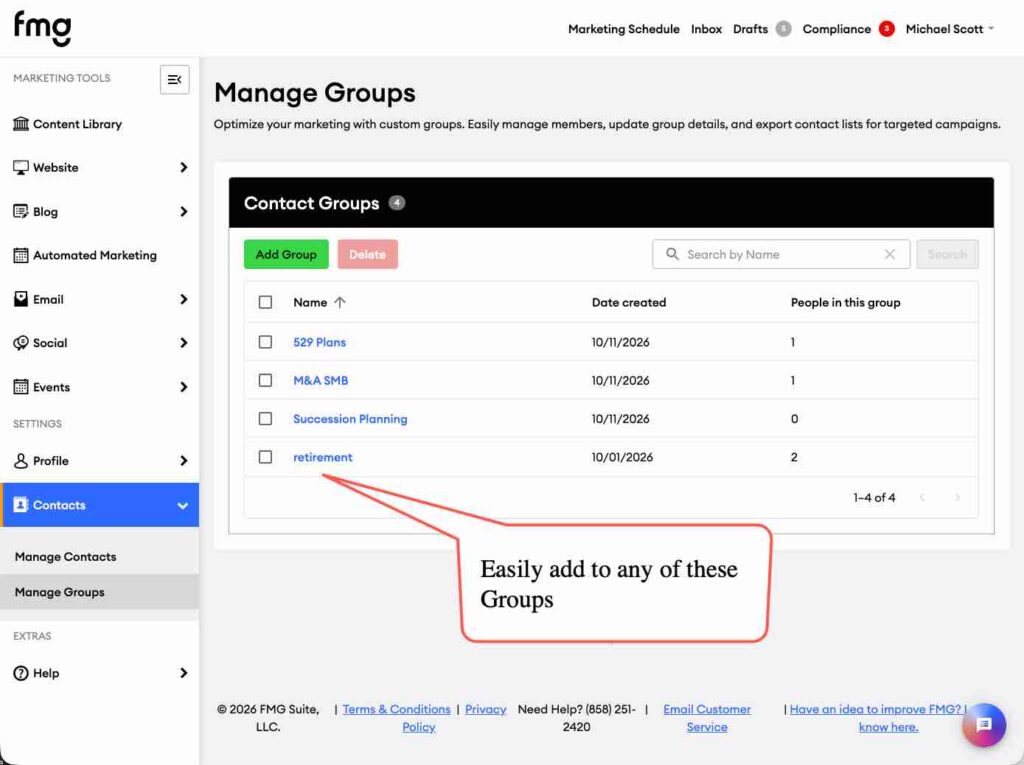
After a Meeting, AI Notetaker summarizes all your calls, and also suggest adding your Clients to certain FMG Contact Groups for additional follow ups
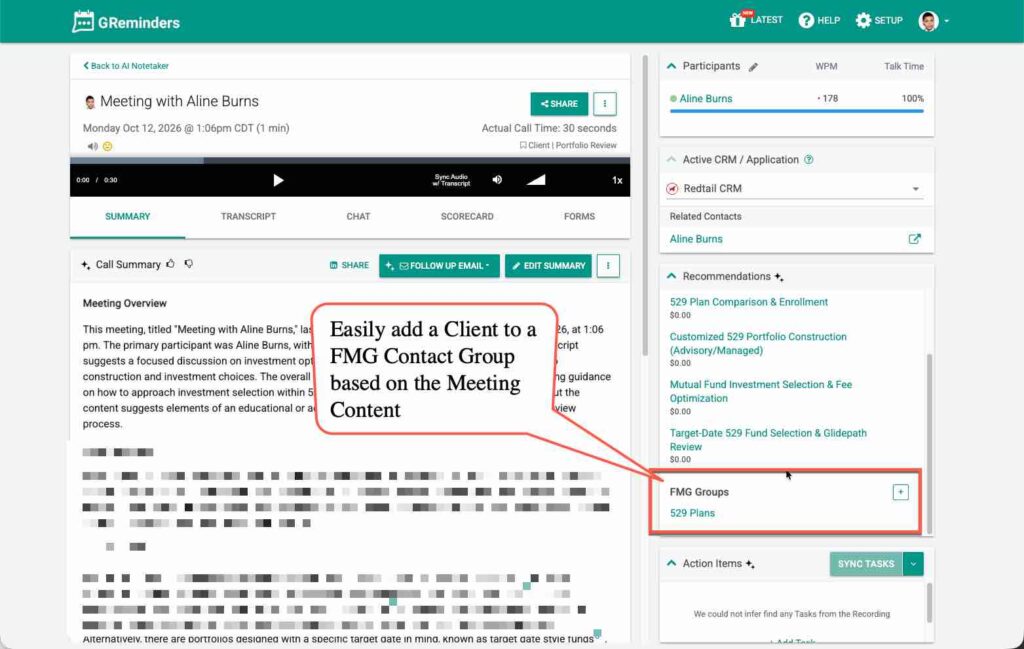
Simply click, and add the client to that Contact Group.
Recommended Content in Email Follow Ups
If you have web content on FMG Suite that is relevant to your Follow Up Conversations, your draft email may contain links to your Web Articles that can be shared with your Clients.
That’s It
Any Questions? Email to [email protected]
FAQs
What does the GReminders FMG Suite Integration do?
It automates client acquisition, streamlines post-meeting follow-ups, and maintains marketing lists without manual effort.
How does the integration help with scheduling?
You can embed GReminders scheduling widgets directly into your FMG site, allowing visitors to book appointments without back-and-forth emails.
What features does the AI Notetaker provide?
The AI Notetaker transcribes meetings and suggests adding contacts to relevant FMG Contact Groups based on discussion topics.