NextAgency is a leading Life & Health Insurance Agency CRM. GReminders has partnered with NextAgency to drive next generation AI powered Meeting Tools that ensure nothing slips through the cracks.
What It Enables
- AI Notetaker Meeting Notes pushed to NextAgency Cases
- AI Notetaker Tasks pushed to NextAgency Cases
- NextAgency Client Data and Notes powering Pre Meeting Briefs
How To Enable It
Step 1) Log into your NextAgency account.
Click your profile picture in the upper-right corner, or use the left-hand navigation menu.
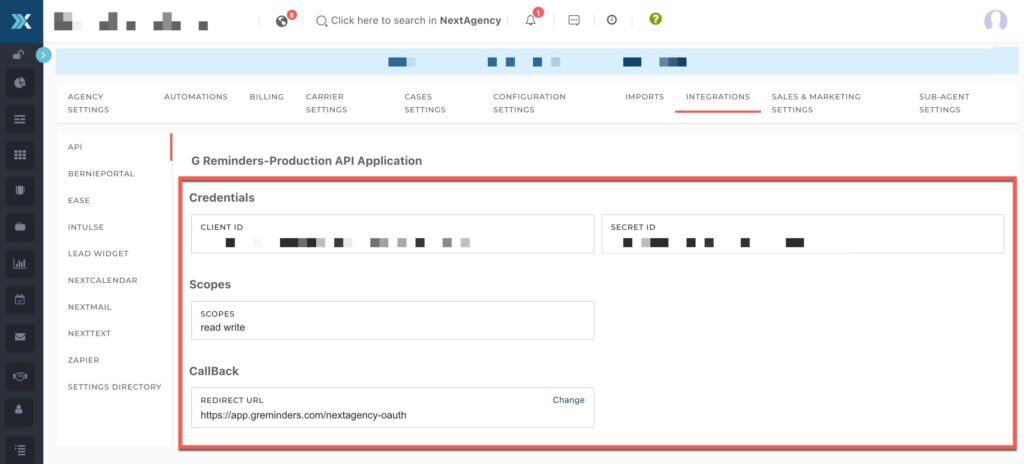
Navigate to Settings > Integrations > API. From the API section view your:
Client ID: [copy this to your notepad]
Secret ID: [copy this to your notepad]
This is the Callback URL to use: https://app.greminders.com/nextagency-oauth
Step 2) Go to GReminders
Go to Setup > Integrations > Find NextAgency in the list and click Setup
Enter your subdomain, Client ID and Client Secret into this form (these are the fields you collected from above)

Click Next and you should be presented with an Authorization Screen like this:

Click Authorize.
If you have additional users in your GReminders Instance you will need to ask them to authorize their NextAgency User accounts as well. Have them go to their Profile > My Integrations > select NextAgency and have them authorize themselves. They simply approve and that’s it.
Using the Integration
In GReminders, go to one of your Notetaker Records and try to save the Summary
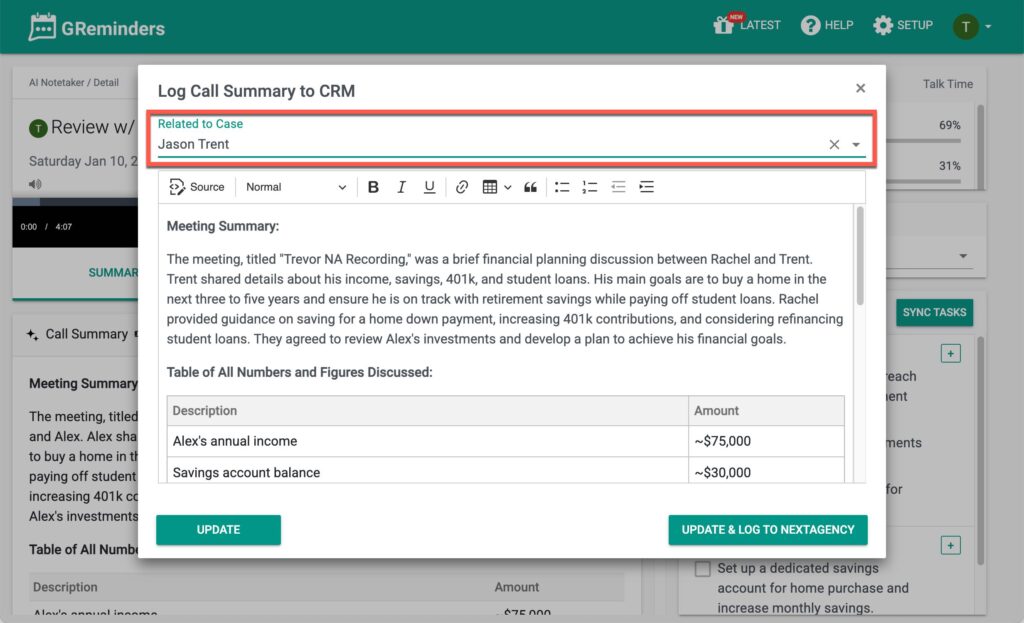
From here you can select one of your NextAgency Cases to log the Summary Back to. After you hit Update & Log you will see the Summary in your NextAgency Case Record, like so:
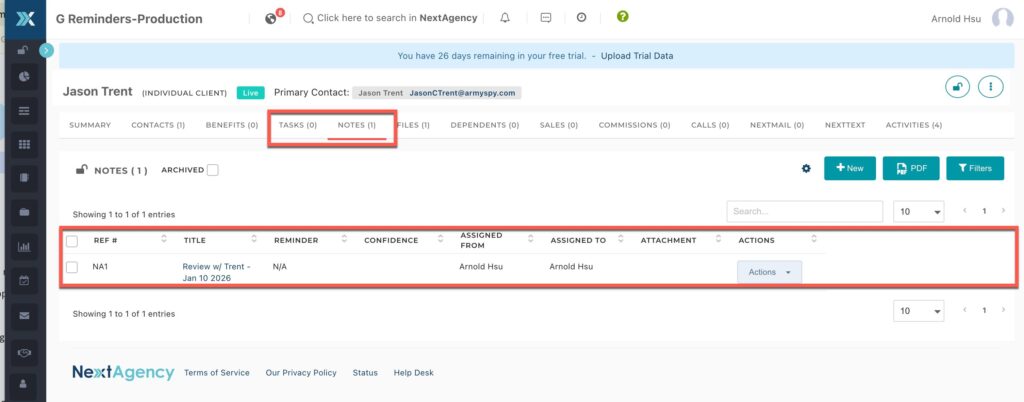
Same thing for Syncing Tasks back.
Enhancing Pre Meeting Briefs
GReminders will pull all the latest Notes for Pre Meeting Brief notifications. Simply have the meeting on your Google or Outlook calendar with the same email address and you will receive a Pre Meeting Brief with latest notes summarized.
That’s It. If you are looking for more functionality please reach out to us.
Any Questions, reach out to [email protected]
Keywords: NextAgency, Next Agency, Next Agency CRM, Insurance, Life, Agencies, Life Benefits, Agency, Life Insurance
FAQs
How do I enable the NextAgency integration with GReminders?
To enable the integration, first log into your NextAgency account and navigate to Settings > Integrations > API to get your Client ID and Secret ID. Then, in GReminders, go to Setup > Integrations, find NextAgency, and enter your subdomain, Client ID, and Client Secret. Authorize the connection when prompted. Additional users must also authorize their NextAgency accounts via their GReminders Profile > My Integrations.
What features does the NextAgency and GReminders integration provide?
The integration enables AI Notetaker meeting notes and tasks to be pushed directly to NextAgency Cases. It also uses NextAgency client data and notes to power pre-meeting briefs, providing summarized notes before meetings scheduled on Google or Outlook calendars.
How do I use the integration to log meeting summaries and tasks into NextAgency?
In GReminders, after taking notes in a Notetaker record, select a NextAgency Case to log the summary back to and click 'Update & Log'. The summary will appear in the NextAgency Case record. The same process applies for syncing tasks back to NextAgency.