
GReminders is an AI-powered meeting management and appointment scheduling platform designed for financial advisors and professionals in professional services (like accountants, attorneys, therapists, and sales teams), and businesses looking to streamline client meetings. Our core focus is handling the entire meeting lifecycle in one integrated tool, rather than requiring multiple separate apps.
GReminders can send Email, Text Reminders or SMS Reminders to all events on the Calendar(s) that you specify as a Reminder Calendar. The system does this since often times only select calendars are “synced” for reminder purposes and, as is often the case, others are booking appointments on these calendars (such as an Assistant or Office Manager).
However, if you have meetings that others invite you to on your primary calendar, you may not want to remind others of their own meetings. You probably only want to send Reminders where YOU are the Organizer.
If you only want to send a reminder if YOU are the organizer, simply go to Client Reminders > Settings and set the Option “Only Send Customer Reminders where Event Owner is the Organizer”
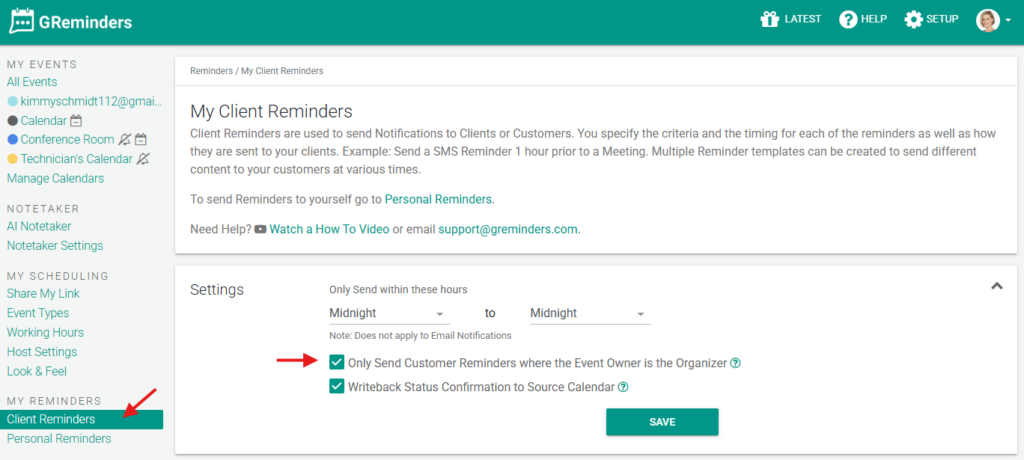
Make sure you hit Save.
The system will only send Reminder Notifications where YOU are the Owner and Organizer of the Meeting.
When you click on an Event/Appointment in GReminders the system will show you who is the Organizer:
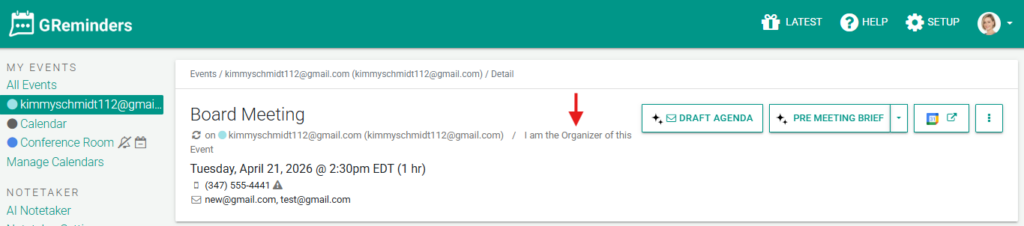
Of course, this information is also visible in your primary Google or Outlook Calendar.
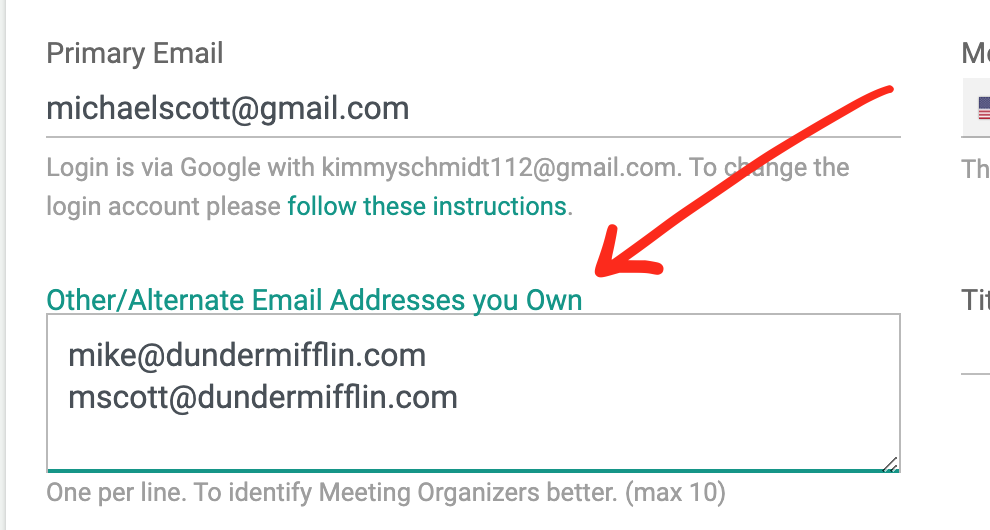
Note: IF your primary email address in GReminders is DIFFERENT than your email address you use to schedule the meeting, you will need to enter those alternate email addresses into Your Profile.
That’s It. Happy Remindering.
Any questions? Contact [email protected]