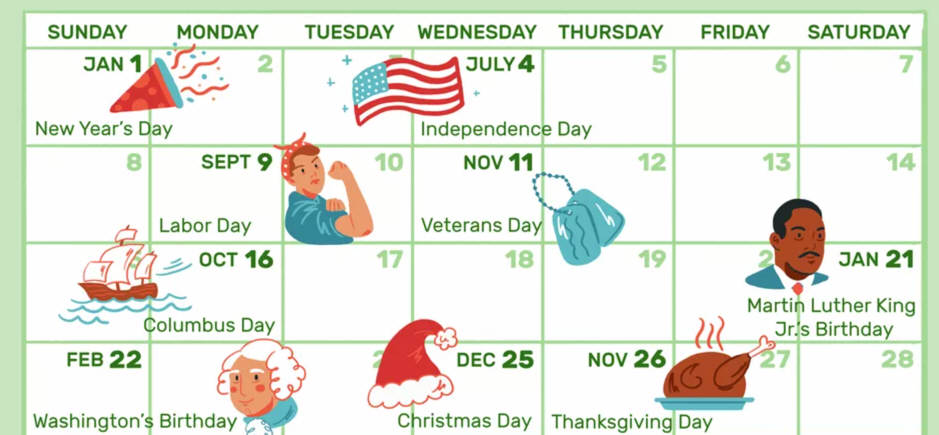
If you use your calendar to automatically schedule Appointments and Meetings and you don’t work or take meetings/appointments on Holidays, Holidays can automatically be blocked on your Calendar without doing anything extra.
In your Profile, you can specify which Holiday Calendar you subscribe to. There are various regions you can pick from based on your location, or just pick the default one from the USA.
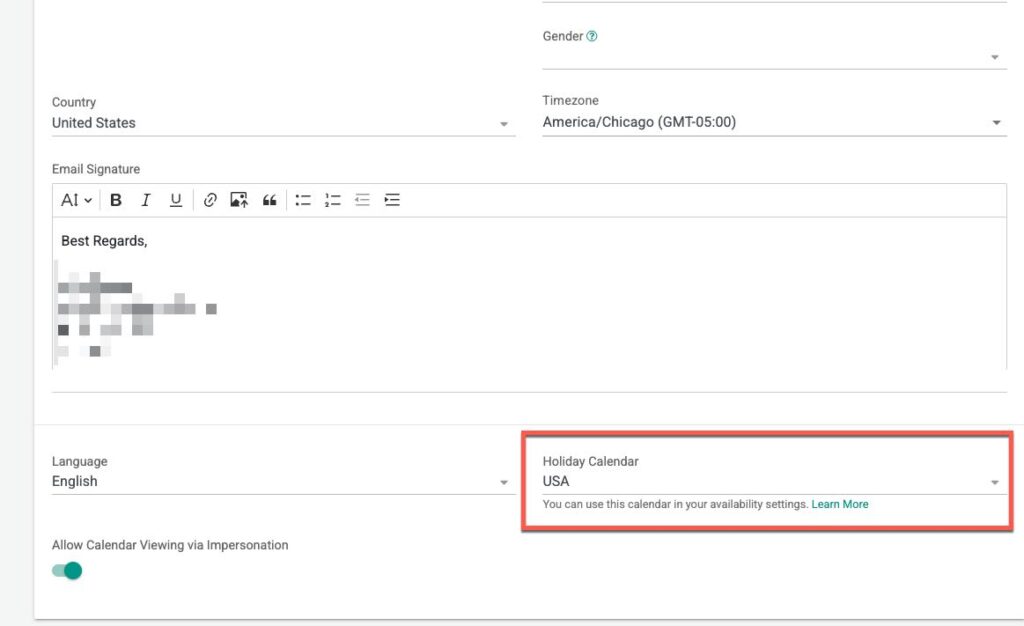
For example, US holidays include: New Year’s Day, Dr. Martin Luther King Jr’s Birthday, Washington’s Birthday, Memorial Day, Independence Day, Labor Day, Columbus Day, Veterans Day, Thanksgiving Day, Christmas.
Or select from a wide variety of Holiday Calendars for your appropriate region.
Then when you edit your Working Hours, you can mark that you want to automatically be unavailable for dates on those Holidays.
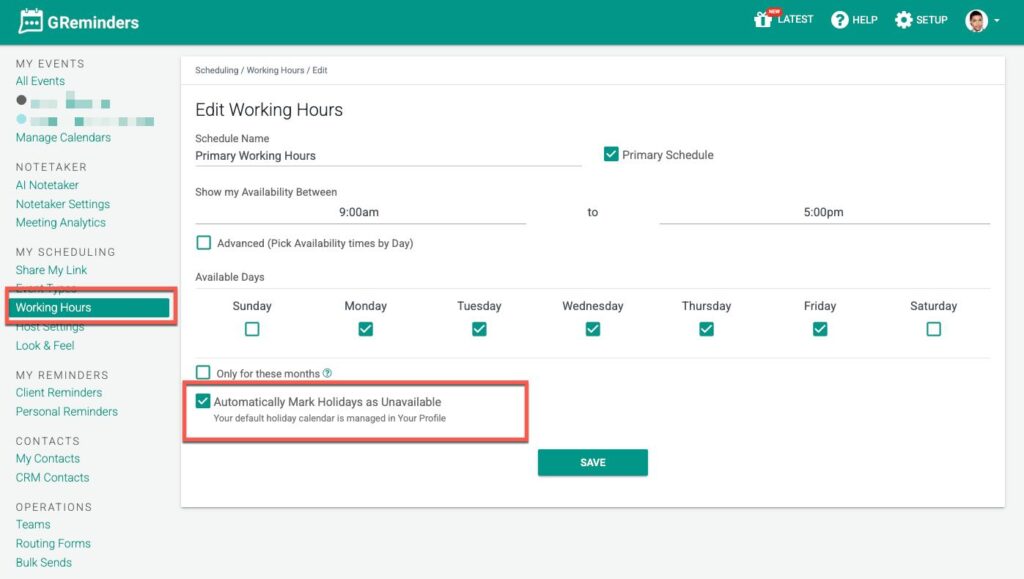
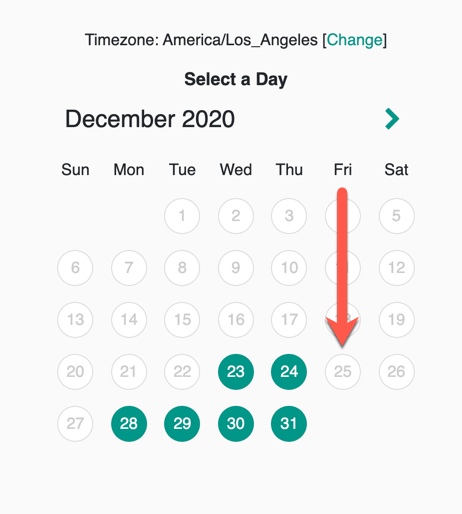
This will automatically mark those days as unavailable, and be excluded from being booked. In this example you will see Christmas Day has been blocked out:
Setting up a Custom Holiday Calendar
GReminders includes a standard set of common federal holidays. If your organization observes additional regional, local, company-specific, or industry holidays, you can create a custom holiday calendar to ensure your scheduling reflects those dates.
To setup a Custom Holiday Calendar go to Setup > Holiday Calendar
Note: You must be a System Administrator to take this action.
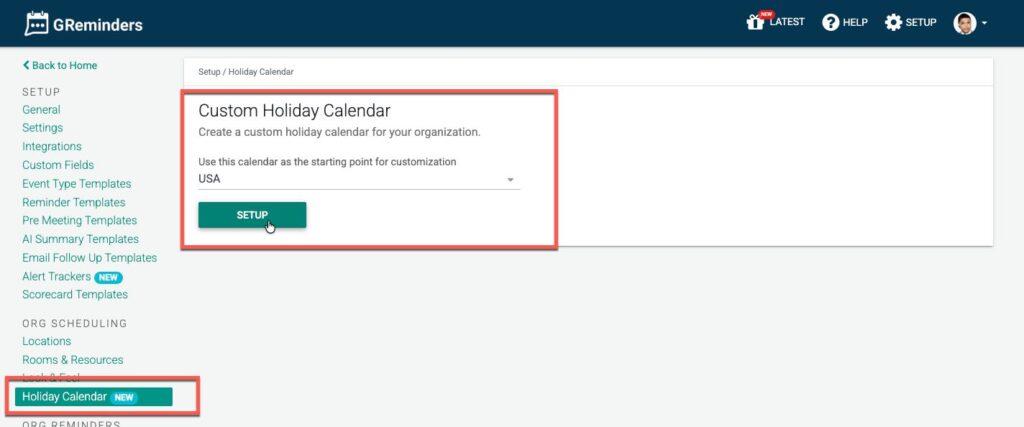
From here you can deactivate standard Federal Holidays and add your own. Let’s add Passover as an example:
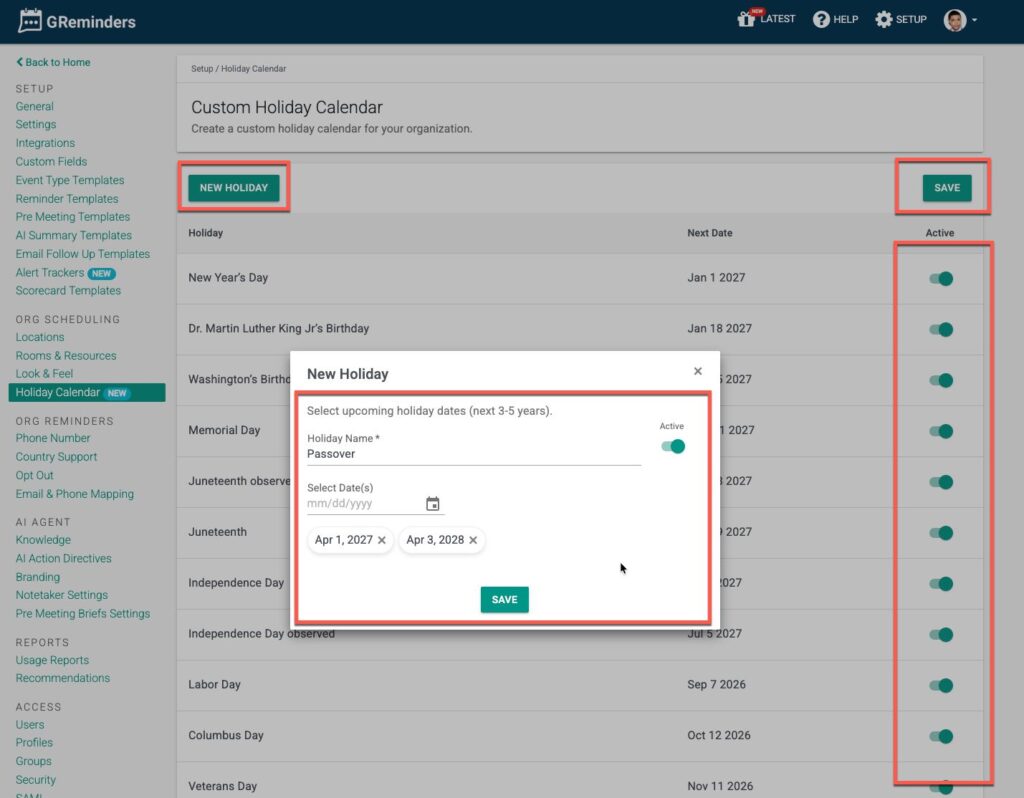
Set the Dates for the next few years, so you don’t need to change this annually.
Then click Save
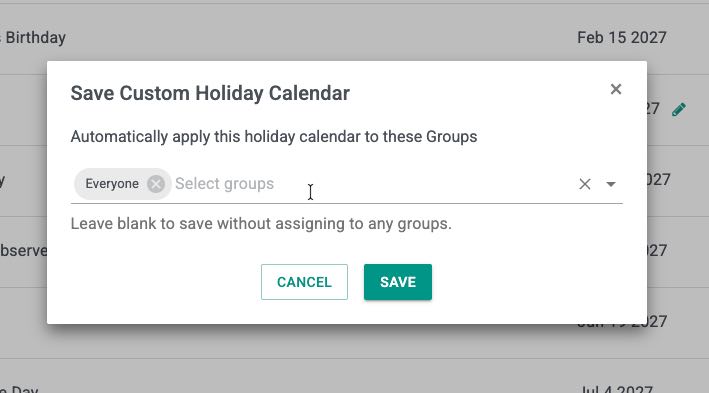
From here you can decide which User Groups you want to apply this new Org Custom Calendar to. Typically you apply it to your entire Organization, but perhaps if you have folks in various countries or regions you may only want to apply this to certain folks.
We suggest setting up User Groups by Region for this.
That’s It.
Questions? Email to [email protected].
Happy Scheduling!
FAQs
How can I automatically block holidays on my calendar?
You can automatically block holidays by specifying which Holiday Calendar you subscribe to in your Profile and marking yourself as unavailable for those dates in your Working Hours.
Can I create a custom holiday calendar?
Yes, you can create a custom holiday calendar by going to Setup > Holiday Calendar, but you must be a System Administrator to do this.
What types of holidays can I include in my custom calendar?
You can include regional, local, company-specific, or industry holidays in your custom calendar, in addition to standard federal holidays.