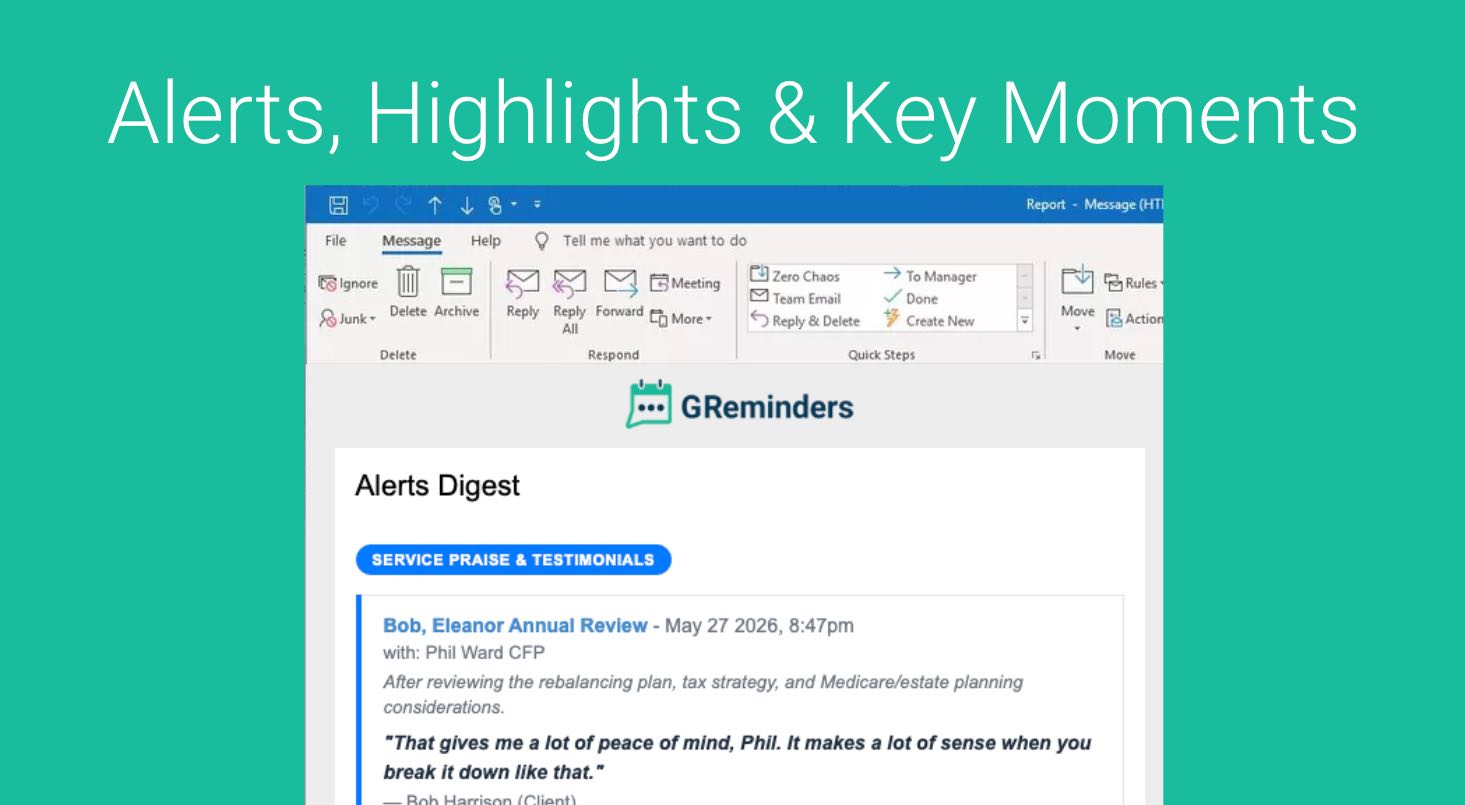
Automated call summaries have become standard, but a single-meeting summary is just a localized system of record. It helps double-check what a specific client said last Tuesday, but it fails to scale.
You don’t have time to log into a dashboard and read fifty individual summaries a week. You cannot spot macro market trends, systematic client concerns, or regional compliance risks looking at conversations one thumbnail at a time. To protect your book of business, you need aggregated intelligence across all meetings to automatically surface strategic patterns and key moments:
- Which estate planning or tax-shelter strategies are coming up most frequently across our top-tier clients?
- What systematic risk-off sentiments or objections are surfacing this week?
- Was a competitor mentioned?
Standardizing dynamic AI extraction rules into scheduled, executive-level email digests turns fragmented conversations into institutional alpha.
Let’s Get Setup
First go to Setup > Alert Tracker
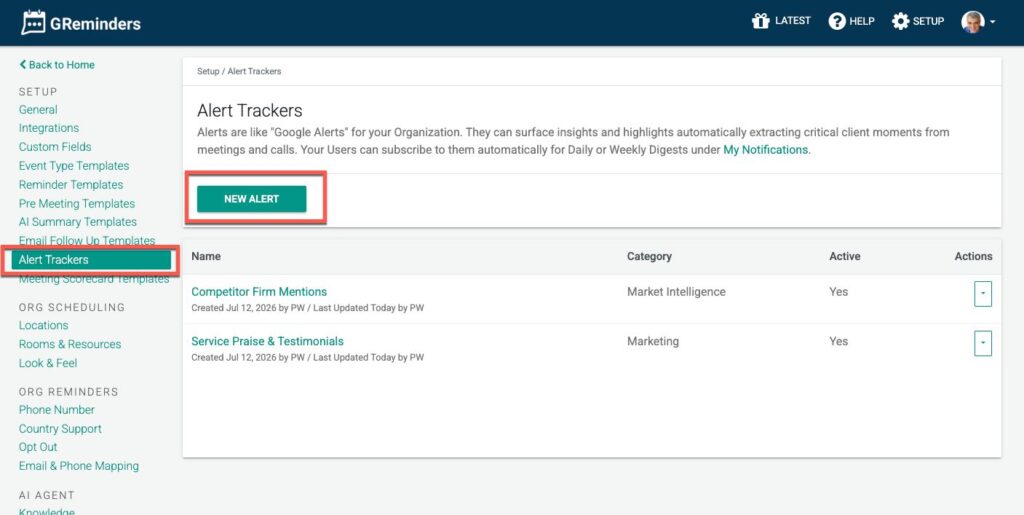
Click NEW
Select from a predefined Alert List, or build your own. To start we suggest pulling from an existing one.
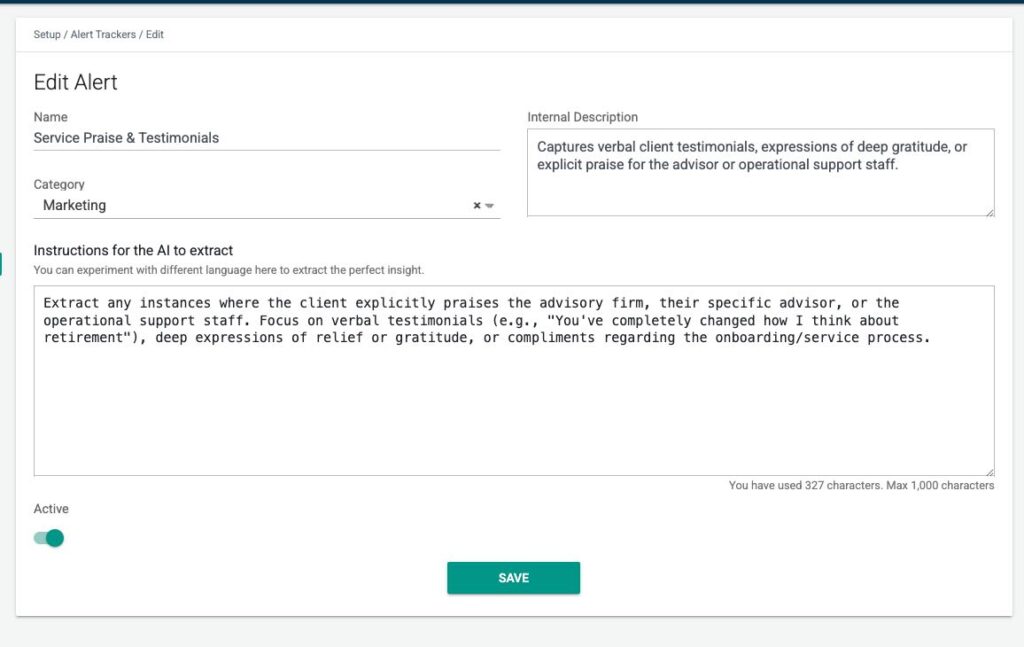
Give it a Name, Description and a Category
Users will be able to Subscribe to Categories of Alerts.
Then write the extraction instructions for the Insight/Key Moment you want to pull out.
Repeat this process a few times for other Alerts you may want to setup.
Once these are in place new Notetaker records will surface highlights.
In the Notetaker Record
New Notetaker records will automatically pull the Alerts and Highlights you are looking for.
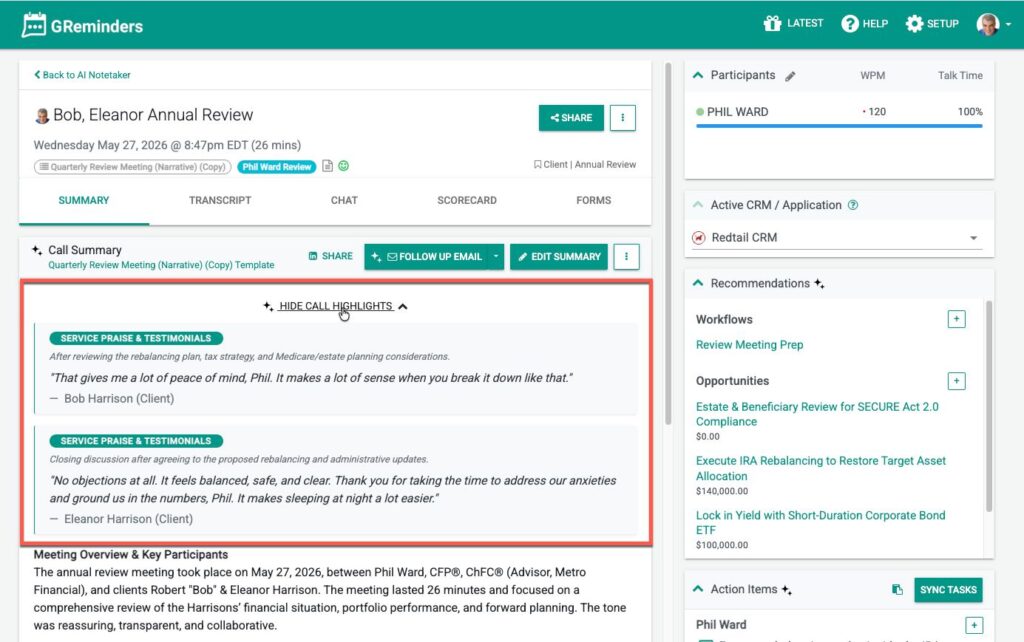
You can collapse or expand this section.
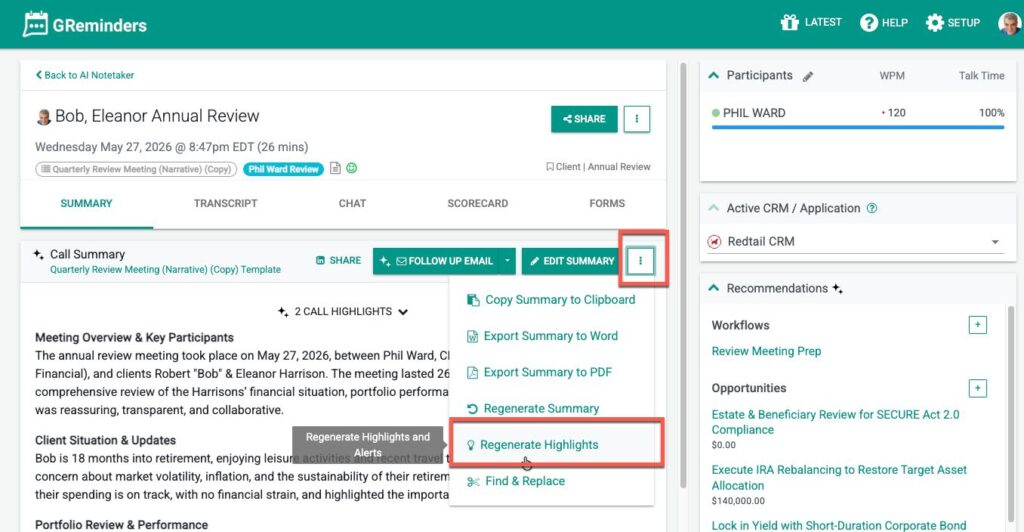
If you want to test any new Alerts or Highlights you generate you can always go to the Notetaker record and Reprocess Highlights
Getting Daily or Weekly Email Notifications
You and other users can Subscribe to these Alerts or Highlights. Simply go to My Notifications and enable which Categories of Alerts you care about. You can subscribe to them for Daily or Weekly notifications.
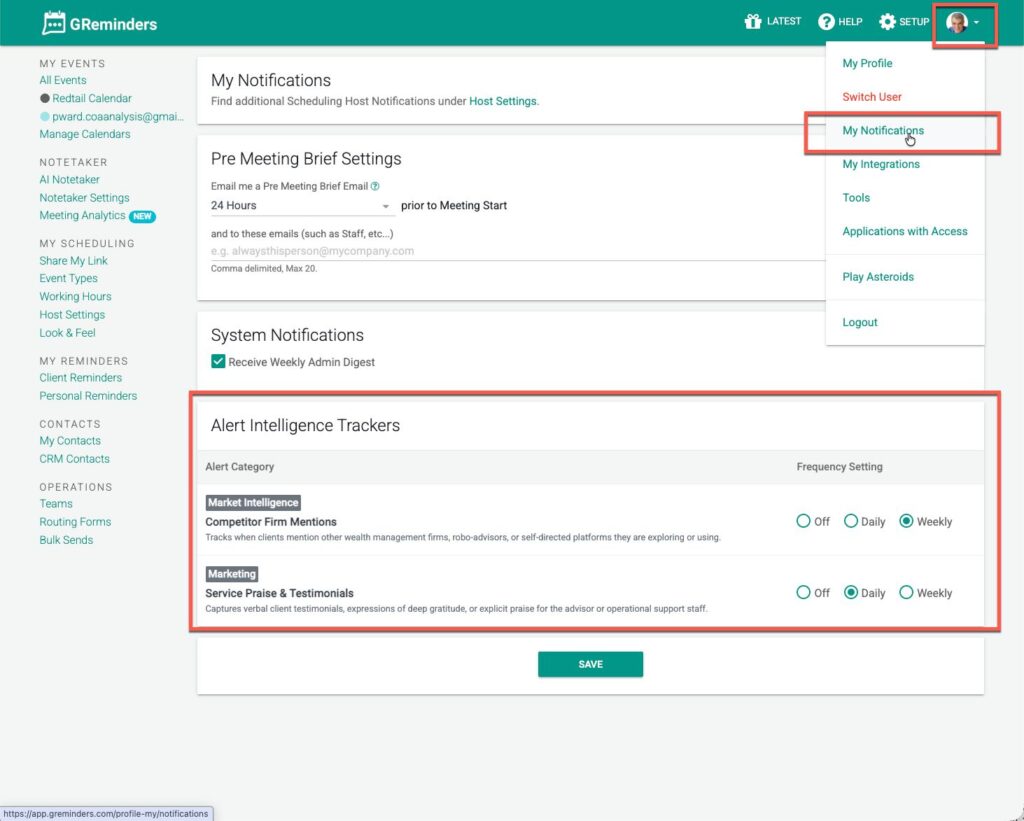
You will only receive notifications on Notetakers that are shared to you, meaning Permissions are fully respected. If you are an Admin you an access all Notetakers and thus will get a wider set of notifications sent to you.
That’s It
Any Questions? Email to [email protected]
FAQs
How can I set up alerts for automated call summaries?
Go to Setup > Alert Tracker, click NEW, select from a predefined Alert List or build your own, give it a name, description, and category, then write the extraction instructions for the Insight/Key Moment you want to pull out.
How do I receive daily or weekly email notifications for alerts?
You can subscribe to Alerts or Highlights by going to My Notifications and enabling the Categories of Alerts you care about, choosing to receive notifications daily or weekly.
What happens if I want to test new alerts or highlights?
You can test any new Alerts or Highlights by going to the Notetaker record and selecting the option to Reprocess Highlights.