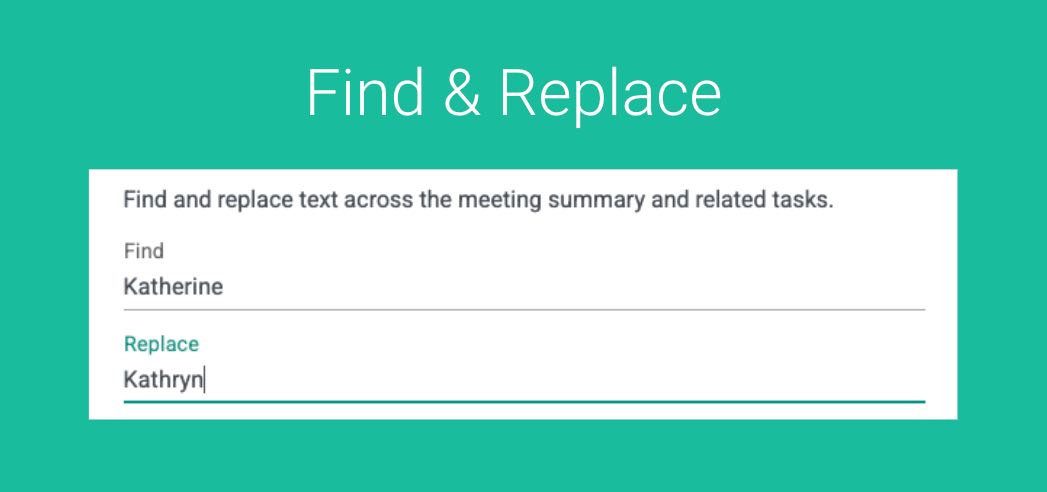
A single misspelled name can quietly undermine an otherwise polished meeting record. Whether it’s a client’s name, a company, or a location, small errors tend to get repeated across meeting summaries and task lists – copied, pasted, and shared without anyone noticing. That’s why having the ability to quickly find and replace text across your entire meeting summary and related tasks matters: it turns what used to be a tedious, error-prone cleanup into a simple, reliable fix before anything leaves your system.
Quickly Find and Replace Word or Phrases
Navigate to a Notetaker Record like so:
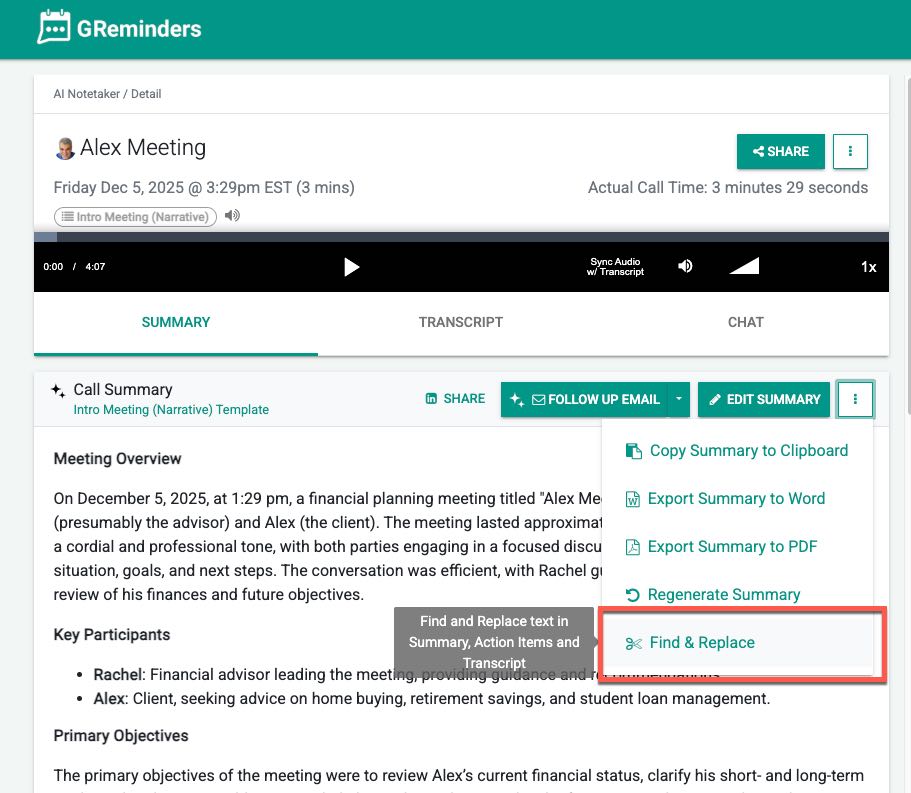
Click the “dots” … and then click Find Replace
Here you have the option to find and replace a word or phrase with another word or phrase
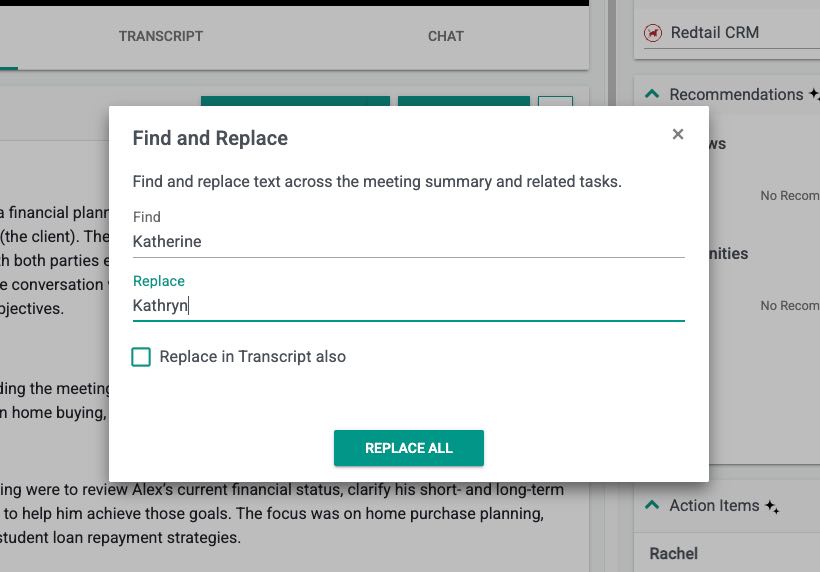
In this example, we will replace all the instances of Katherine with Kathryn in the Meeting Summary and and related Tasks.
Optionally you can decide if you want to change it in the Transcript as well.
Thats It. Simple Find & Replace.
Any questions? Reach out to [email protected]
FAQs
How do I find and replace a word or phrase in a meeting summary?
Navigate to a Notetaker Record, click the 'dots' (...), then click Find Replace. You can then enter the word or phrase you want to find and the replacement word or phrase.
Can I replace words or phrases in related tasks and transcripts as well?
Yes, you can choose to replace the word or phrase in the Meeting Summary, related Tasks, and optionally in the Transcript.
What should I do if I have questions about the find and replace feature?
You can reach out to support by emailing [email protected] for any questions or assistance.