The most valuable marketing content isn’t invented – it’s already happening inside client meetings, emails, and real conversations. Every question, objection, insight, and explanation represents authentic expertise.
Every now and then, advisors have a meeting that really matters. It’s not just a review or a portfolio check. It’s a conversation where a client is going through something meaningful; a loss, a major life change, a new family member, a transition into retirement.
These are moments where your guidance actually makes a real difference for the client and their family. Use AI to responsibly capture those moments, anonymize them, and recommend thought-leadership content tailored for channels like LinkedIn – written in your voice, your tone, and your language.
You will always stay in the loop, reviewing and approving before anything is published.
Lets get Started
How to Connect
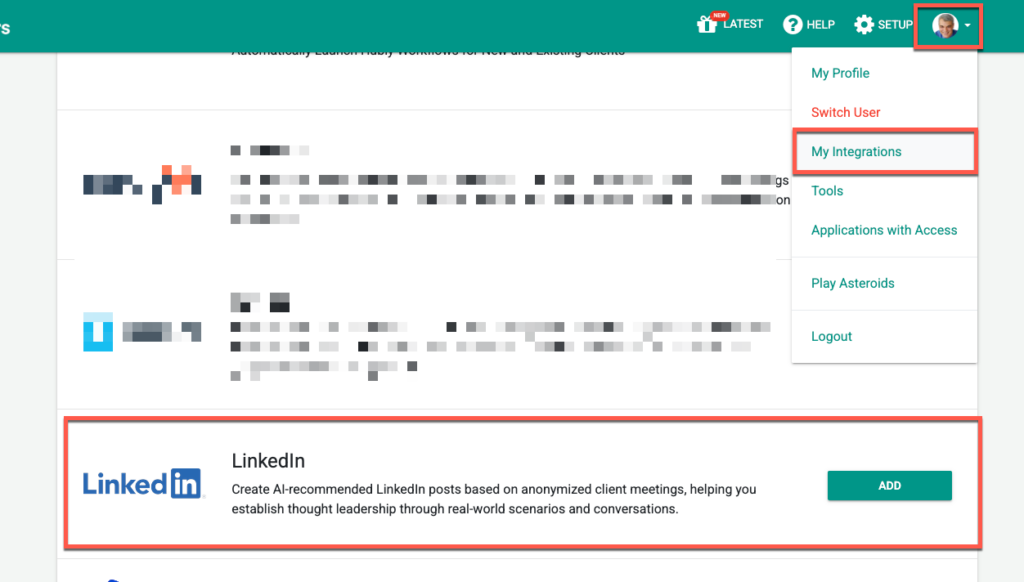
First connect your LinkedIn Account to GReminders. Go to My Profile > My Integrations > and click Add on the Linkedin row.
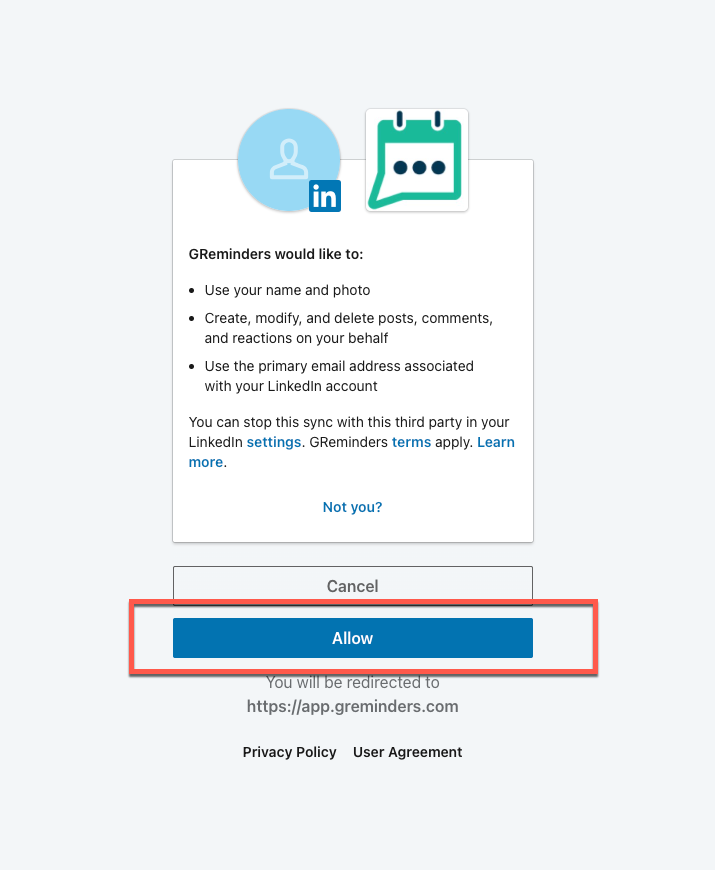
Acknowledge the Connection and Allow It
Next click Configure

This is where you can customize the Instructions and also provide up to 3 examples of Social Media Posts you have written before. This helps the AI use your market focus, tone, style and language so it sounds like YOU.
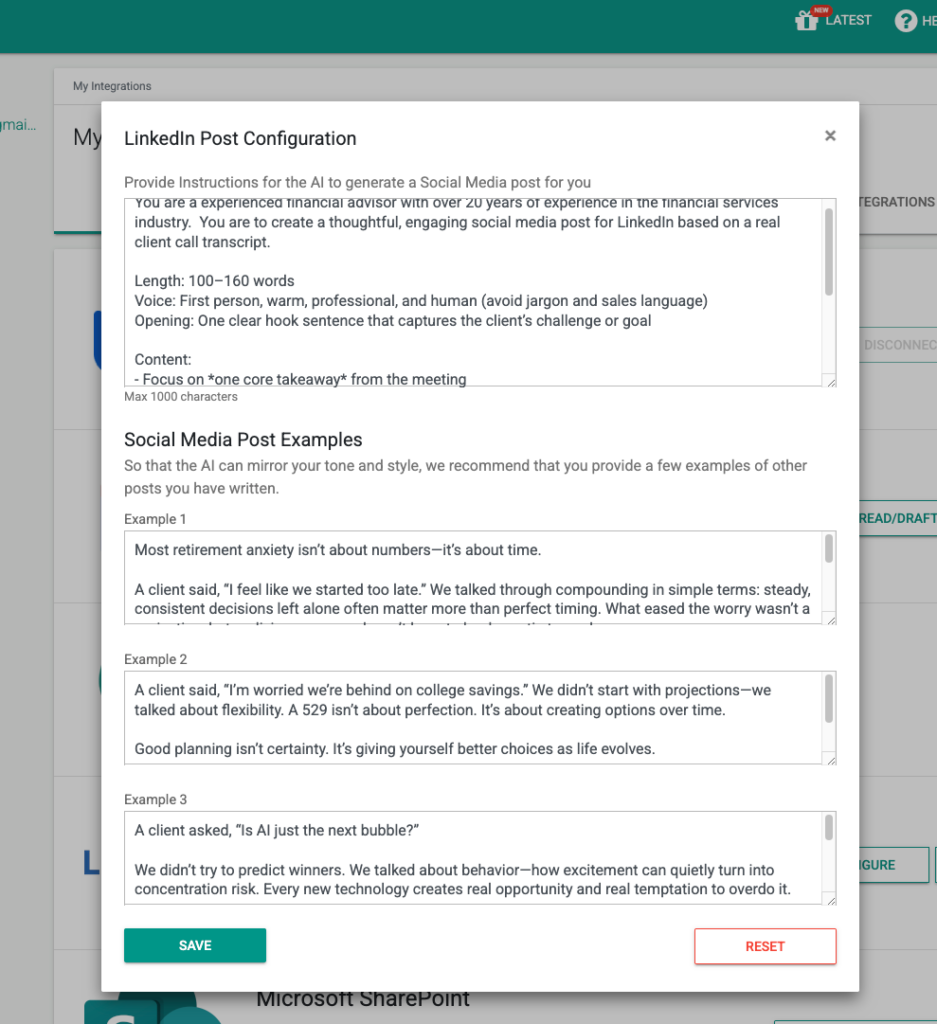
Edit this and hit Save.
Using it Daily
Find one of your recent Calls/Notetakers (go to AI Notetaker and click on one of your Meetings), then click on “LinkedIn Share”
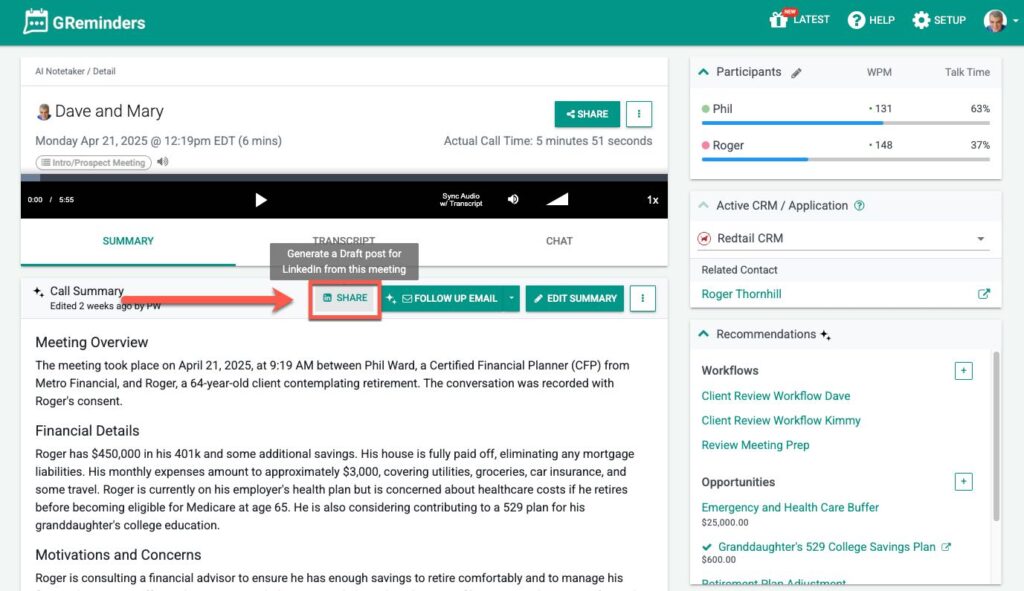
Here you will see up to three social media post suggestions.
Please review your post, and here you can edit/modify your post before posting it to LinkedIn.
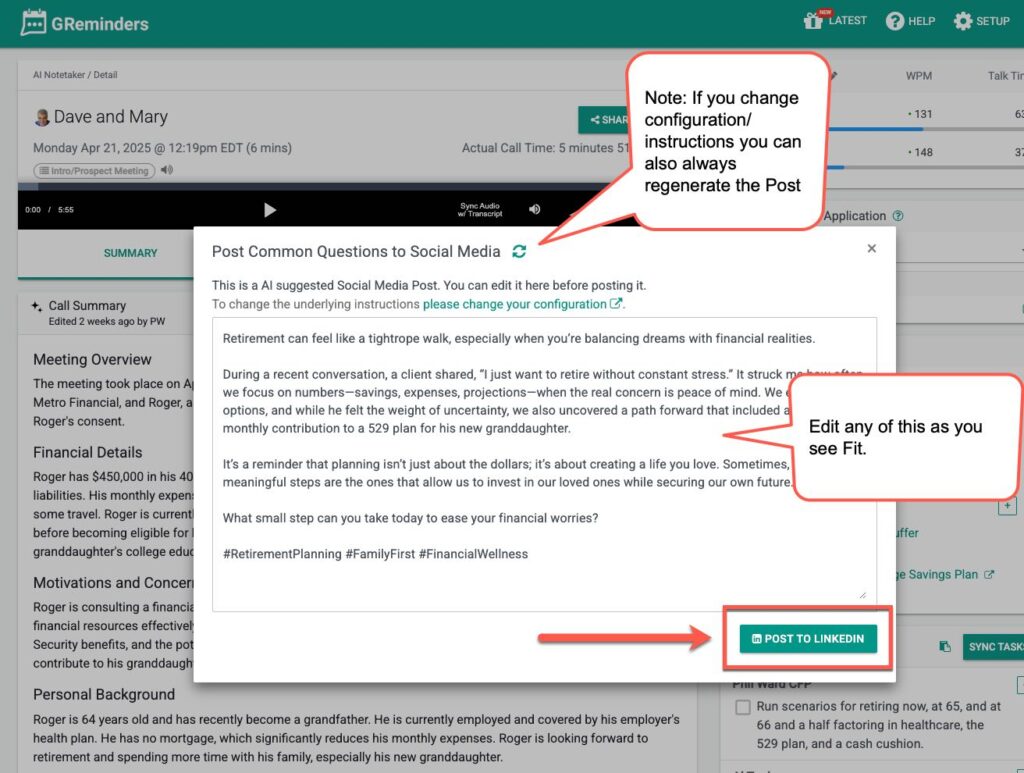
Simply click Post to LinkedIn and your post will be live.
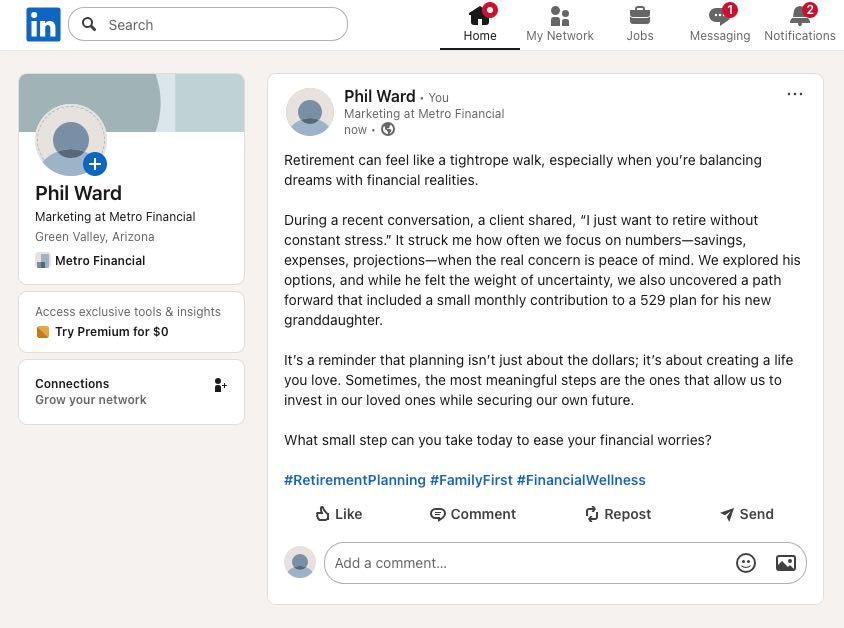
There are MANY use cases for this, not just client meetings but these can be applied to various scenarios.
Any questions? Email to [email protected]
Happy Posting!
Keywords: Social Media, LinkedIn, social, posts