
CurrentClient is a leading VoIP and compliance-friendly text messaging platform trusted by financial professionals. There are 2 areas of integration:
- Send SMS Messages via your CurrentClient Number/Account
- Process CurrentClient Phone Calls through the GReminders AI Notetaker
Sending SMS Messages
To send Client Reminders or Bulk Sends via your CurrentClient Account you must first connect your CurrentClient Account to GReminders.
Within GReminders go to your Profile > My Integrations and connect your CurrentClient Account. Select CurrentClient from the integration list and log into your CurrentClient Account. This will link the account to GReminders.
Next USE the Current Client Number for your SMS Reminders. Follow the instructions you see here.
Processing Phone Calls via AI Notetaker
With this new integration, GReminders customers can now seamlessly push CurrentClient calls directly into the GReminders AI Notetaker—automatically turning recorded conversations into accurate, searchable meeting notes. The result is less manual work, better documentation, and a more complete record of every client interaction, all while staying compliant.
Set It Up
First, log into your CurrentClient application and go to Settings > AI Notetaker
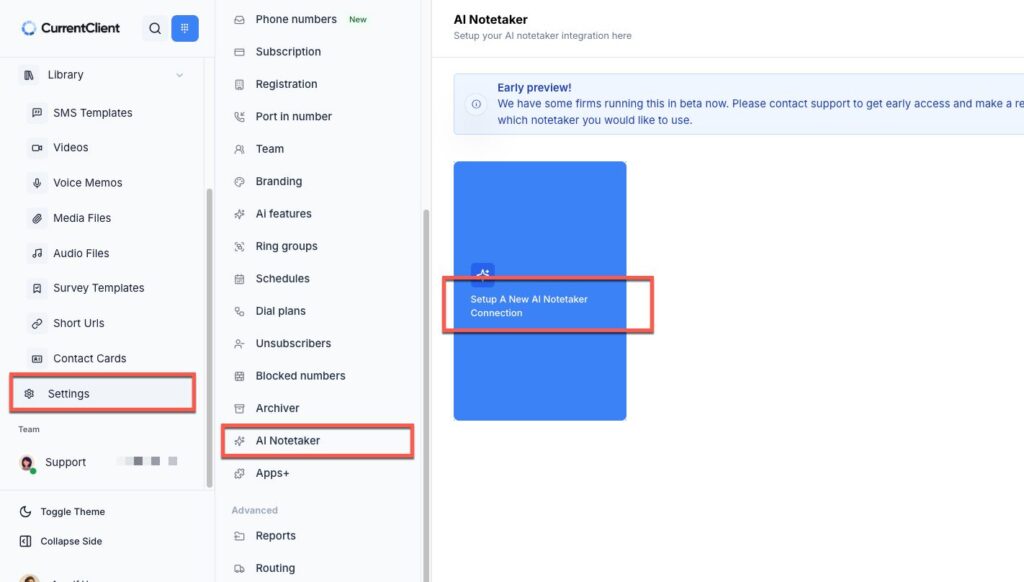
Select Setup a New AI Notetaker Connection
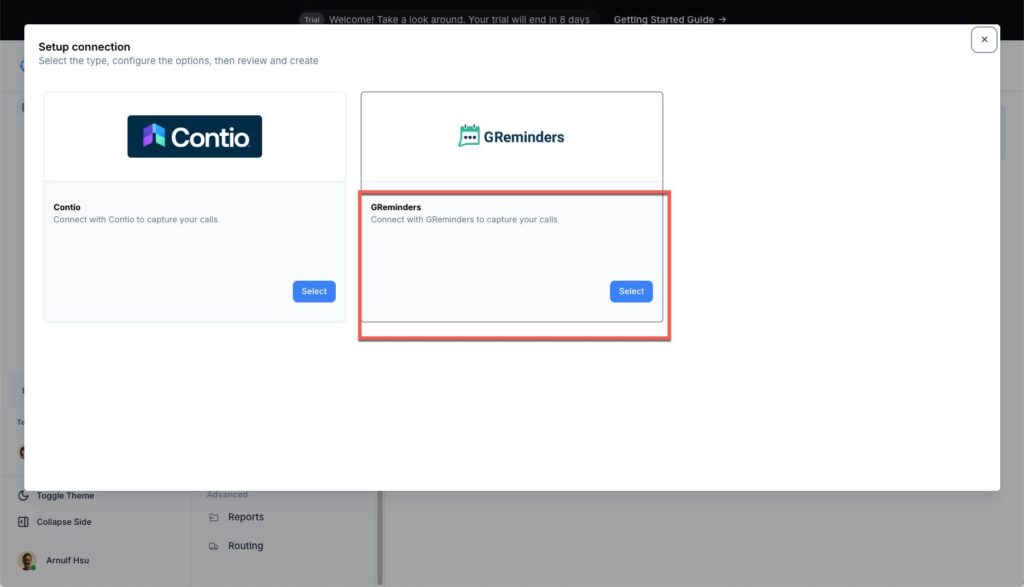
Select GReminders and connect your existing GReminders account to CurrentClient.
Using It
Once you are connected, navigate to one of your Phone Calls.
Click Actions
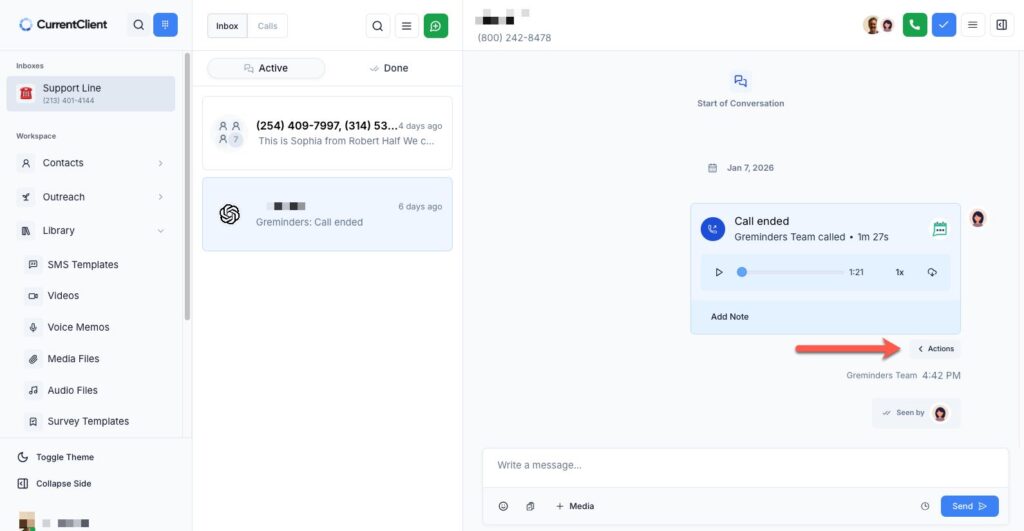
Then Select Push to Notetaker
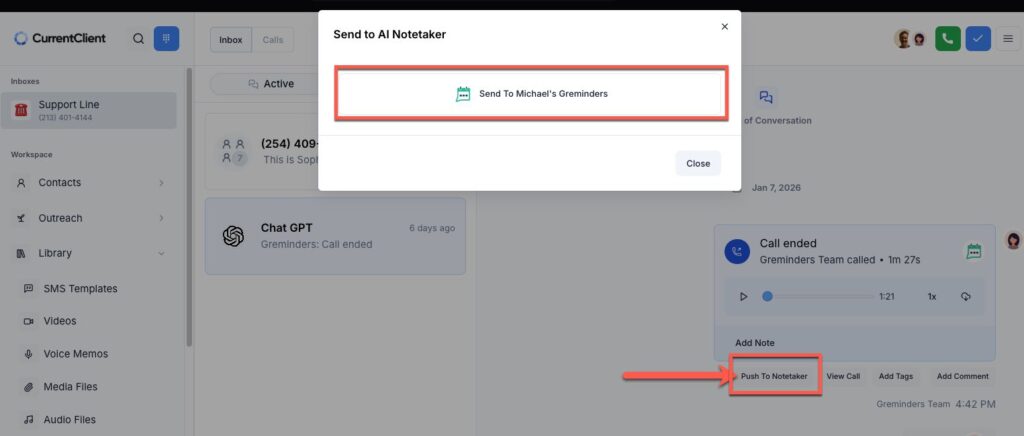
and Select Send to GReminders
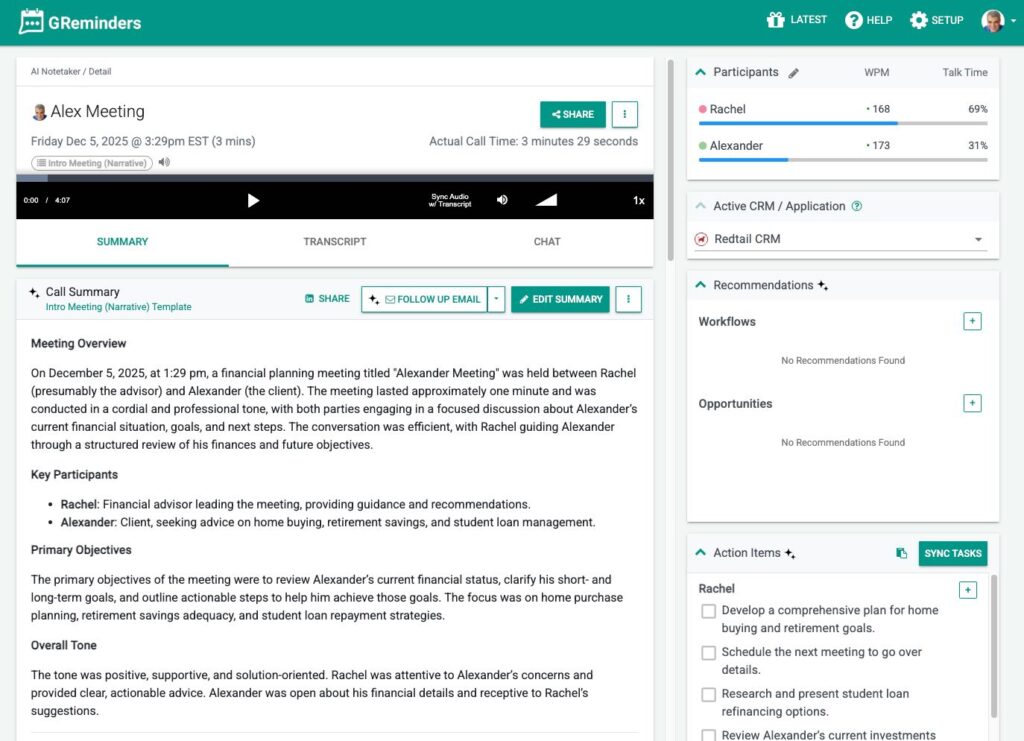
This will show up in your GReminders AI Notetaker just like any other Call or Meeting, like so.
You can action on it just like you do with your other meetings.
That’s It.
Any Questions? Email to [email protected]
Keywords: AI Notetaker, Current Client, CurrentClient, VOIP, Phone