
GReminders Engagement Survey Reveals Advisors Are Using AI to Transform Client Relationships and Streamline Operations
Continue Reading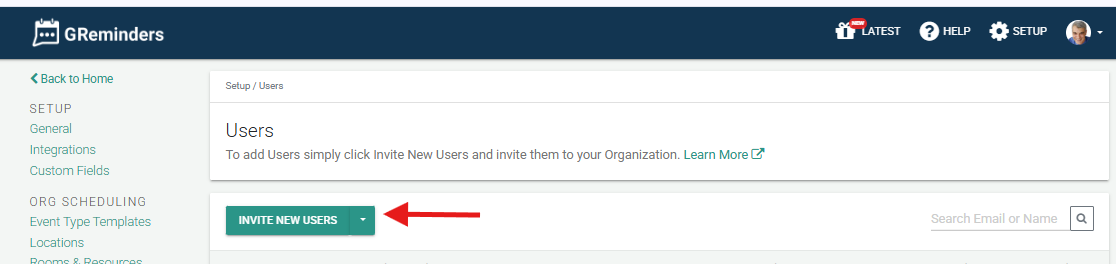
Adding Users to your Account
You can have multiple users on your GReminders account. One thing to understand is the organizational structure of GReminders. When...
Continue Reading
SMS Appointment Reminders with Google Calendar
https://www.youtube.com/watch?v=veSDvq1P9Bs The first thing you’re going to want to do is click this “Sign in with Google.” You’re going to...
Continue Reading
Managed Reminder Templates Overview Video
https://youtu.be/I8eVvmzEsSQ A GReminders Administrator can manage reminder templates for the entire team under Setup menu at the top right of...
Continue Reading
Email Permissions
You may encounter GReminders asking for more Email permissions when either logging in or connecting your Office 365 or Google...
Continue ReadingAdding Users to your Account
You can have multiple users on your GReminders account. One thing to understand is the organizational structure of GReminders. When you start a new account with GReminders, you will be automatically creating an Organization with a Single User. You can add more users to your Organization by simply inviting these users to your Organization. Go […]
SMS Appointment Reminders with Google Calendar
The first thing you’re going to want to do is click this “Sign in with Google.” You’re going to choose which account you would like to set up—you may have multiple accounts—and then you’re going to just allow a few permissions. This will allow our system to access your calendar in order to send your […]
Managed Reminder Templates Overview Video
A GReminders Administrator can manage reminder templates for the entire team under Setup menu at the top right of the page. Let’s start with a new client reminder template: When an assigned user clicks on Client Reminders, the reminder template is available. You can lock sections of the template or allow users to make changes.
Email Permissions
You may encounter GReminders asking for more Email permissions when either logging in or connecting your Office 365 or Google Calendar. We have introduced new functionality to create further efficiencies for you. They are as follows: In most cases you will approve the new permissions and continue on. Office 365 Admins In some cases Office […]
Using the Source Field in Redtail with GReminders
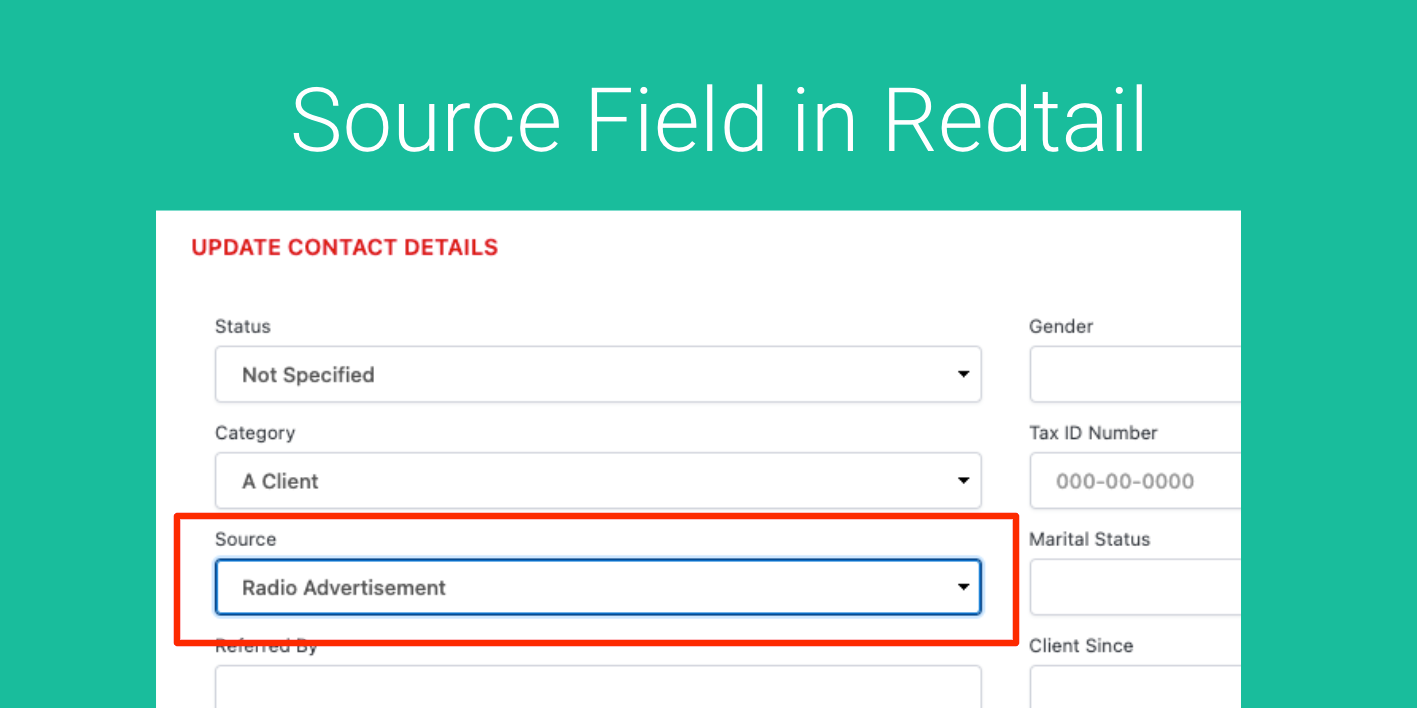
So you want to track Contact “Sources” in Redtail. Marketing Attribution is a complicated topic and there are many ways to achieve tracking. UTM field tracking is one way, popular for the Google Analytics Folks. Using other tracking codes via Google Analytics, Hubspot or Marketing Automation tools works well too. But if you are a […]
Personal Reminders: Stay on top of important everyday tasks

We have all been guilty of forgetting to do the things we need to remember to do. With more competition for our attention than ever before, simple tasks like waking up on time, paying bills and taking medication can easily fall by the wayside. In 2024 there are endless “solutions” to this problem. But few […]
Appointment Reminders and Shared Calendars
In this video, we’ll discuss how to send reminders on shared calendar events. Sending text and email reminders on your own events is simple. Now learn how to send reminders on your colleagues events when they share their calendar with you. In GReminders, you can see your calendar in the list on the top left. […]
Sending Text Reminders with Salesloft
Once you’re in GReminders, choose Integrations from the main menu. Scroll down the list of available integrations until you find SalesLoft. Click on Setup, then Set Up Now. Authorize GReminders and SalesLoft to communicate with each other. When the integration is complete, you’ll have three options to choose from. Option number one is checked by […]
Sending Text Reminders with Salesforce
Reduce your No Show Rate on your Salesforce Meetings by sending Text or SMS Reminders prior to your Salesforce Leads or Contacts.