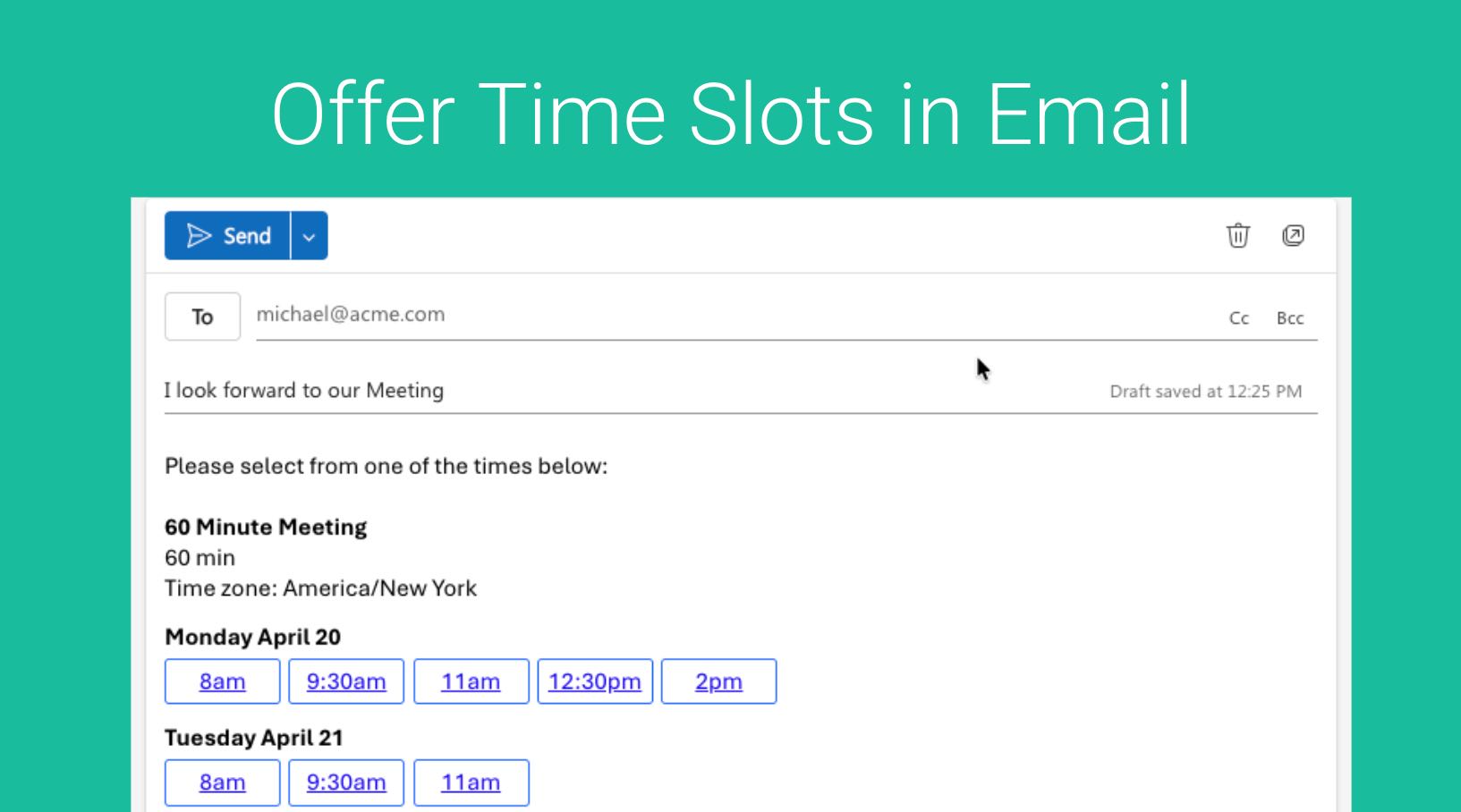
Instead of just sharing your Booking Link, you can offer specific time slots to your prospects or clients via Email. Here we can quickly send a list of available time slots so invitees can choose a time that works best for them.
Within GReminders navigate to your Event Types
From here you will see “Time Slots” in each Event Type Card like so:
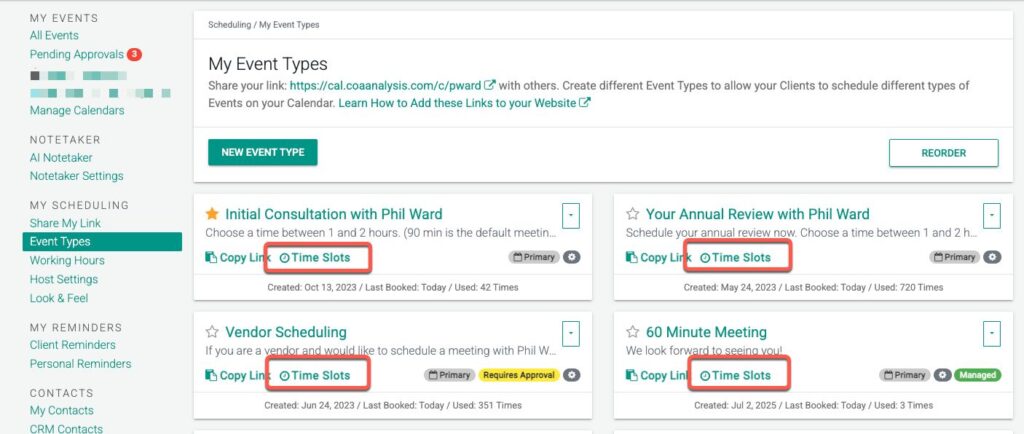
Click one the one you want to share.
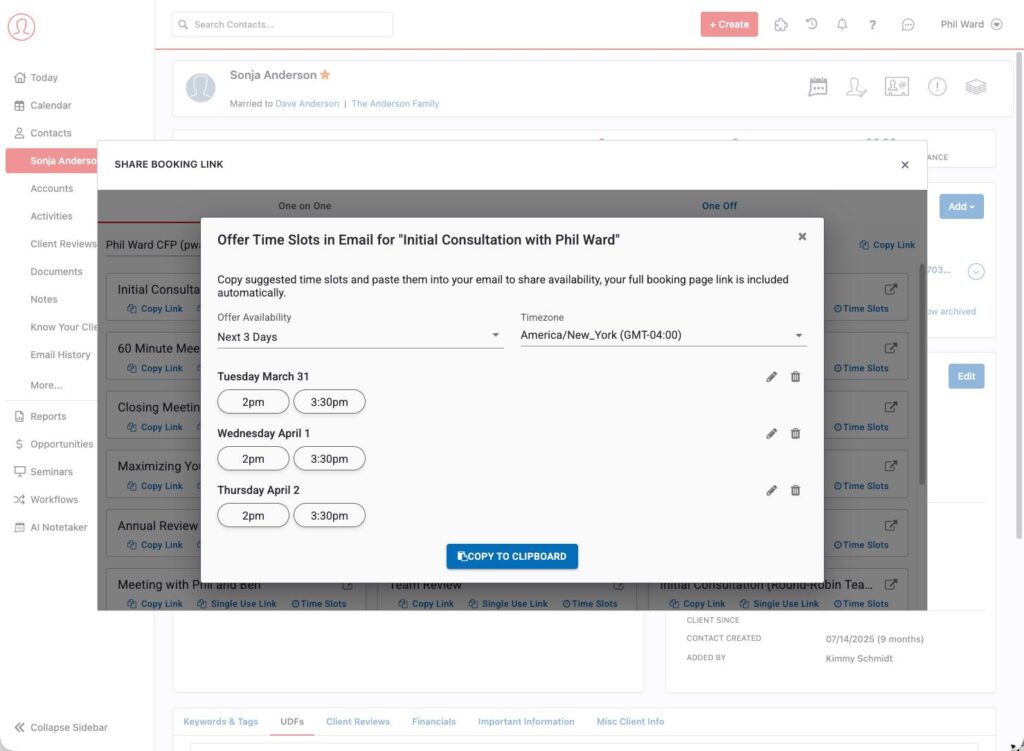
From here you can choose which Days or Times you want to offer to clients. The times/dates available will vary based on your Event Type Settings.
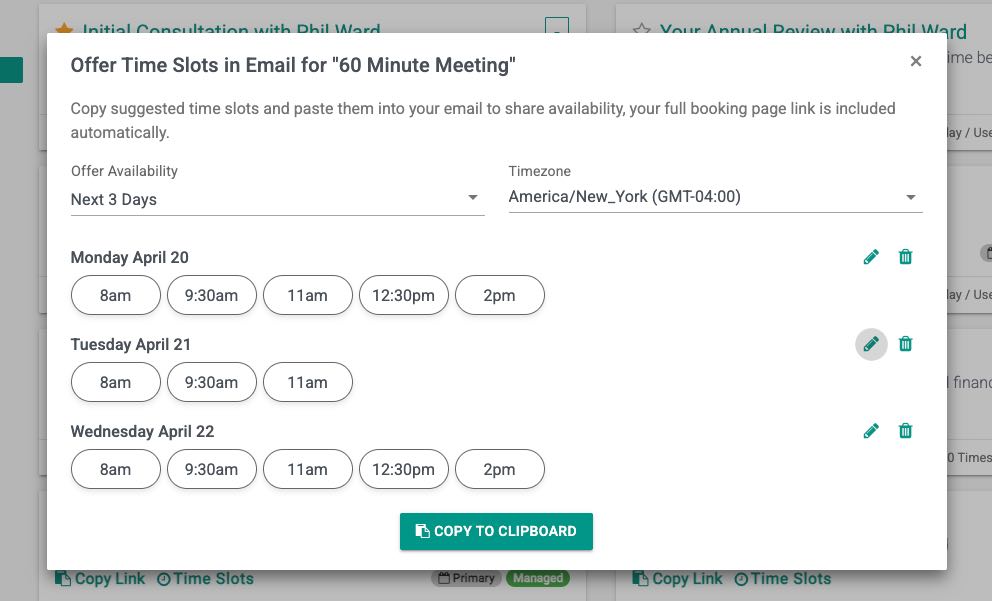
Set your preferred date range under Offer availability. Note the Timezone selected should be the timezone your prospect or client is in.
To customize a specific time(s), click the Edit on the Day and select times you want to make show.
Remove Days or customize availability here.
Click Copy to Clipboard
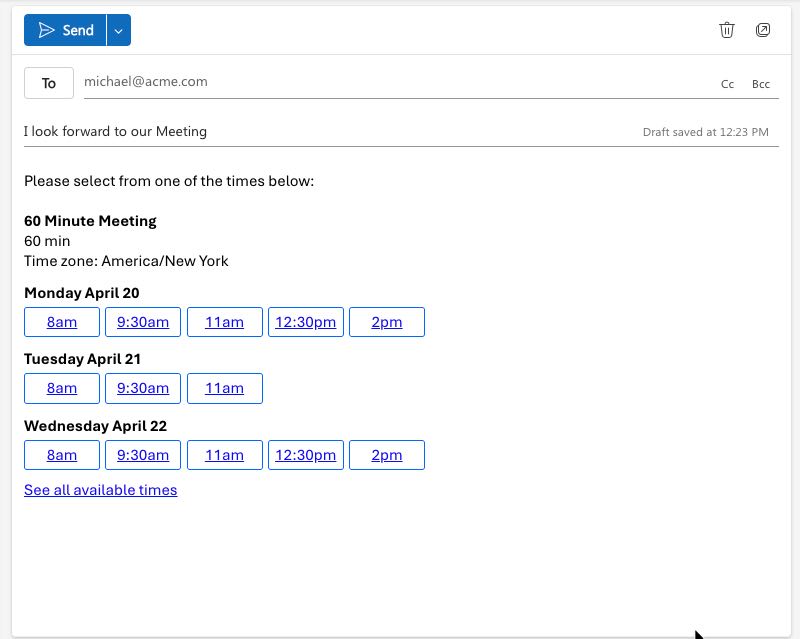
Lastly Paste this into your Email, it will look something like this:
In Context of a Client
If you do this FROM the Contact Record via the Share Booking Link Button, the timezone and fields will be automatically populated.
Inside Redtail
This feature is also available Inside Redtail with GReminders Integration Enabled
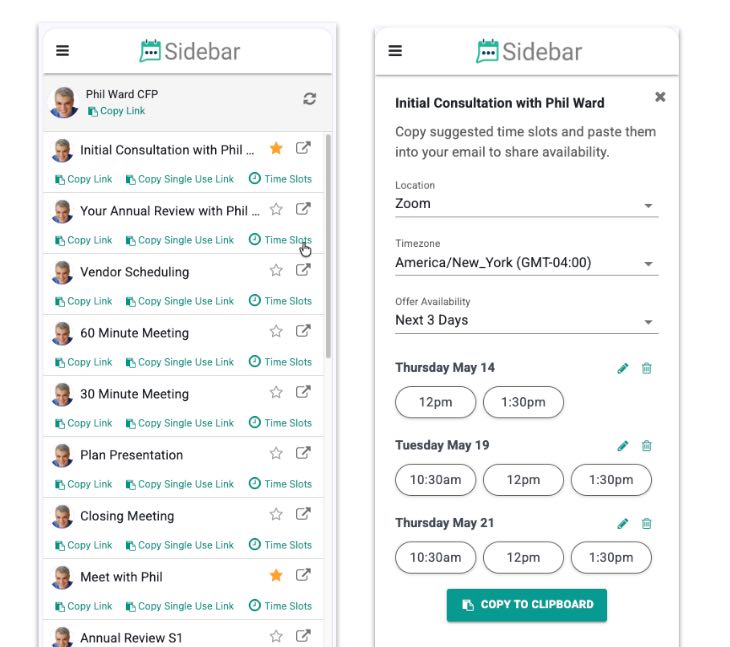
In the Browser Extension (Chrome Extension)
In the Sidebar, Browser Extension. Timeslots are also available in the Browser Extension
That’s It.
Any questions? Email to [email protected]
FAQs
How can I offer specific time slots to my clients via email using GReminders?
Within GReminders, navigate to your Event Types and click on the 'Time Slots' in the desired Event Type Card. Choose the days and times you want to offer, set your preferred date range under Offer availability, customize specific times if needed, then click 'Copy to Clipboard' and paste the time slots into your email.
How does GReminders handle time zones when sharing time slots with clients?
When setting the preferred date range under Offer availability, you should select the timezone that your prospect or client is in. Additionally, if you share time slots from the Contact Record via the Share Booking Link Button, the timezone and fields will be automatically populated.
Is the time slots sharing feature available in other platforms or extensions?
Yes, the time slots feature is available inside Redtail with GReminders Integration enabled, and also in the GReminders Browser Extension (Chrome Extension) sidebar.