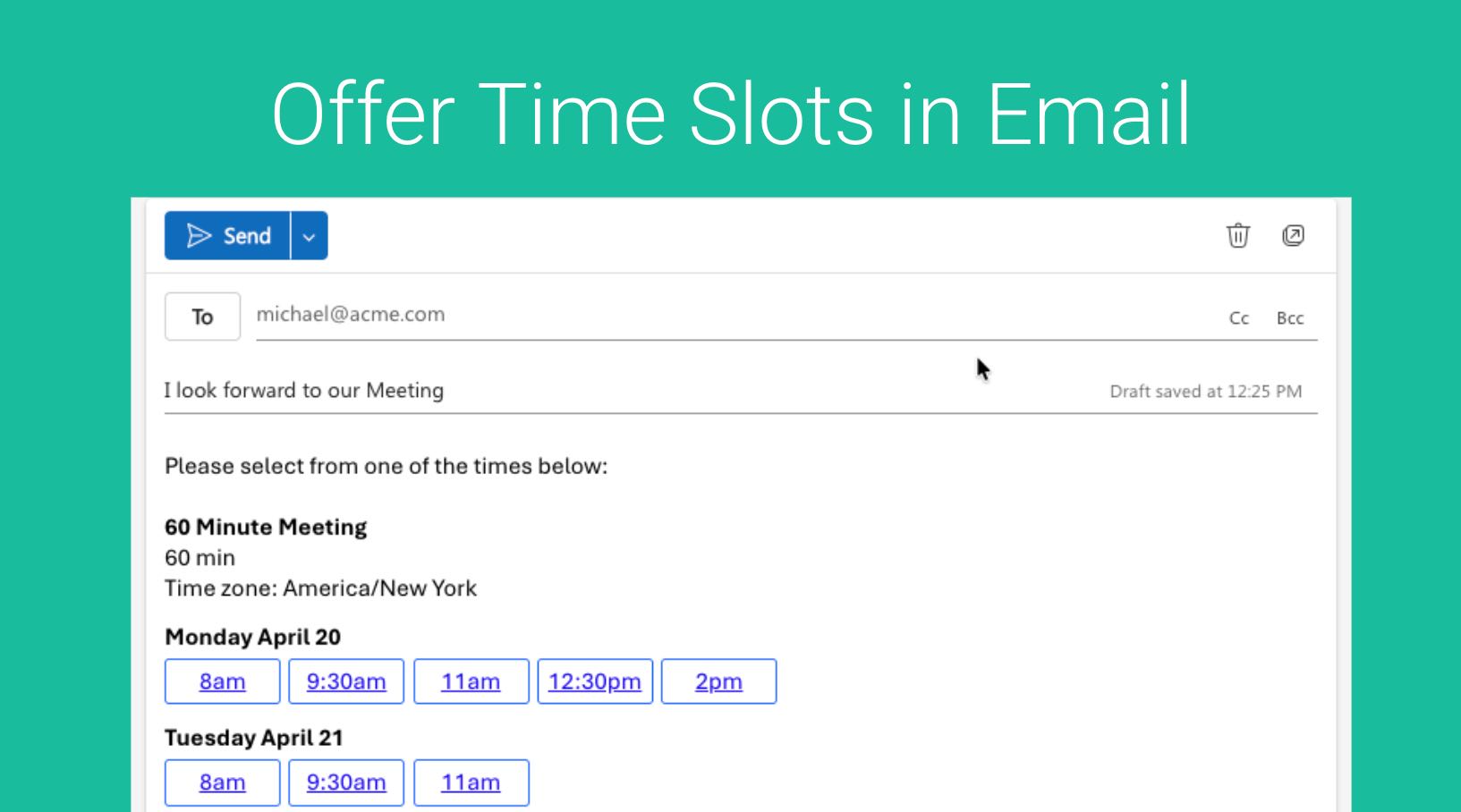
Instead of just sharing your Booking Link, you can offer specific time slots to your prospects or clients via Email. Here we can quickly send a list of available time slots so invitees can choose a time that works best for them.
Within GReminders navigate to your Event Types
From here you will see “Time Slots” in each Event Type Card like so:
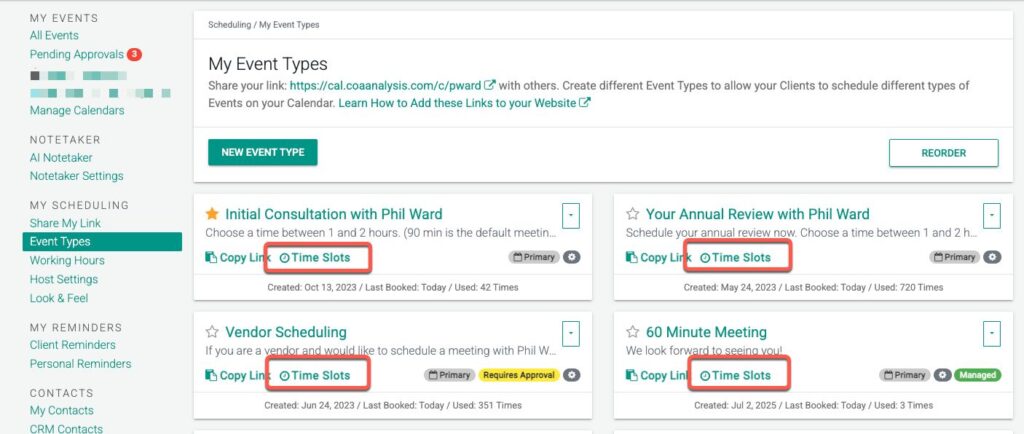
Click one the one you want to share.
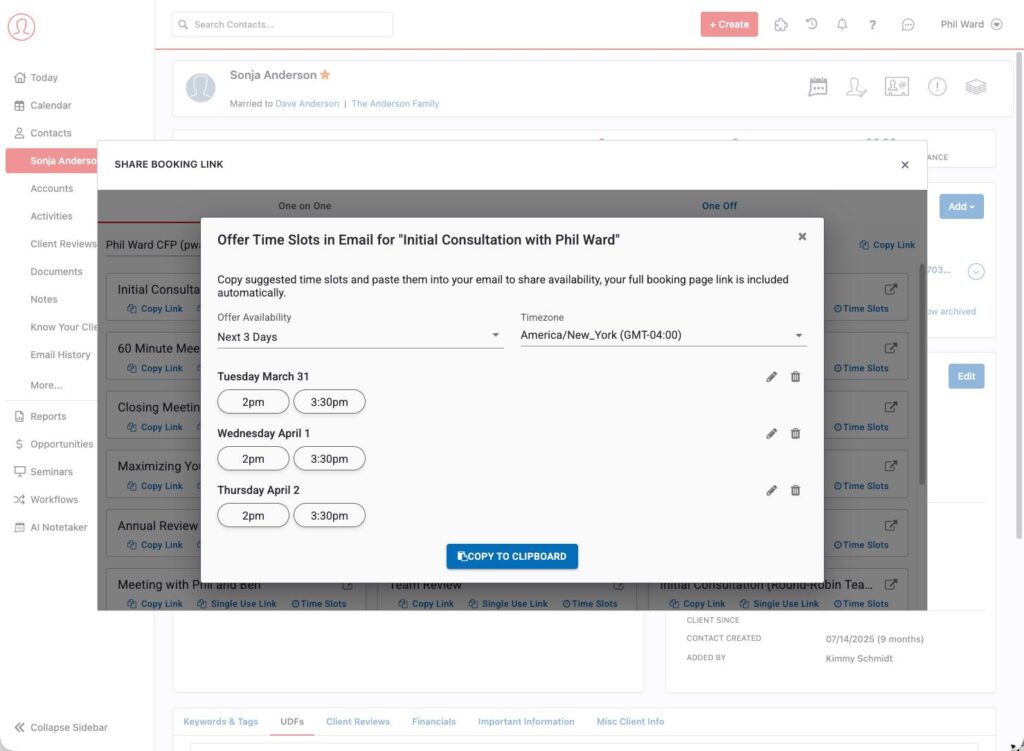
From here you can choose which Days or Times you want to offer to clients. The times/dates available will vary based on your Event Type Settings.
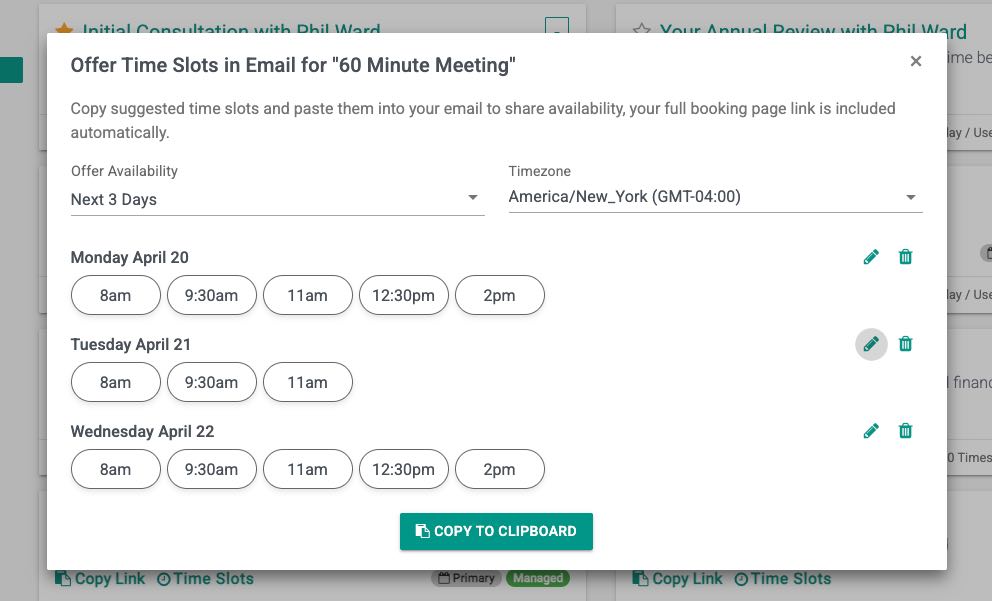
Set your preferred date range under Offer availability. Note the Timezone selected should be the timezone your prospect or client is in.
To customize a specific time(s), click the Edit on the Day and select times you want to make show.
Remove Days or customize availability here.
Click Copy to Clipboard
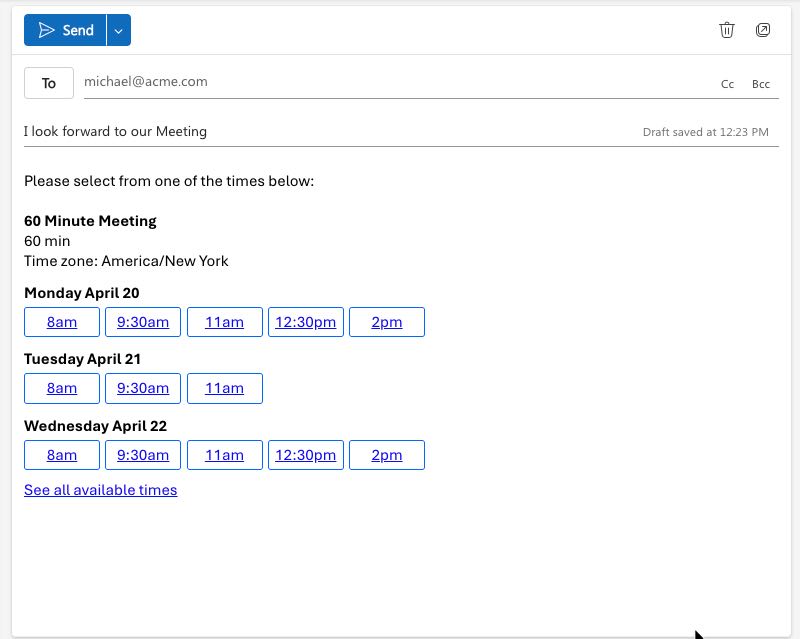
Lastly Paste this into your Email, it will look something like this:
In Context of a Client
If you do this FROM the Contact Record via the Share Booking Link Button, the timezone and fields will be automatically populated.
Inside Redtail
This feature is also available Inside Redtail with GReminders Integration Enabled
That’s It.
Any questions? Email to [email protected]