
Do you use Google Meet to schedule meetings with your customers? Having an issue with no shows, or folks who show up late?
First, you will want to ensure that your Google Meet account is linked to your GReminders account. To do so, click on your Profile and then My Integrations. If it’s not yet linked, search for “Google Meet” under the Available Integrations tab, and follow the setup steps.
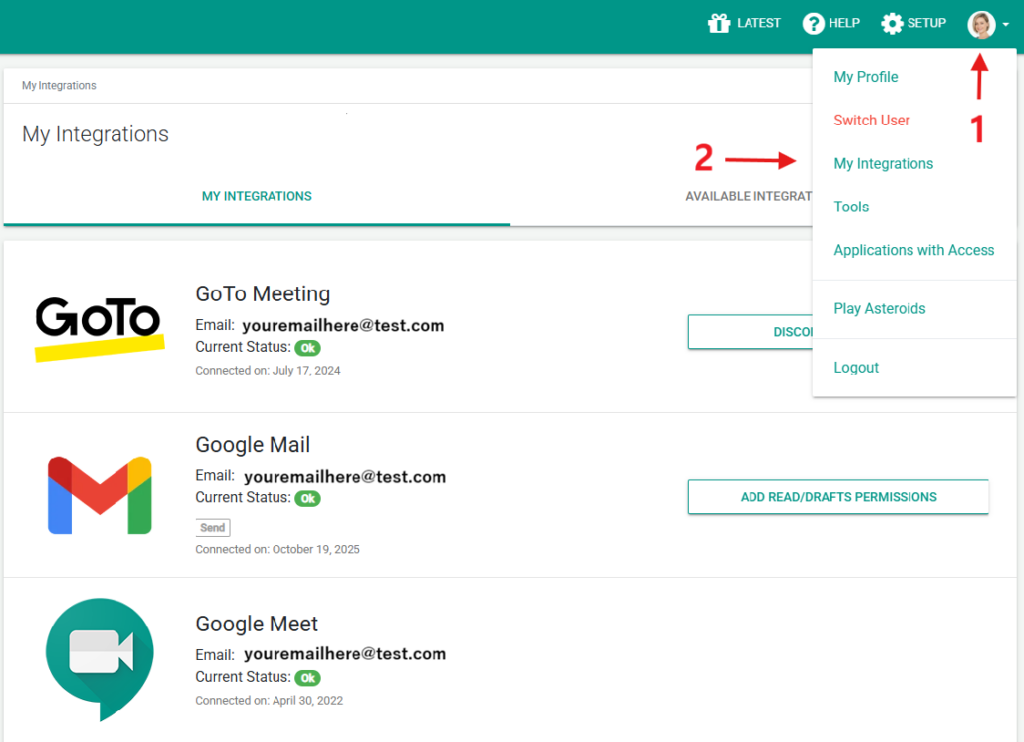
Once connected, you can easily embed your Google Meet into your reminders so they are literally one click away from joining!
You can send this as part of an initial booking confirmation, or a 24 hour appointment reminder. Or another good practice to ensure your people are showing up on time is to send a reminder with join link 5-10 mins before the appointment start time.
Below is a sample template setup:
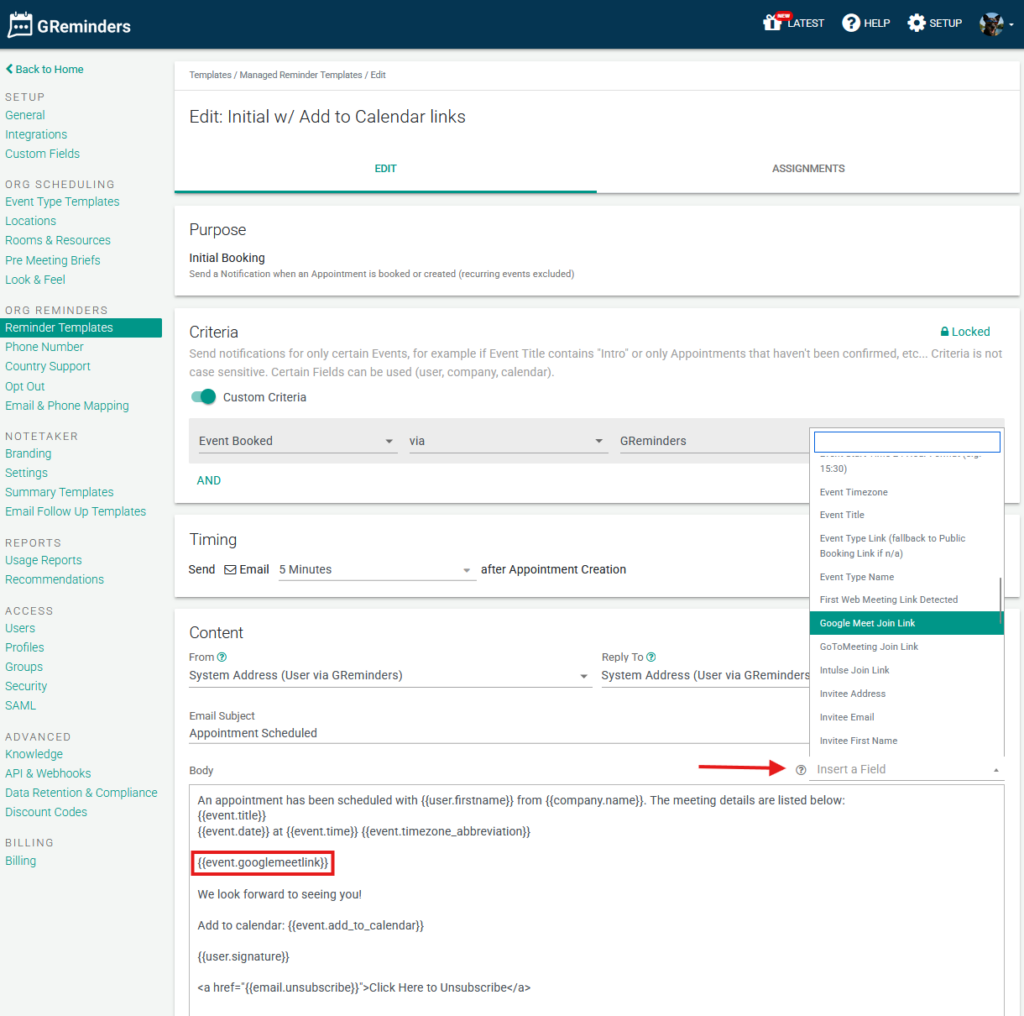
Simply insert the Google Meet Link into your template like so. When the time comes your client will receive an email confirming their meeting, and providing them with their unique Google Meet join link.
Thats it. Simple as that.
If you are new to reminders, check out this Appointment Reminder Template article for verbiage ideas.
Additional Questions or Needs? Email [email protected].
Happy Scheduling!
FAQs
How do I link my Google Meet account to my GReminders account?
To link your Google Meet account to GReminders, click on your Profile, then go to My Integrations. If Google Meet is not yet linked, search for 'Google Meet' under the Available Integrations tab and follow the setup steps.
How can I include a Google Meet link in my appointment reminders?
Once your Google Meet account is connected, you can embed your Google Meet link into your reminder templates. This allows clients to receive an email with their unique Google Meet join link as part of the booking confirmation or appointment reminders.
What is a good practice to reduce no-shows or late arrivals for meetings?
A good practice is to send a reminder with the Google Meet join link 5-10 minutes before the appointment start time, in addition to the initial booking confirmation or 24-hour appointment reminder.