If you are using GReminders for scheduling and have integrated your Zoom account, and set it as an available location for a meeting, we will attach a unique Zoom link to the meeting if the client selects that location. If you’re scheduling a Zoom meeting manually on your calendar and you want to send SMS reminders, be sure to add the client’s mobile phone number to either the event title or the event description, and be sure to add the Zoom link to the location field of the meeting.
And now, in GReminders, we’re going to set up our SMS reminder template so that it sends out the Zoom link in the reminder. This can also be done in an email reminder template.
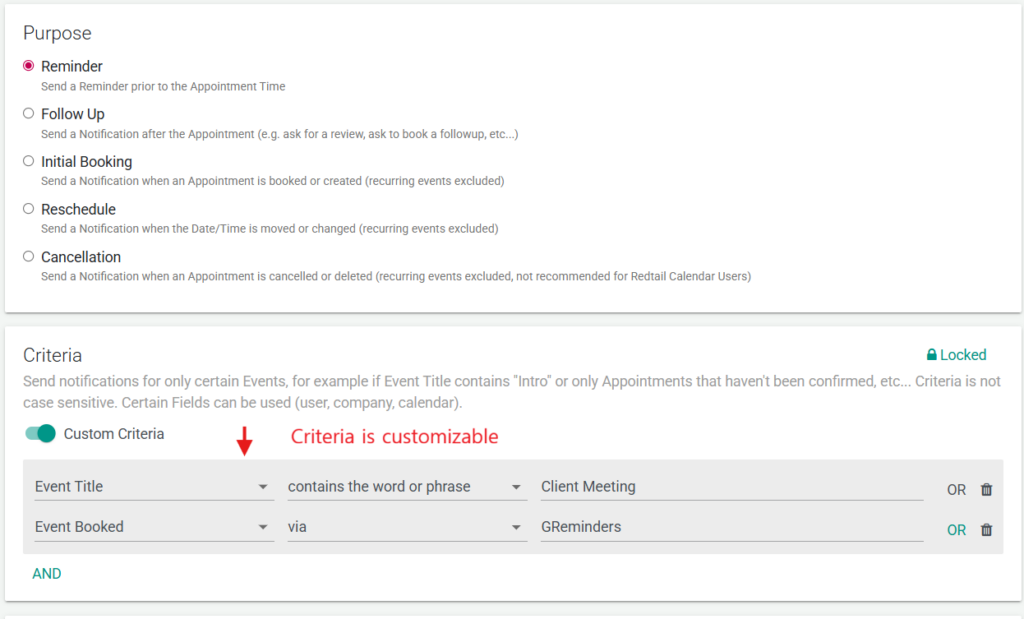
We’re going to send an SMS and let’s add some criteria so that it will only go out against appointments booked via GReminders, or for meetings where “Client meeting” is in the title of the meeting. Let’s change this to about 1 hour prior. And lets add a line that will provide the recipient with their unique Zoom join link for their meeting.
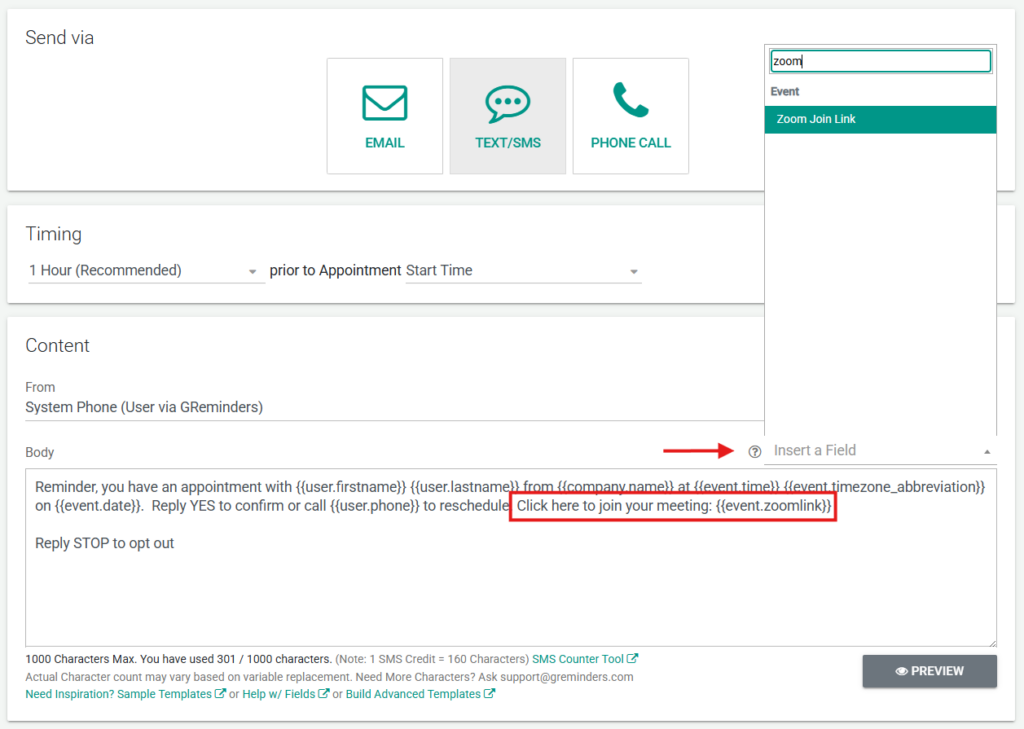
And then what we’re going to do is we’re going to click this insert a field menu and choose Zoom Join Link. You can see now in our template that the double-bracketed Zoom link is there. You can select preview to see what the reminder would look like when it’s sent out. The preview only contains sample information.
If your SMS reminder does not let you edit the body, please reach out to [email protected] for assistance.
Happy scheduling!
FAQs
How do I ensure a unique Zoom link is attached to meetings scheduled via GReminders?
If you have integrated your Zoom account with GReminders and set Zoom as an available location for a meeting, a unique Zoom link will automatically be attached to the meeting when the client selects that location.
How can I send SMS reminders with Zoom meeting details for manually scheduled Zoom meetings?
For Zoom meetings scheduled manually on your calendar, add the client’s mobile phone number to the event title or description, and add the Zoom link to the location field of the meeting. This allows GReminders to send SMS reminders containing the Zoom details.
How do I include the Zoom join link in my SMS reminder template in GReminders?
In the SMS reminder template, use the 'insert a field' menu to select 'Zoom Join Link'. This inserts a placeholder for the unique Zoom link in the reminder. You can preview the reminder to see how it will appear when sent.