Help Center

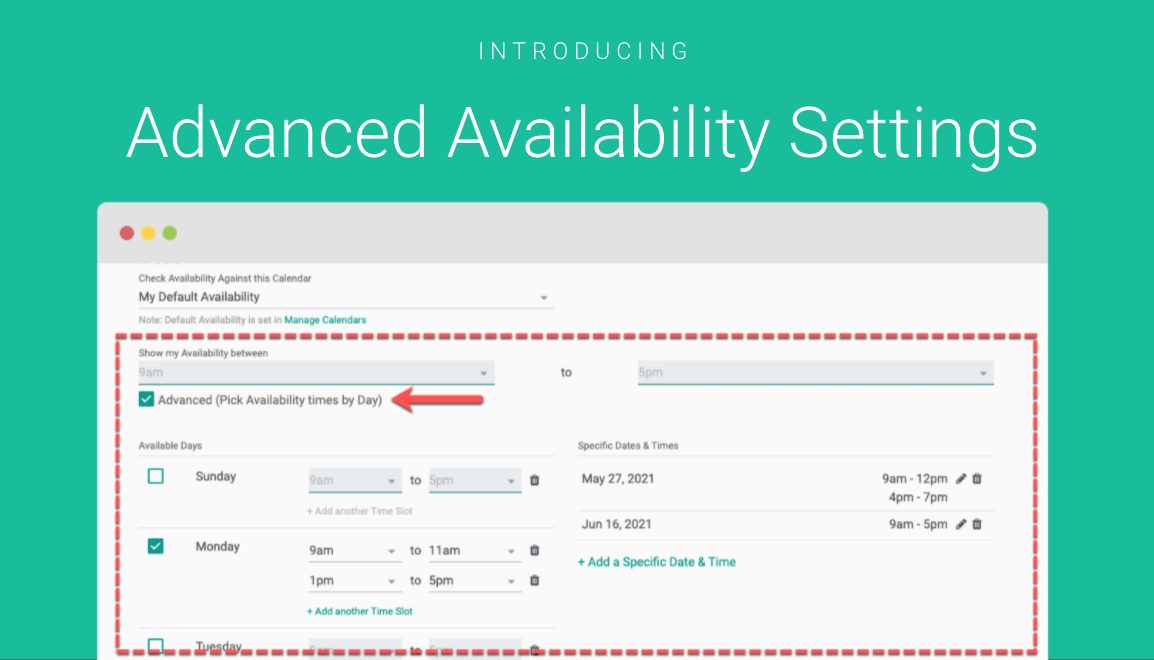
Advanced Availability Settings

Introducing Advanced Availability Settings for Online Scheduling. We have made some material improvements to how you can customize your availability settings on Event Types. This includes: Multiple availability time ranges per weekday (on Mondays 8-11am, on Tues 9-10am and again 3-6pm, etc….) Setting specific Days that you are available (example: June 3rd 9-11am then 3-5pm, […]

Working Hours

Under Working Hours, set up your default working hours to be used for your availability during scheduling. You can set up specific times you’re available for each day of the week, for example, you may wish to automatically block your lunch hour. You can set up multiple working hours; maybe you have multiple locations with […]