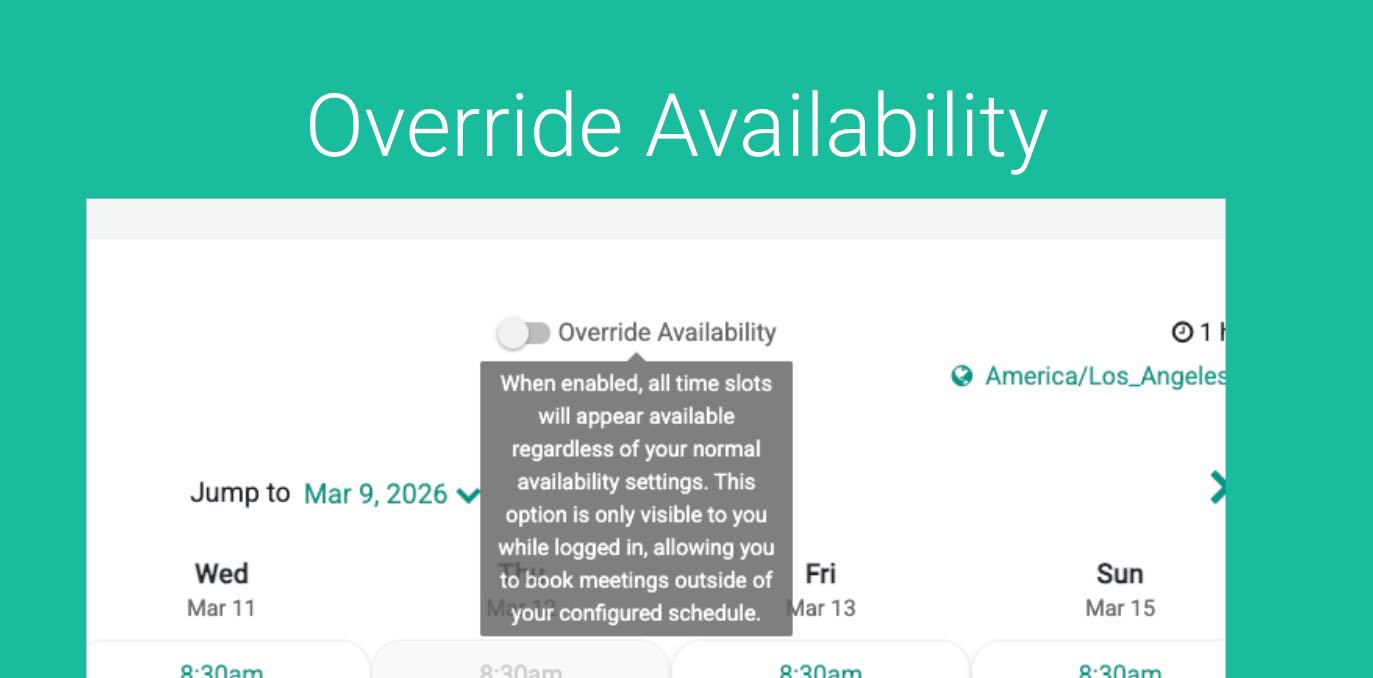
GReminders Scheduling automatically determines when you are available for meetings. It looks at your working hours, existing calendar events or blocks, and any pre- or post-meeting buffers to calculate the time slots that clients can book.
However, there are times when you may want to accommodate a special request—for example, fitting in an important client even though your calendar appears full.
This is where Override Availability comes in.
When a staff member is logged in and opens one of your Event Types, they will see an Override Availability toggle. Enabling this toggle temporarily bypasses the normal availability rules and shows all potential time slots, even if they would normally be blocked.
This makes it easy to schedule meetings in situations where flexibility is needed, without changing your standard scheduling settings.
To use it, make sure you are logged in to GReminders. Then simply navigate to an Event Type of any of your users. You will see a Toggle for Override Availability:
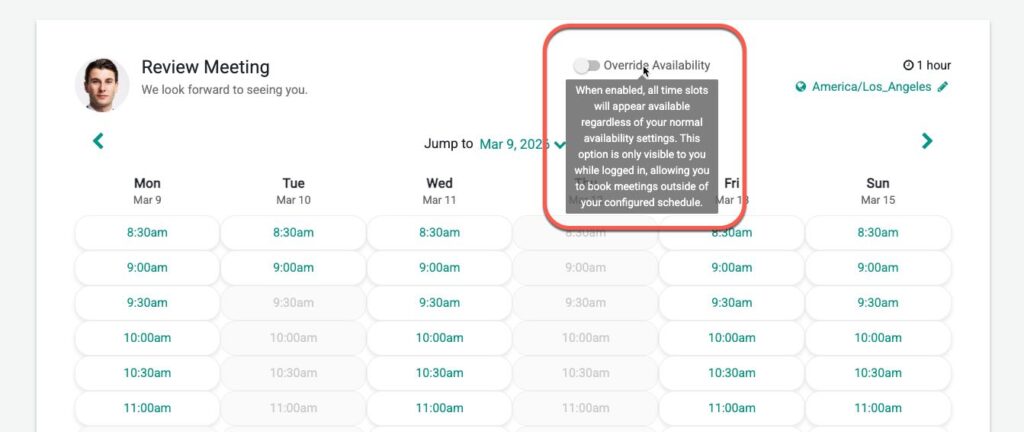
Once you click this it will open up time slots that were previously busy, allowing you to book.
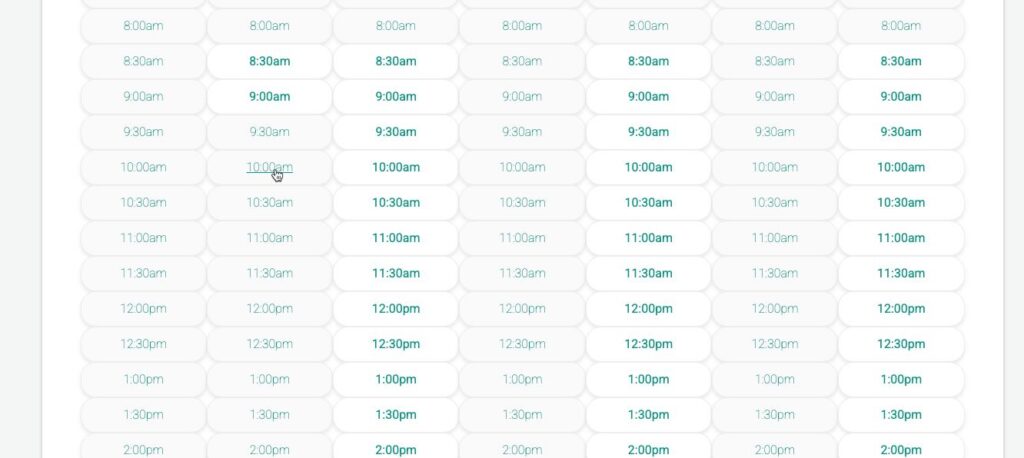
Of course, you should use this feature with care. Time blocks typically exist for a reason—such as other meetings, calendar events, or pre- and post-meeting buffers.
However, you ultimately know your schedule best. If you decide that a particular situation warrants making an exception, Override Availability gives you the flexibility to schedule the meeting anyway.
Note, this feature not available for the following cases:
- NOT available for Group Event Types (it works for all other Event Types)
- NOT available for Event Types with variable duration.
If you use a Custom Host Name , you must be logged into GReminders in the same browser window to use the override availability feature.
Overriding Meeting Type and Categories
In addition to overriding availability, you can also override Meeting Types and Categories. This may come in handy when you have generic Event Types such as 30min Meeting or 60 minute Meeting but want to specify a specific Meeting Type or Meeting Category when booking on behalf of customers.
To active this go to Setup > Org Settings and enable “Allow Internal Users (booking on behalf of Clients) to override Meeting Types or Categories on Booking Pages”
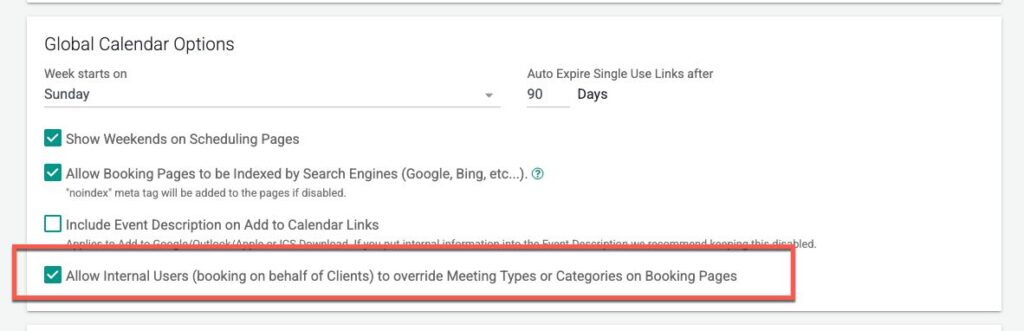
Then when you go to book a meeting on behalf of your client you will see:
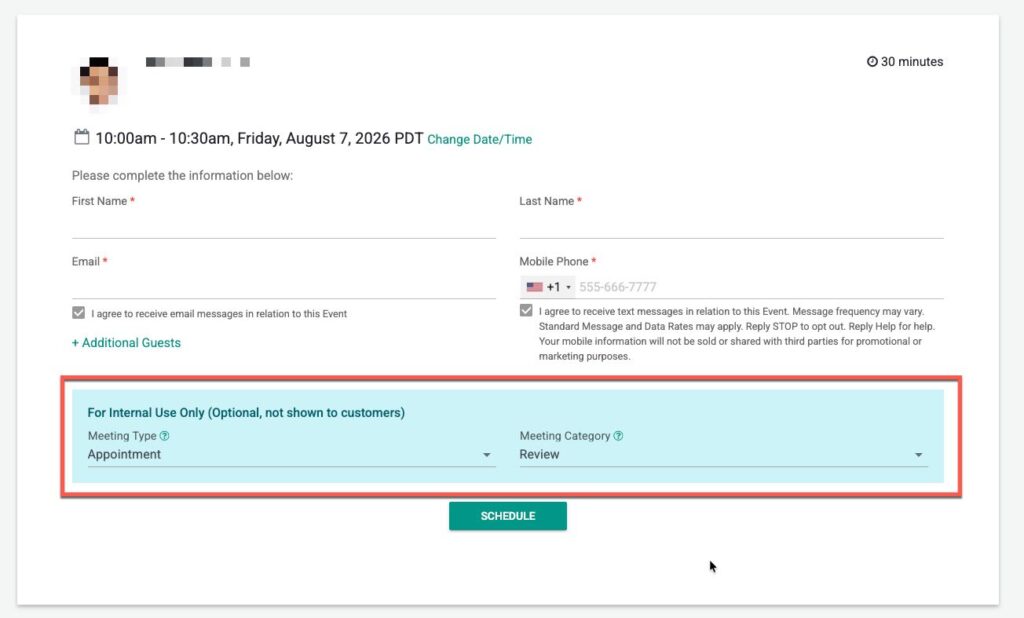
This will all you to override the default Meeting Types or Categories set by the Event Type.
If you have any questions please email to [email protected]
Happy Scheduling!
FAQs
What is Override Availability in GReminders?
Override Availability allows staff members to temporarily bypass normal availability rules and view all potential time slots for scheduling meetings, even if they are normally blocked.
When should I use the Override Availability feature?
You should use Override Availability with care, as time blocks usually exist for a reason. However, it provides flexibility for special requests or important clients when necessary.
Are there any limitations to using Override Availability?
Yes, Override Availability is not available for Group Event Types or Event Types with variable duration, and you must be logged into GReminders in the same browser window if using a Custom Host Name.