Microsoft already does a good job at Categorizing Events via Outlook.
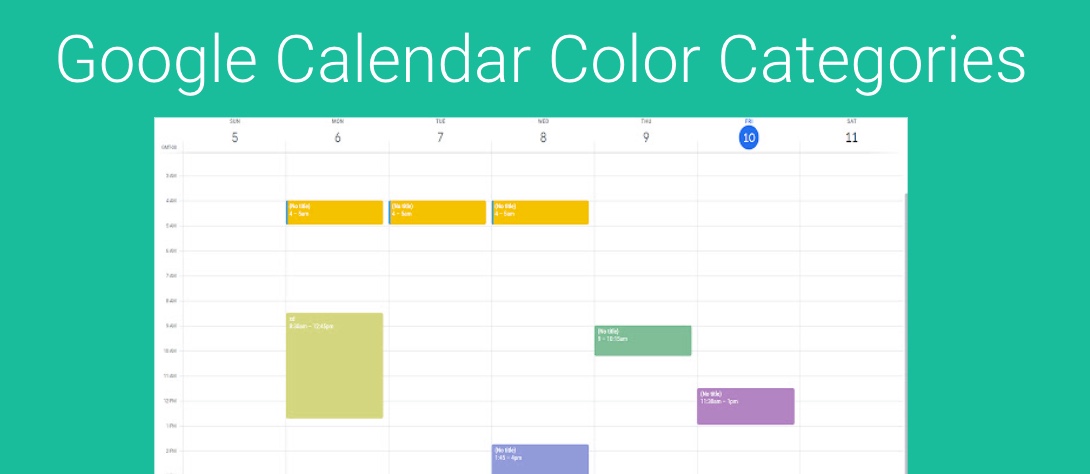
Google took a different approach, and does this using Color Coding.
GReminders now supports syncing of Google “Categories” via Color Coding. So if you have an event in your Google Calendar like this:
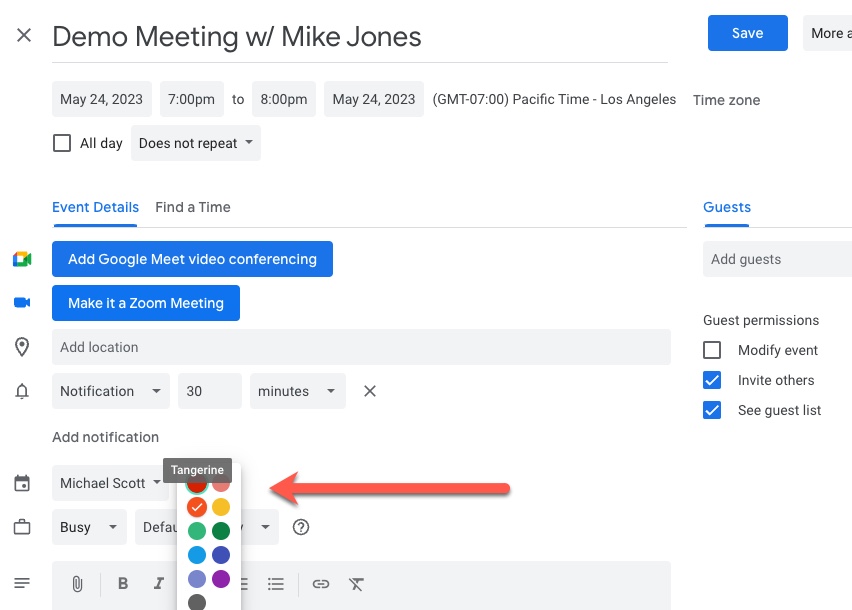
GReminders will see it as:
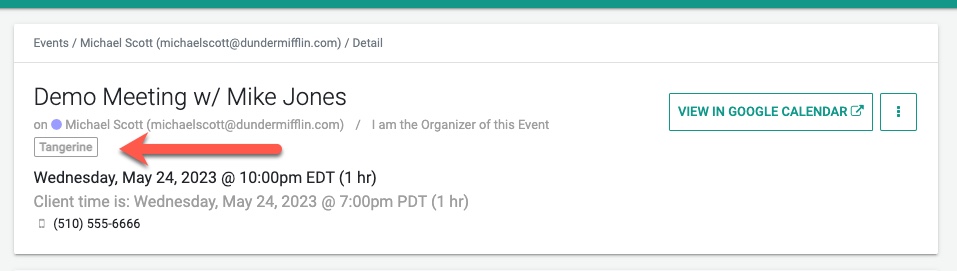
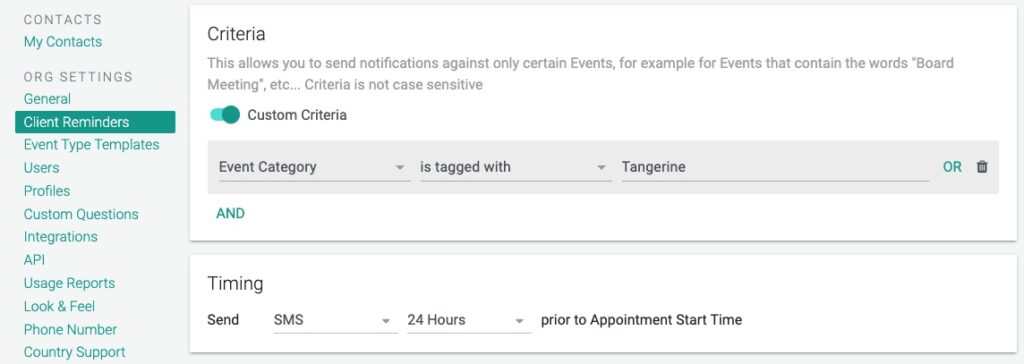
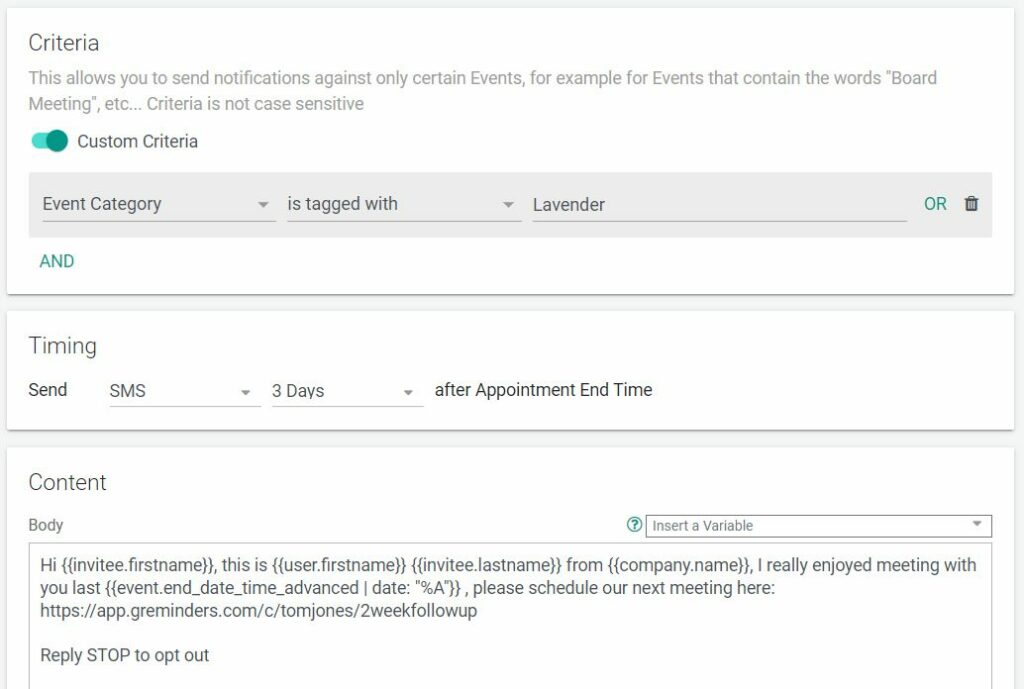
Which then means that if you want to use this for your Criteria in your Reminder Templates you can do:
Use Google Color Coding for Follow-up Reminders
Let’s say you wish to send clients you meet with a follow up based on how well the appointment went. You can select a color (Lavender for example) after your meeting and anytime prior to when you have scheduled a Follow up Reminder and your clients will get a message indicating you would like to schedule another meeting, have them leave a review, or any other message you wish to send after a successful meeting.
Here’s how it might look in GReminders:
Conclusion
Using Google Color Coding with GReminders gives you more flexibility over what reminders you can send to your clients, and you can control all of this from your Google Calendar.
That’s It! Any questions, please contact [email protected]
Happy Scheduling!
FAQs
How does GReminders support Google Calendar event categorization?
GReminders supports syncing of Google Calendar 'Categories' via Color Coding, allowing events categorized by color in Google Calendar to be recognized and used within GReminders.
How can I use Google Color Coding to send follow-up reminders to clients?
You can assign a specific color to an event in Google Calendar (e.g., Lavender) after a meeting, and GReminders will use this color coding as criteria to send customized follow-up reminders to clients based on how well the appointment went.
What are the benefits of using Google Color Coding with GReminders?
Using Google Color Coding with GReminders provides more flexibility in the types of reminders you can send to clients, and allows you to control reminder criteria directly from your Google Calendar.