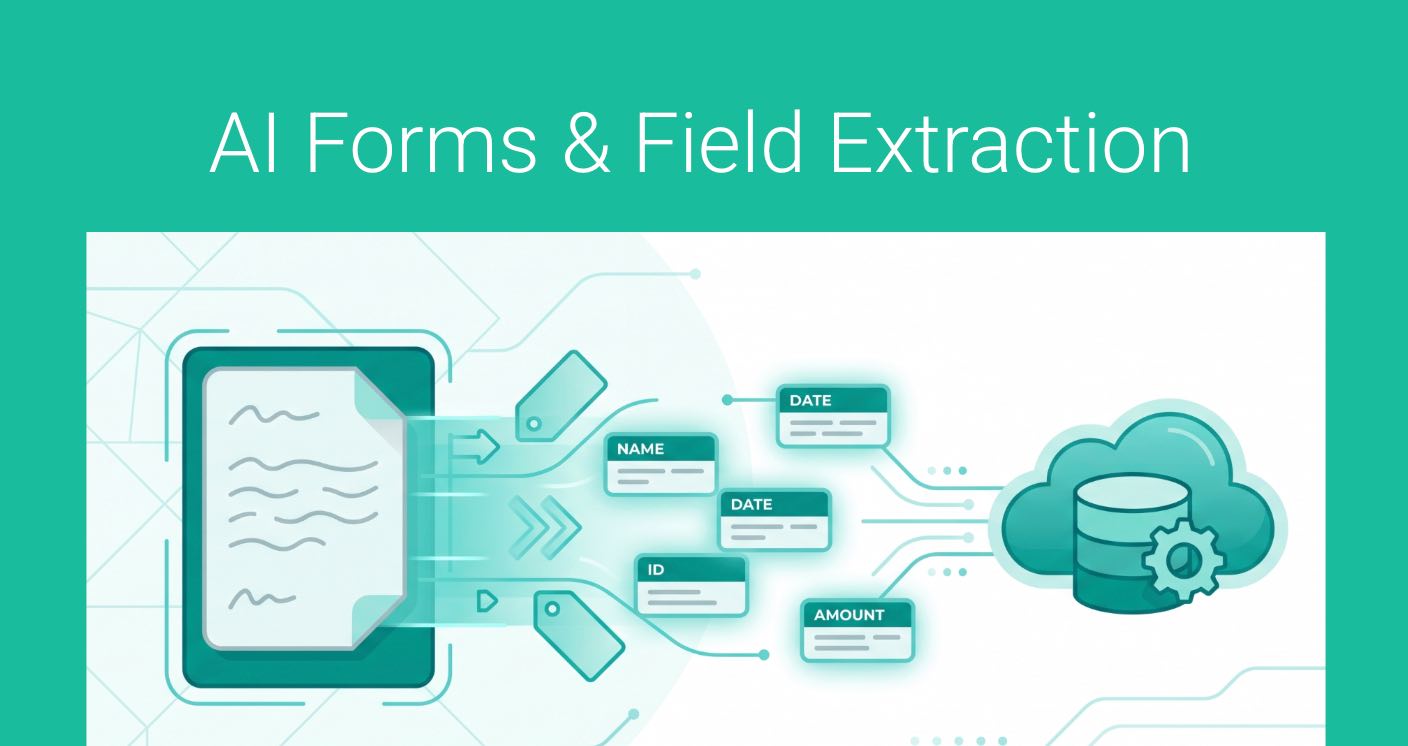
How many hours a week do you spend manually typing data from client intake forms, PDFs, or meeting notes directly into your CRM?
When a new prospect books an initial consultation, you usually only collect the basics – a name and an email address. But by the time your first meeting starts, you’ve likely gathered wealth statements, account types, or critical verbal details. Getting that rich data into your CRM has always been a tedious, manual chore.
Not anymore.
GReminders Forms and AI Field Extraction – uses advanced artificial intelligence to pull data directly from documents and meeting transcripts, updating your CRM records instantly.
Watch this Short Overview Video
Why You’ll Love GReminders AI Forms
Whether you are a financial advisor, a lawyer, or a consultant, this feature is designed to eliminate friction and ensure your client data is always immaculate. Here is what AI Forms brings to your workflow:
- Instant Document Scanning: Simply drag and drop any PDF client intake form, financial questionnaire, or document into GReminders. Our AI agent instantly scans and reads the file.
- Smart Side-by-Side Comparison: No blind overwriting. GReminders shows you your current CRM data in one column and the AI’s recommended updates in another.
- Complete Control Over Your Data: You review the extracted data and check the boxes next to the fields you want to update, leaving existing information untouched whenever you choose.
- Transcript-to-CRM Intelligence: It’s not just for paperwork. If a client mentions a crucial detail during a meeting—like whether they have a will or a specific loan balance—our AI Notetaker flags it and allows you to push that verbal information directly into your CRM custom fields.
- Deep CRM Customization: The AI adapts to you. It automatically maps to your standard contact fields, account types, assets, and liabilities—including your own unique custom fields.
By automating the administrative heavy lifting, GReminders gives you back hours of your week so you can focus on what matters most: building relationships and serving your clients.
AI Forms & Field Extraction is available to all Business Plan Customers.
Getting Started
AI Forms is available for Redtail, Wealthbox, Salesforce, Practifi, XLR8, and other Overlays.
Setting Up
Since you should already have your CRM integrated you can view the fields that are auto mapped for you. GReminders also supports User Defined Fields and Custom Fields.
Go to Integrations > select your CRM > click on AI Fields
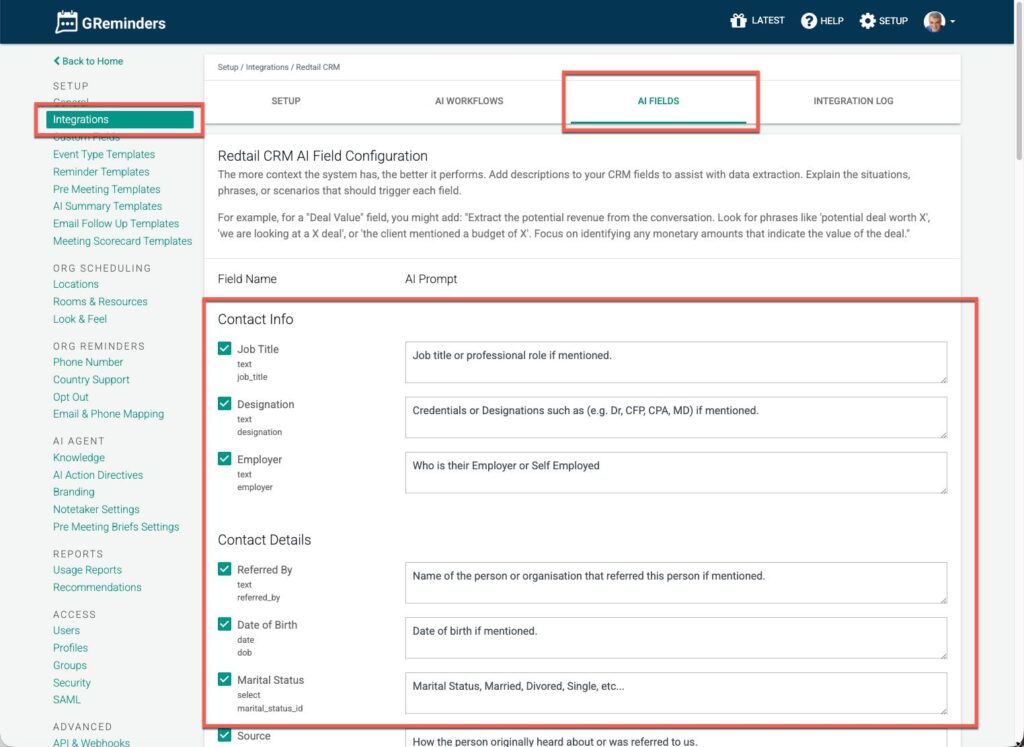
Here you can customize the AI prompts to make sure the AI is pulling the right data.
Note: Data Types (Text vs Numeric vs Dropdown Field Types) are automatically handled for you.
Extracting Fields from Documents
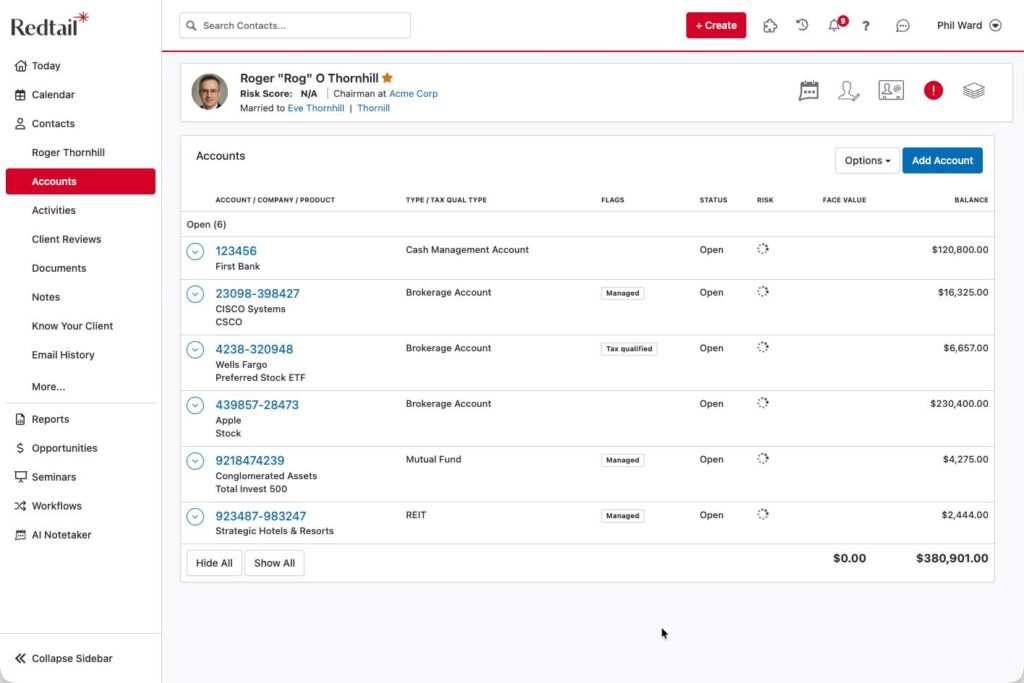
Next navigate to CRM Contacts and find the Household or Contact you want to pull data for.
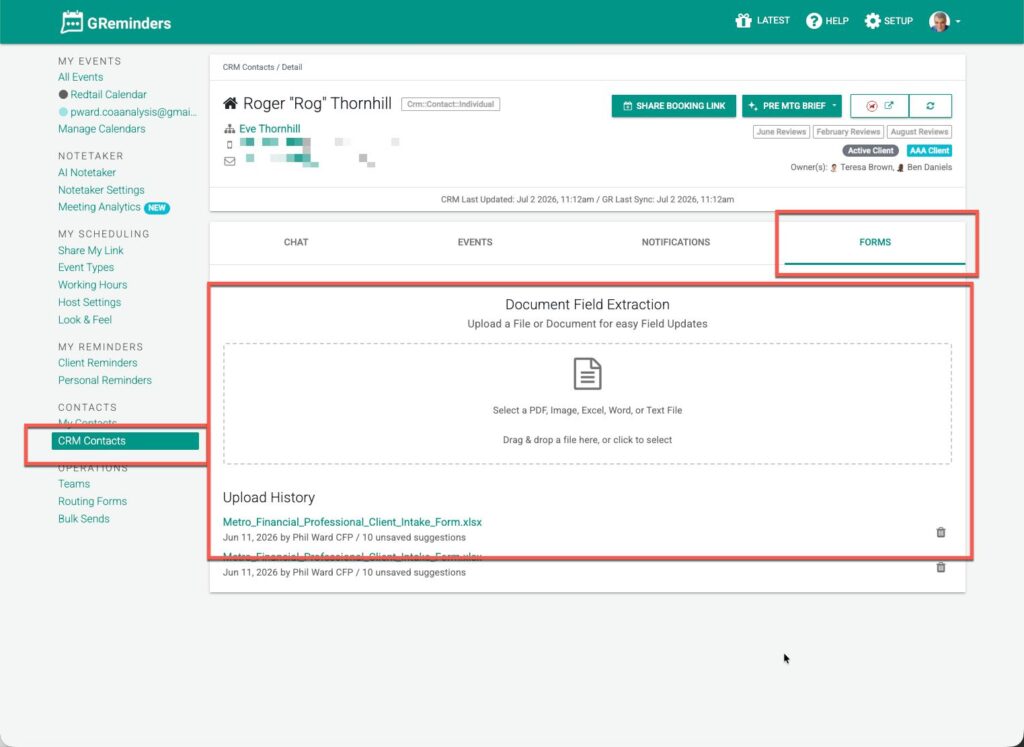
Click on the Forms Tab
From here you can upload any file and the system will try to extract the relevant fields. The system supports PDF, XLSX, DOCX, TXT, and Image Files.
Upload a File
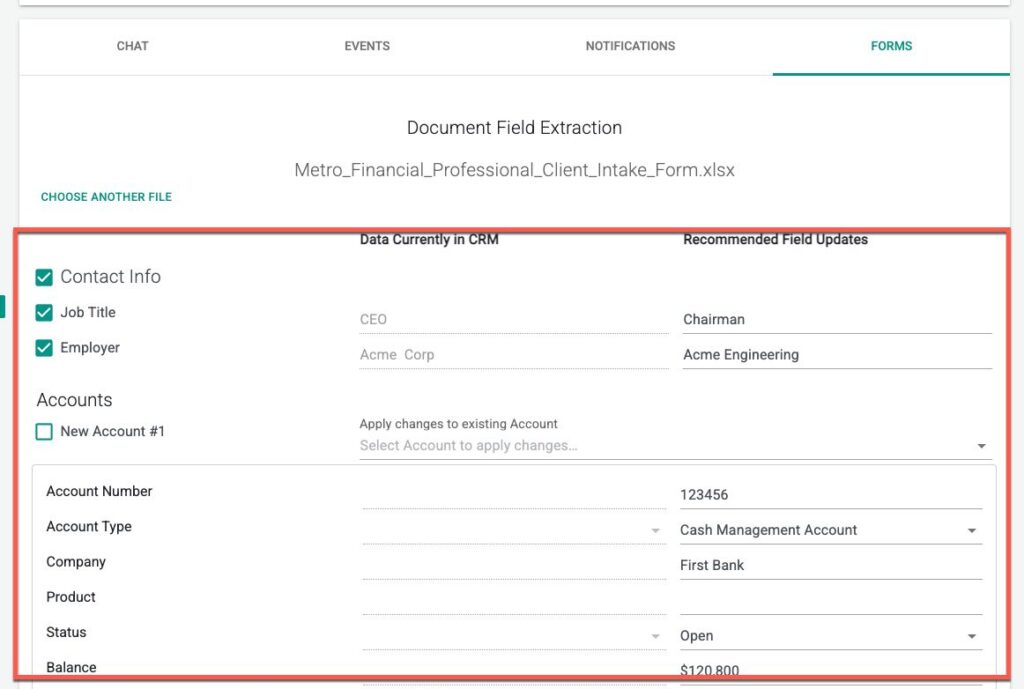
The system will automatically extract fields based on the file content.
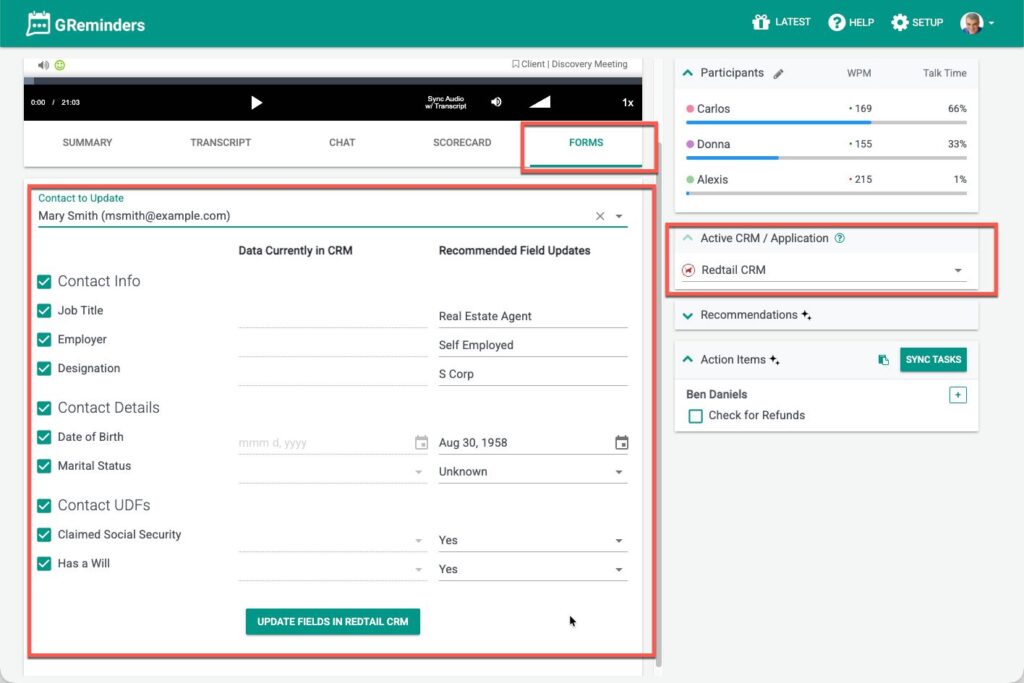
On the screen above you will see what is in CRM currently (left side) and what the AI extracted from the document (right side)
To update the fields simply check the boxes on the left and click Update Fields.
The data will be automatically updated in your CRM.
Extracting Fields from AI Notetaker
The same feature is available from a Call Transcript / AI Notetaker. Navigate to a AI Notetaker Record and click on the Forms Tab
From here you will see any data extracted from the transcript and you can easily write it back to your CRM.
That’s It. Happy Time Savings.
If you have any questions please contact [email protected]
FAQs
What is GReminders AI Forms?
GReminders AI Forms uses advanced artificial intelligence to pull data directly from documents and meeting transcripts, updating your CRM records instantly.
Which CRMs are compatible with GReminders AI Forms?
AI Forms is available for Redtail, Wealthbox, Salesforce, Practifi, XLR8, and other Overlays.
How does the document extraction process work?
You can upload any supported file (PDF, XLSX, DOCX, TXT, Image) to GReminders, and the system will automatically extract relevant fields, allowing you to review and update your CRM data.