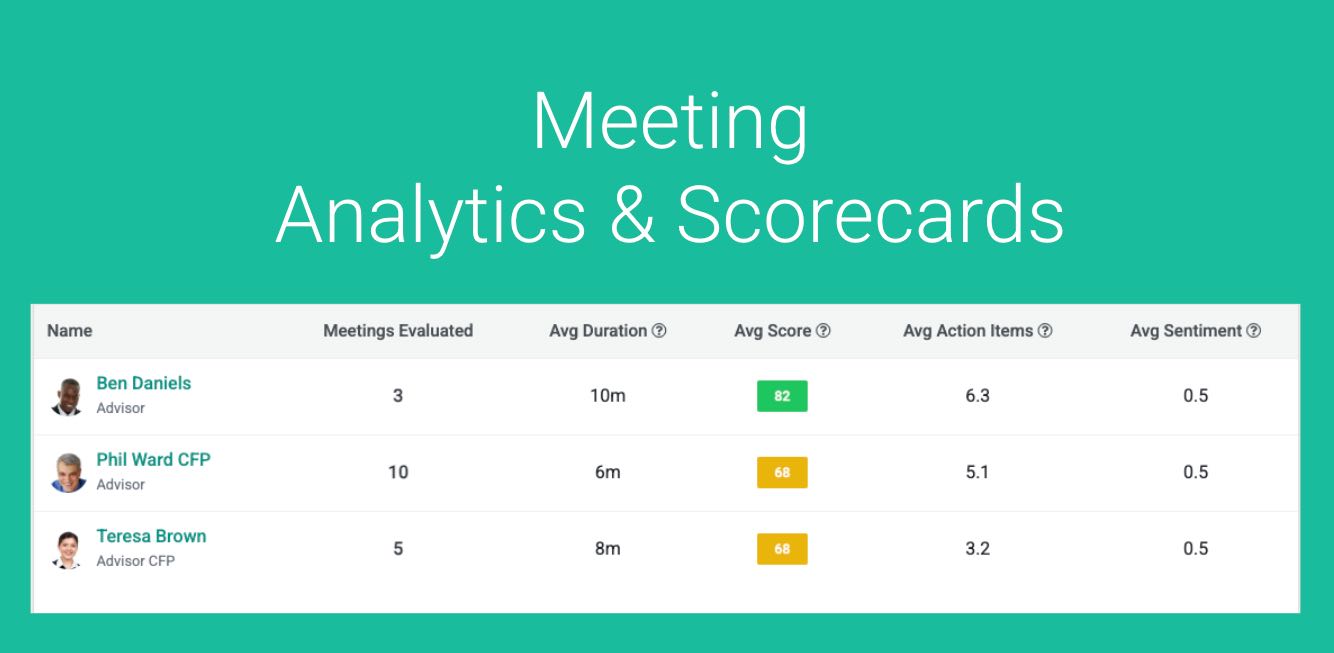
The financial advisory landscape is shifting away from subjective intuition and toward data-driven execution. Every day, advisors hold critical conversations that directly impact firm revenue and client retention. Yet, once a meeting ends, the valuable insights within those hours of dialogue often vanish.
Introducing Meeting Scorecards – turning unmonitored text transcripts into objective, actionable data.
Here is how leading firms are using them to drive growth:
Accelerating Advisor Coaching & Onboarding
Historically, mentoring a new hire required senior partners to shadow live calls or listen to hours of recorded audio—a massive drain on scarce resources. Scorecards make coaching laser-focused and scalable:
- Behavioral Auditing: Instantly see if a new advisor established an upfront contract, managed a balanced talk-to-listen ratio, or paused effectively to let the client speak.
- Objective Feedback: Replaces vague advice like “you did great” with concrete data, highlighting exact moments where a rookie can improve.
- Self-Paced Learning: Allows new advisors to review their own graded scorecards and see exactly where their delivery diverged from the firm’s gold standard.
Tracking Strategic Initiatives & New Offerings
When launching a new service offering—like estate planning integration or a customized insurance model—firm owners previously had to guess if their team was actually pushing it. Scorecards eliminate the guesswork:
- Adoption Tracking: Automatically scans transcripts to verify if firm-priority topics were introduced during client conversations.
- Objection Analysis: Identifies how naturally advisors are weaving new services into dialogue and tracks common patterns of client pushback.
- Campaign Resonance: Gives leadership real-time visibility into whether marketing campaigns and new product rollouts are actually being deployed on the frontline.
Streamlining Prospect Qualification
Protecting your firm’s operational capacity starts at the very top of the sales funnel. During an initial consultation, scorecards automatically extract key metrics to rate a lead’s true potential:
- Financial Viability: Captures asset sizes, cross-references them with your fee schedule, and flags projected first-year revenue.
- Complexity Matching: Detects complex planning needs (intensive tax, estate, or business structuring issues) before you onboard a high-maintenance client.
- Behavioral Alignment: Identifies whether the prospect is a healthy “delegator” or a hyper-anxious personality type that might over-consume staff resources later.
The Bottom Line: Nobody has time to read hours of transcripts or sit in on every meeting. Scorecards boil complex, human conversations down into a clean dashboard, ensuring your entire team maintains consistent advice quality and drives revenue at scale.
Watch this More In Depth Setup Video:
This feature is available for Business Plans Users.
To enable Meeting Analytics and Meeting Scorecards contact your Account Executive or Customer Success Rep or email to [email protected]
Setting up Scorecards
Go to Setup and Navigate to Meeting Scorecard Templates. Create New Scorecard Templates, or we have some samples for you.
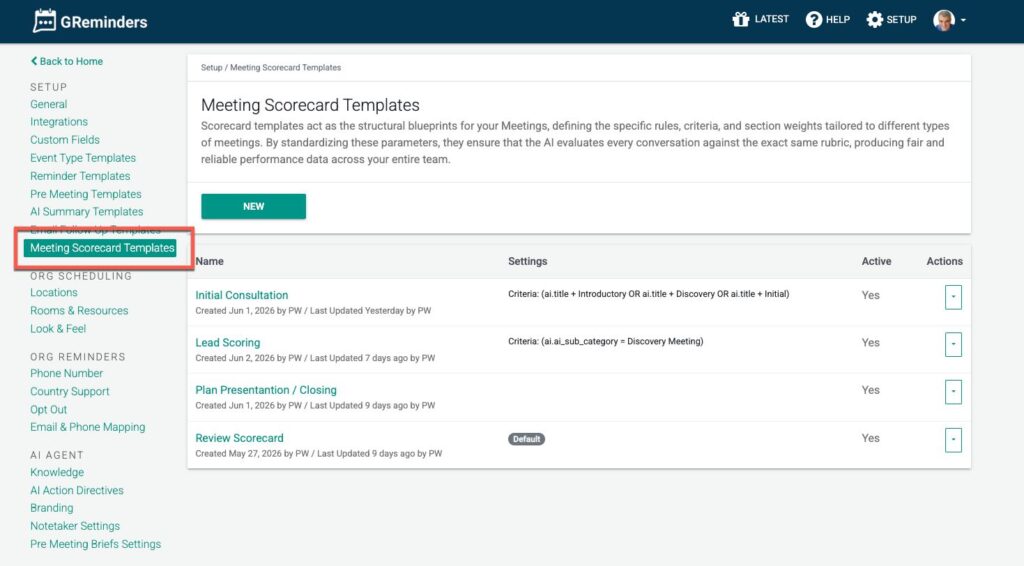
Scorecard Templates can be auto applied to new Meetings.
Use the Criteria Section to apply Scorecards.
Note: All Notetaker Records/Meetings are auto classified by us using AI Category and AI Sub Category. In addition you can use your own categorization such as Meeting Types or Meeting Categories.
You can use any of these categories and/or types in your conditions when you apply them.
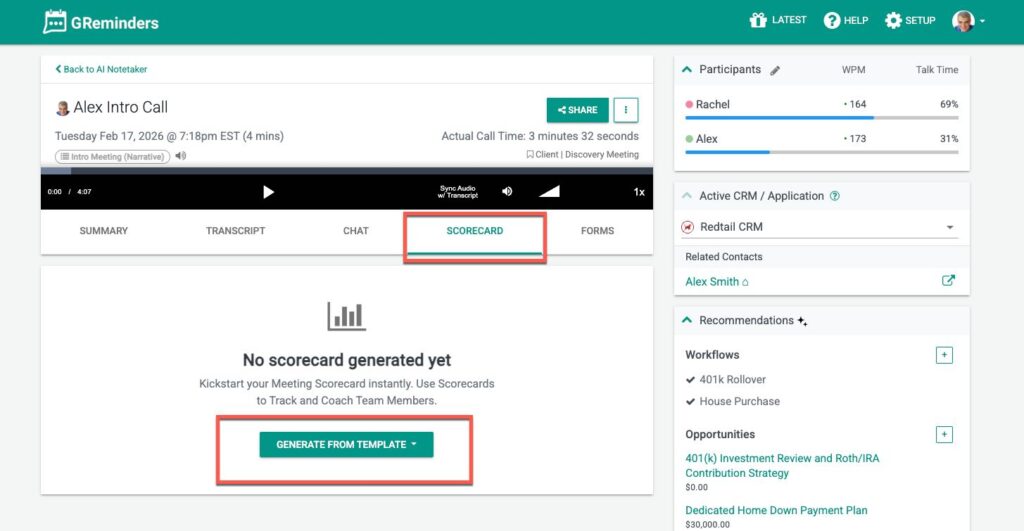
Next, navigate to one of your Notetaker records, you can manually apply it to old Notetaker Records like so:
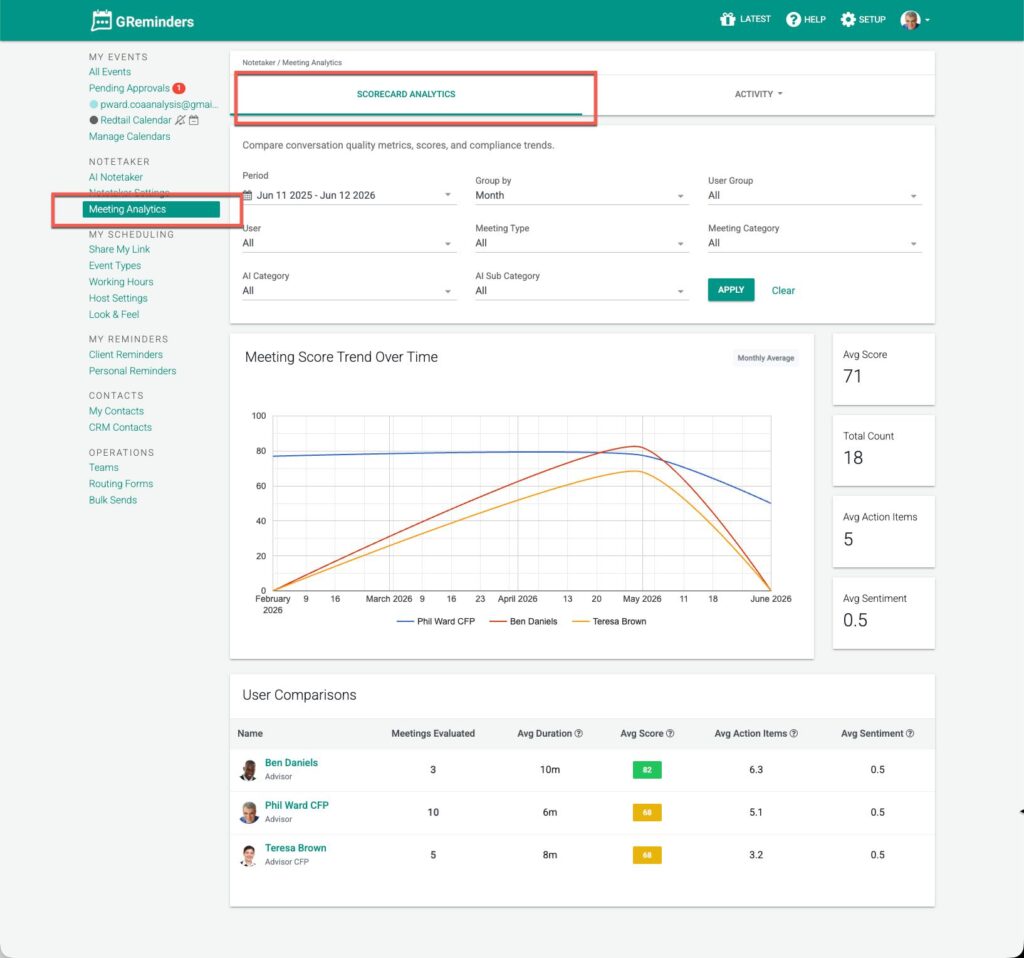
To see your Dashboard go to Meeting Analytics from the Home Page:
Additional Meeting Reporting
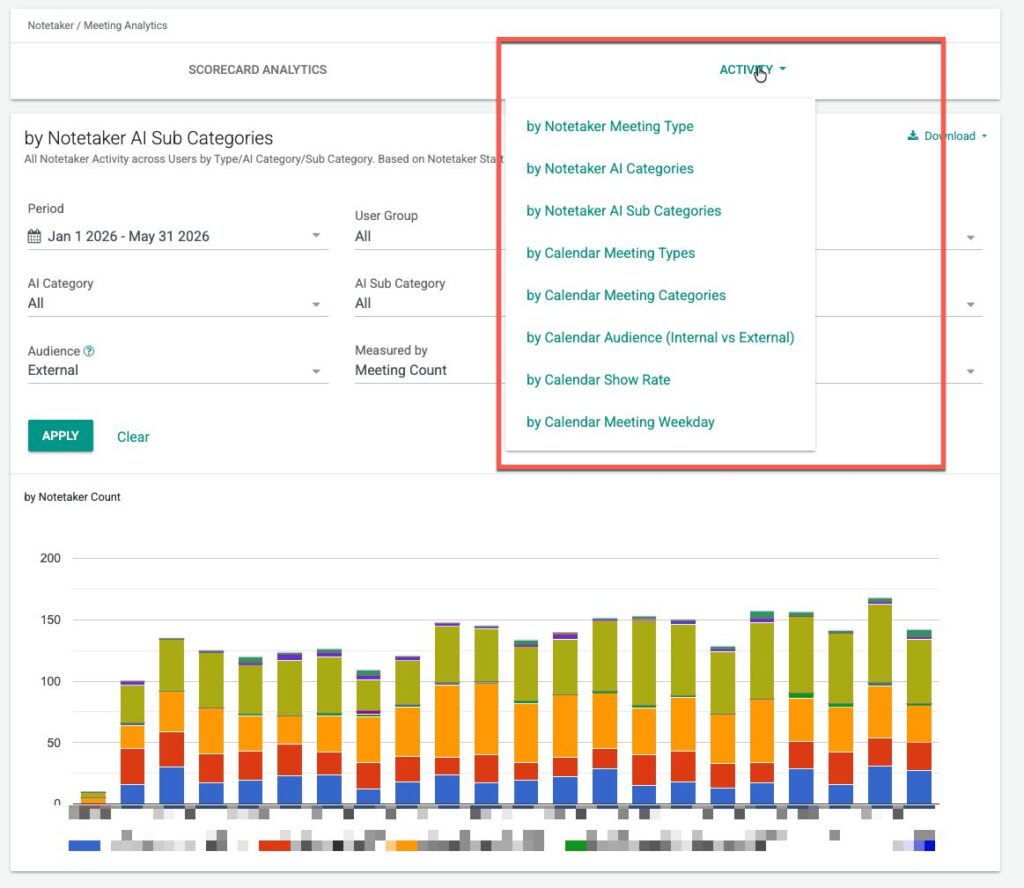
Under the Meeting Analytics Section you can also find various Notetaker and Meeting Reports. These give a good view into general activity across the firm or around specific users or groups.
Permissioning
Who has access to Meeting Scorecards depends on the Security Profile that is applied to your User. To setup Profiles, go to Setup > Profiles > and click on the corresponding profile. Profiles are tied to Users.
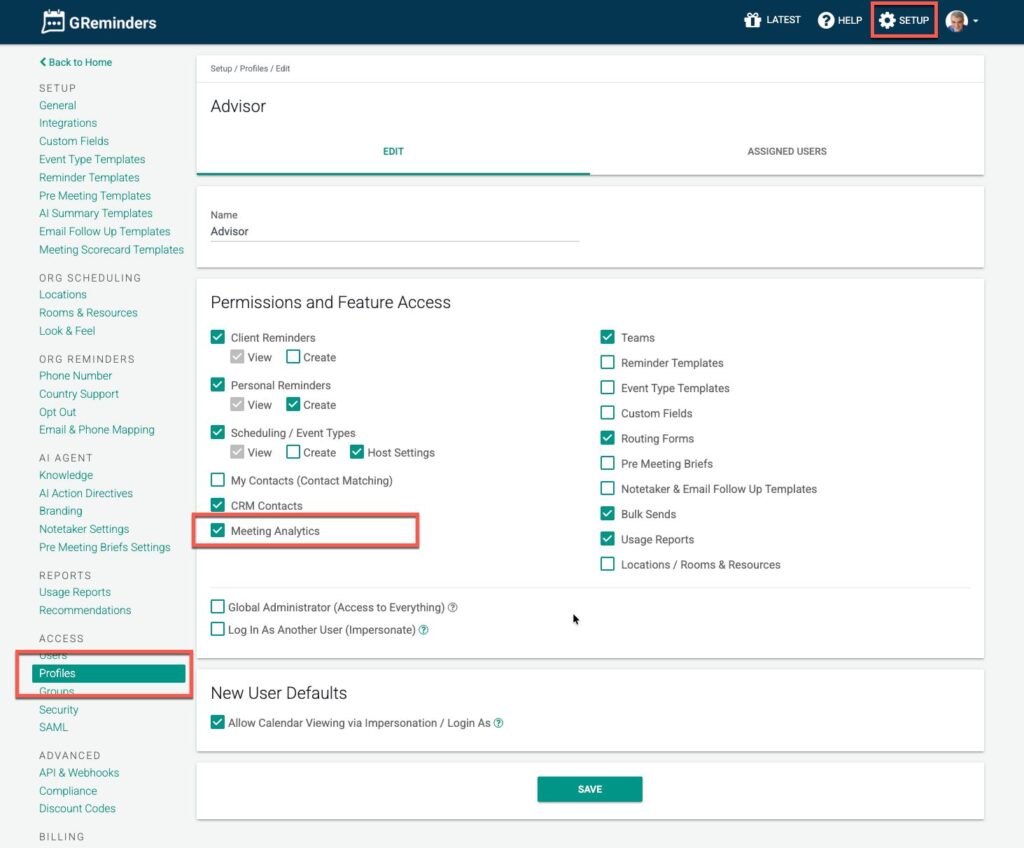
Make sure the profile has Meeting Analytics access. Hit Save.
Any users with this Profile assigned will have access to Meeting Analytics.
Note: Just because you have access to the Meeting Analytics Dashboards does not mean you have access to the Notetaker Records. This is automatically done via Notetaker Sharing settings OR if you are a Global Admin.
Need Help?
When used properly, these analytics can give you meaningful insight your business, quality of conversations and activities. To get the most out of this, talk to your Account Executive or Customer Success Manager for more details.
If you need additional help please contact [email protected]
FAQs
What are Meeting Scorecards?
Meeting Scorecards turn unmonitored text transcripts into objective, actionable data to enhance advisor coaching, track strategic initiatives, and streamline prospect qualification.
How can Meeting Scorecards improve advisor onboarding?
Scorecards provide behavioral auditing, objective feedback, and self-paced learning, allowing new advisors to receive focused coaching and improve their performance based on concrete data.
Who has access to Meeting Scorecards?
Access to Meeting Scorecards depends on the Security Profile assigned to a user, which must include Meeting Analytics access.