Integrations
GReminders offers a variety of Integrations. Some are User Level and some are Organizational Level Integrations. Once integrated, the integration setup will rise to the top of the list.
GReminders offers a variety of Integrations. Some are User Level and some are Organizational Level Integrations. Once integrated, the integration setup will rise to the top of the list.
You can connect calendars to GReminders under Manage Calendars. Indicate which calendars you wish to: That’s it! Any questions? Please email [email protected] Happy Scheduling!
How to Set Up and Use Team Scheduling in GReminders Team scheduling in GReminders allows you to efficiently distribute meetings across multiple team members or coordinate the entire team. It’s ideal for initial client meetings, customer support, service calls, interviews, and more. GReminders offers several powerful team event variations to fit your needs: Team scheduling […]
Adding another person’s Google Calendar to your existing Gmail Account GReminders, SMS Appointment Reminder system, allows you to send reminders from your calendars and calendars shared to you. If you want to connect someone else’s calendar to your GReminders Account via this shared calendar mechanism, here is how you do that. First, you will […]
If you are using Google Calendar for high number of meeting bookings, be aware of limits in the Google Universe. Now, a high number really needs to be a high number like 25,000+ new calendar events in a short time period, or more than several thousand calendar invites in a short period. But the limits […]
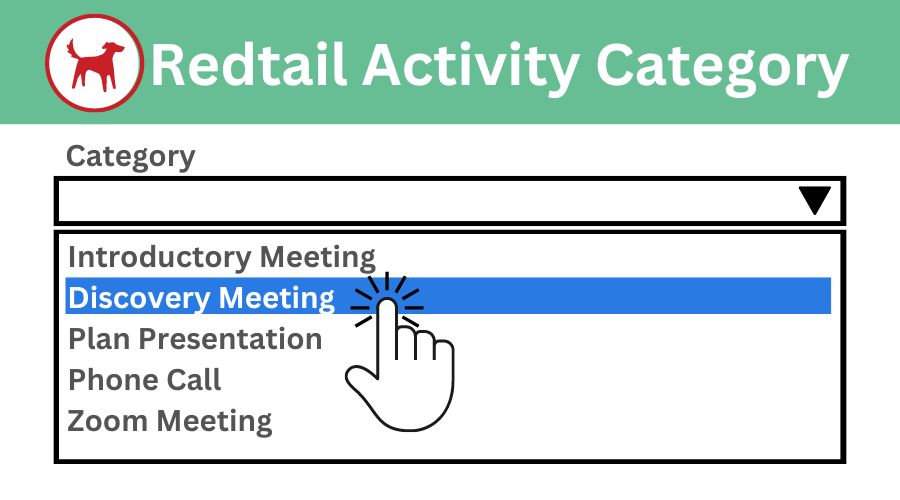
GReminders ‘Meeting Category’ option does more than organize your event types – it syncs with your Activity Categories in Redtail as well. This article takes you through understanding the GReminders Meeting Category option, Redtail’s Activity Category overview, and setting up the ability to map Meeting Category to Activity Category. GReminders Meeting Category GReminders Meeting Category […]
If you are doing business with “Consumers” or Individuals, you may not be adding them to the actual Calendar Event or Invite. This is done for a variety of reasons. It may not be customary in your industry, you may include notes in the description that you do not want to share, the client or […]
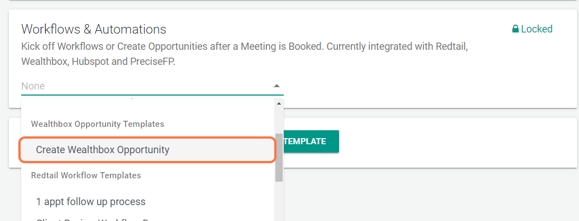
Learn how to create opportunities within your Redtail or Wealthbox CRM when clients or prospects schedule through GReminders Event Types Redtail CRM Opportunity Tracker: The Opportunity Tracker in Redtail serves as a powerful tool for financial advisors. Its purpose is to help advisors monitor their pipeline, engage with prospects, and ultimately close more business. When […]
When using GReminders for Automated Scheduling you may want to allow your customers the opportunity to select their preferred Meeting Method. Previously you could only offer a single location per Event Type. Introducing Multi Location Event Types. For example, if you want to offer both in-person OR virtual meetings (and let your customer decide on […]
To connect to your Intermedia/Osaic Calendar do the following: Go to GReminders Manage Calendars and click Connect Another Calendar Next Enter your Email address and Email Password. For the Exchange Web Services URL use:https://agmail.smarshmail.com/ That should be it. If you have problems please read on. Troubleshooting Please make sure your password is actually correct. This […]