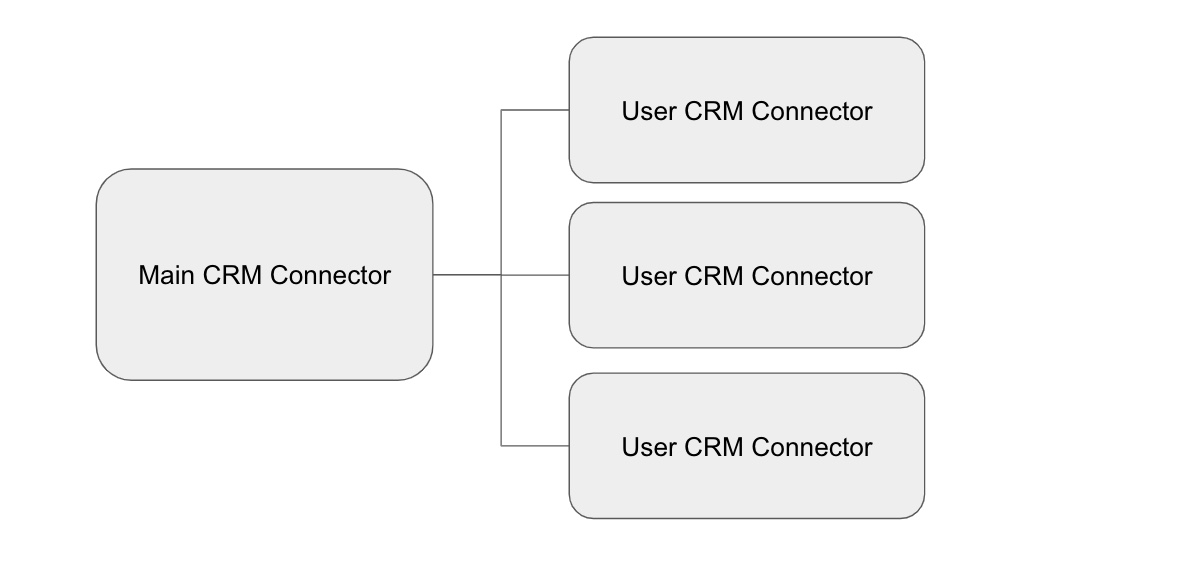
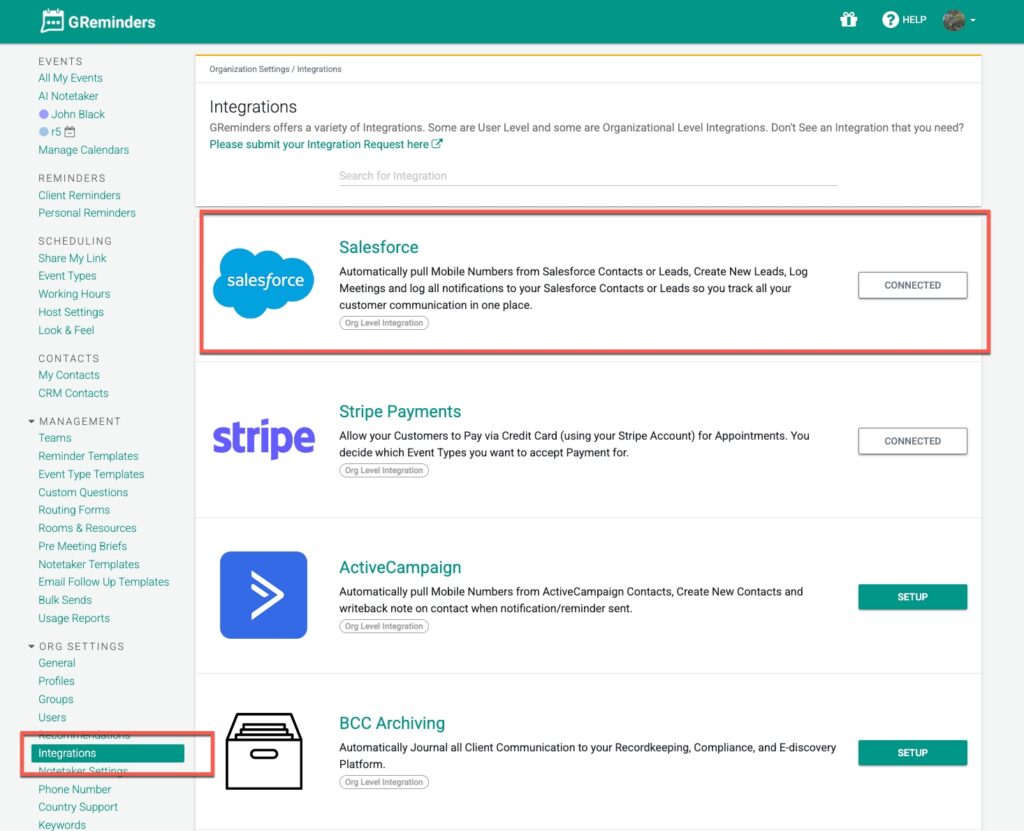
When you connect your CRM to GReminders, in most cases you are doing this at the Organization Level. Meaning you go to Org Settings > Integrations click through to your CRM you are using and connect it.
The “User” you connect with is the “primary” connector that the system will interface with. Meaning that whatever permissions that user has is the permissions that GReminders will have to that CRM. This also means in any write operations such as creating a Note, Contact, etc… the “creator” of that record will be THIS integration User that is being used.
For example IF the Org level integration user you connected was called “Integration User” in your CRM your record would look like this:
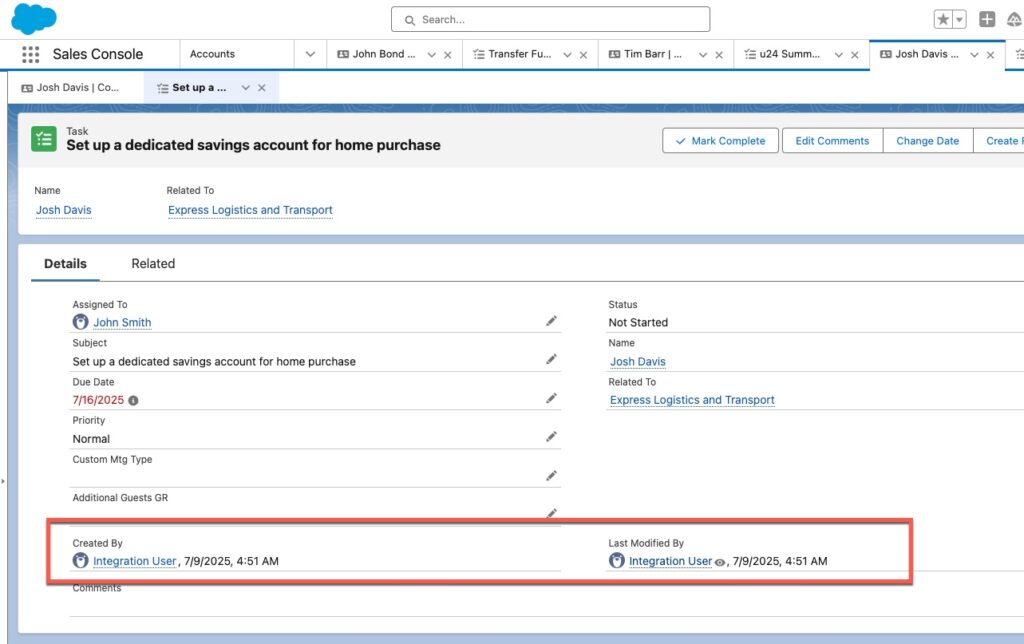
You can see its assigned to the right person (John Smith) in this case, however its created by “Integration User”.
This is where it helps to have each USER connect their CRM
User Level Connections
Each of your users should go to their Profile > Connected Services and then connect THEIR CRM user to GReminders.
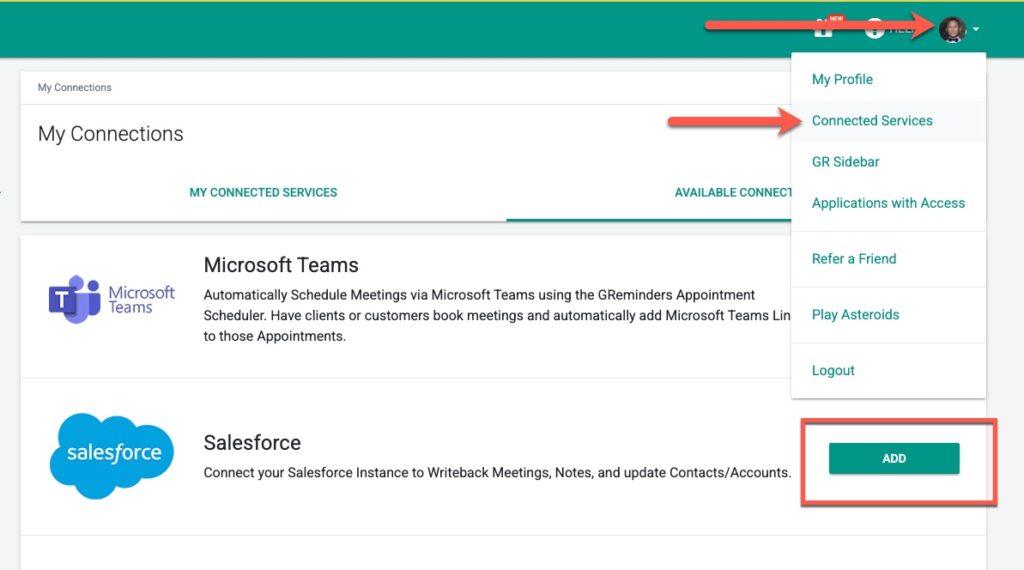
If the user has a connection to the CRM we will use THAT connector to the writeback So the record will now look like:
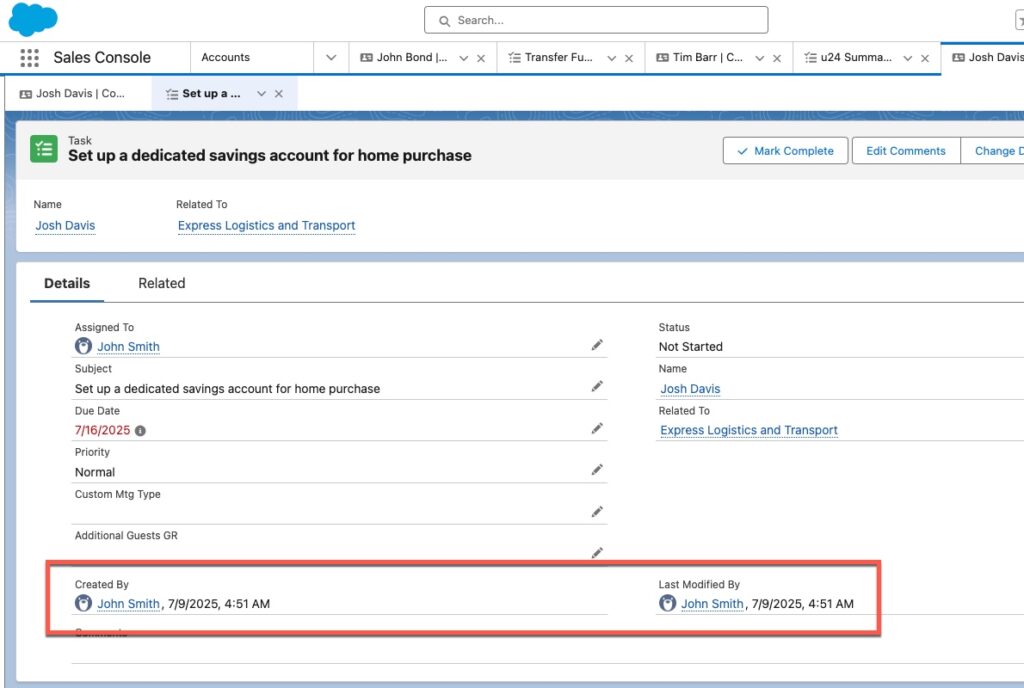
This looks much better.
Other Considerations
Only CRM Connectors that you have connected at the Organization Level will be available to your Users. In other words if you do not have Salesforce (or whatever CRM you are using) connected under Org Settings > Integrations we will NOT show that Connector as an available connector.
User level connectors also constrain Permissions assuming Users have different record level permission settings in your CRM
Thats It
If you need help please contact [email protected]
FAQs
What happens when I connect my CRM at the Organization Level in GReminders?
When you connect your CRM at the Organization Level, the integration uses the 'primary' user you connected with. This means GReminders will have the same permissions as that user in the CRM, and any records created (such as Notes or Contacts) will be attributed to this integration user.
How can individual users ensure records they create show their own user information in the CRM?
Each user should connect their own CRM account to GReminders by going to their Profile > Connected Services and linking their CRM user. When users have their own connection, GReminders uses that connector for writeback, so records will show the actual user as the creator instead of the organization-level integration user.
Are all CRM connectors available to users in GReminders?
No, only CRM connectors that have been connected at the Organization Level under Org Settings > Integrations will be available for users to connect. If a CRM like Salesforce is not connected at the organization level, it will not appear as an option for users.