With GReminders you can bring your own Email service. If you use Google or Microsoft see this article.
If you have Redtail Email or another non Google/Microsoft provider you can use your SMTP Mail Server to send mail (outgoing).
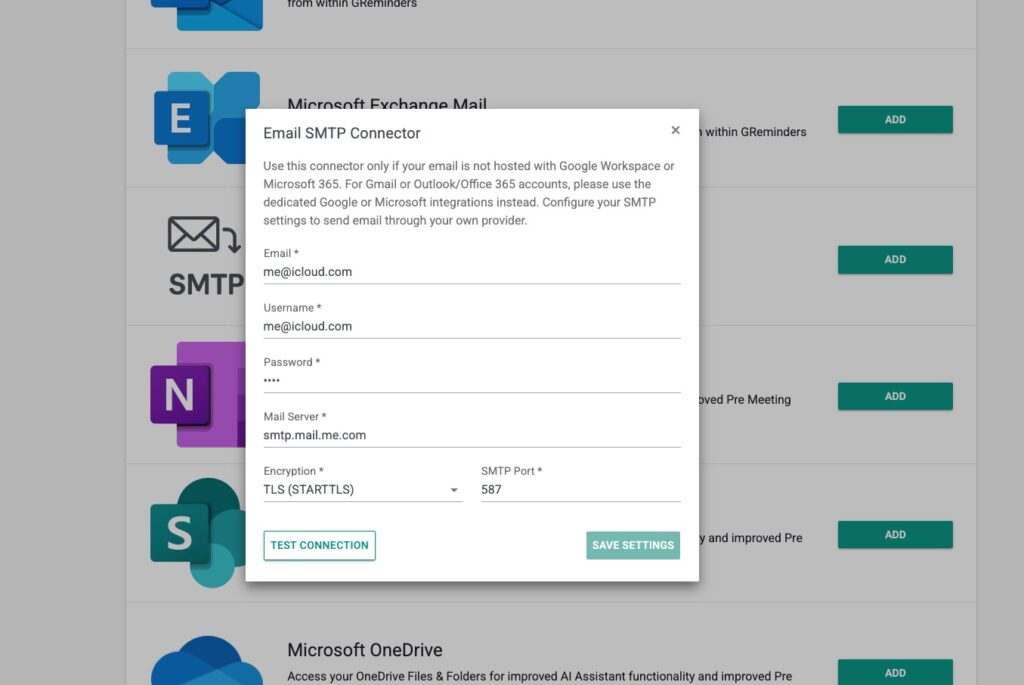
To set this up go to My Profile > My Integrations > Select SMTP
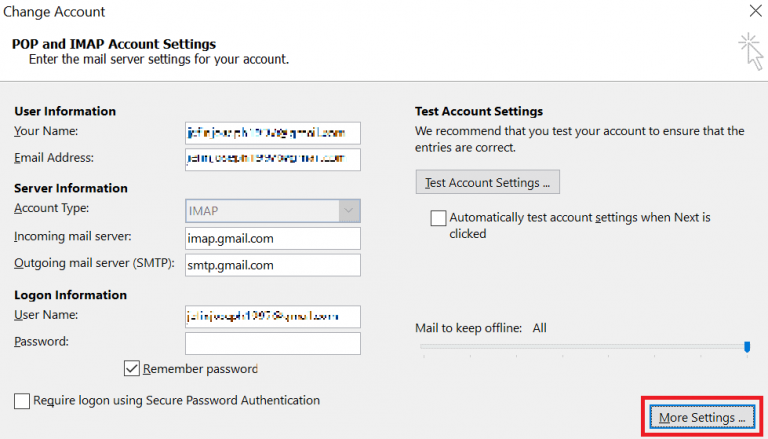
If you are using Outlook Desktop you can probably get these settings from your Outlook Settings.
Open Outlook
Go to File → Account Settings → Account Settings
Select your email account
Click Change
Click More Settings…
Go to Advanced and Outgoing Server tabs
Here you should see:
Alternatively ask your IT Administrator for this information, they will have it.
Settings for Redtail (Zimbra) Email Users
Username: [your full email address hosted with Redtail]
SMTP Server: smtp.redtailtechnology.com
SMTP Port: 465 (SSL)
Read More here
If you are using 2FA with Redtail Email you will need to setup Application Passwords and use that Application password as your Email password above. Read More Here
If you have any questions please contact [email protected]
Keywords: Redtail Email SMTP Zimbra
FAQs
How do I set up my SMTP Mail Server in GReminders for non-Google/Microsoft email providers?
To set up your SMTP Mail Server in GReminders, go to My Profile > My Integrations > Select SMTP. From there, enter the required SMTP settings provided by your email service.
Where can I find my SMTP settings if I use Outlook Desktop?
You can find your SMTP settings in Outlook Desktop by going to File → Account Settings → Account Settings, selecting your email account, clicking Change, then More Settings…, and checking the Advanced and Outgoing Server tabs.
What SMTP settings should Redtail (Zimbra) Email users use with GReminders?
Redtail Email users should use the following SMTP settings: Username as your full email address hosted with Redtail, SMTP Server as smtp.redtailtechnology.com, and SMTP Port as 465 with SSL enabled. If using 2FA, set up Application Passwords and use the application password as your email password.