
Asana is one of the most popular Project Management Applications out there. Founded in 2008 by one of the Facebook Co-Founders, it has some 150,000+ Customers.
If you are using Asana to manage internal or project work you can now automatically push AI Notetaker Tasks (Post Meeting) directly to your Asana Projects.
Here is how you do that.
Setup
First, go to Org Settings > Integrations > Asana
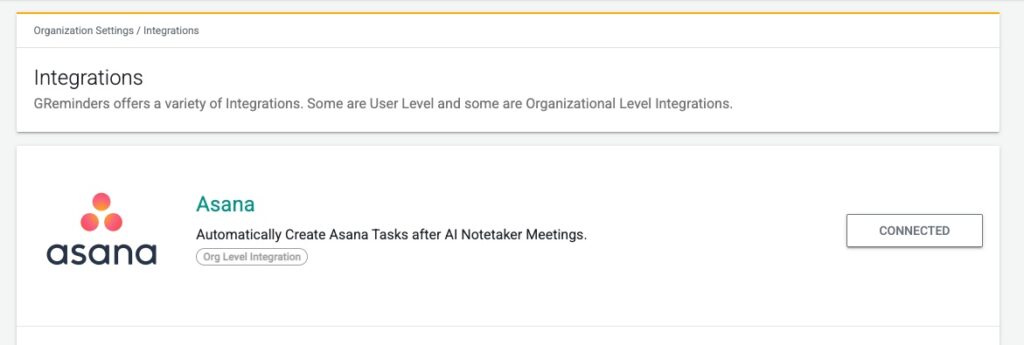
Click Setup and Authorize your Asana Account.
Once Connected you will need to select the Primary Workspace that you want all your Tasks created in:
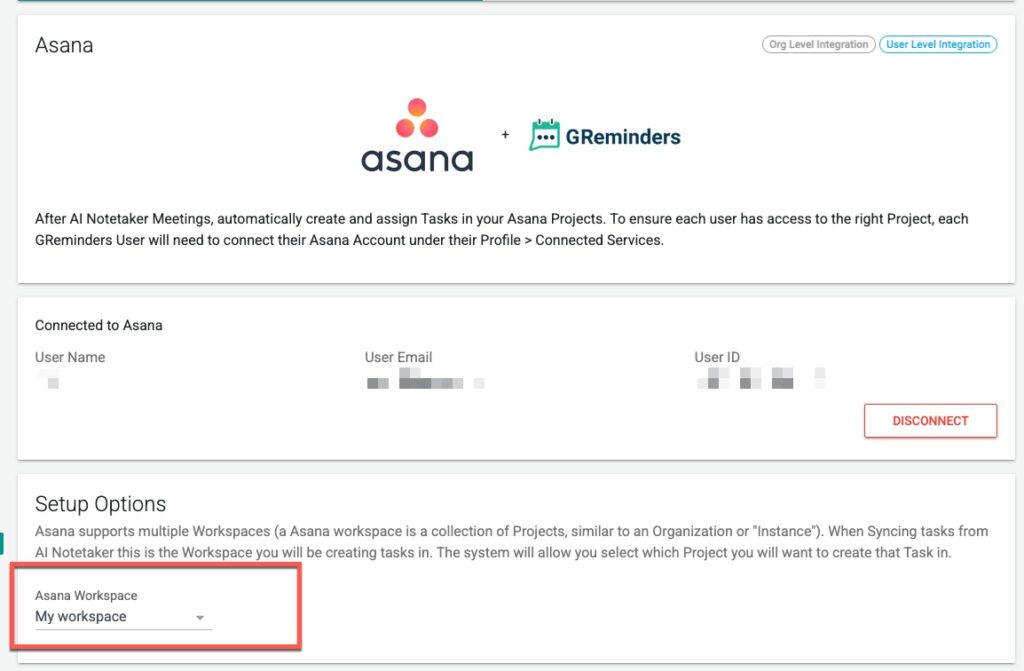
User Authentication
Please note EACH GReminders User must Authorize their Asana Connection. Users must go to their Profile > Connected Services and connect Asana.
This is automatically done for you, the GReminders admin, since you are the one who connected at the “Org Level”.
Using the Integration
Navigate to an AI Notetaker Summary
Under Active CRM / Applications choose Asana
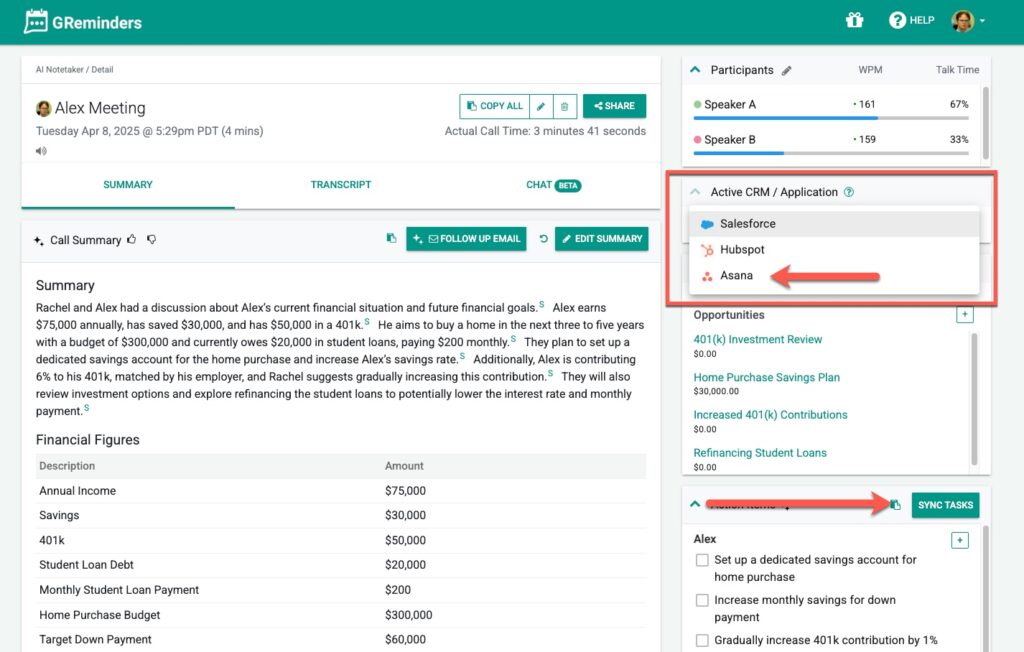
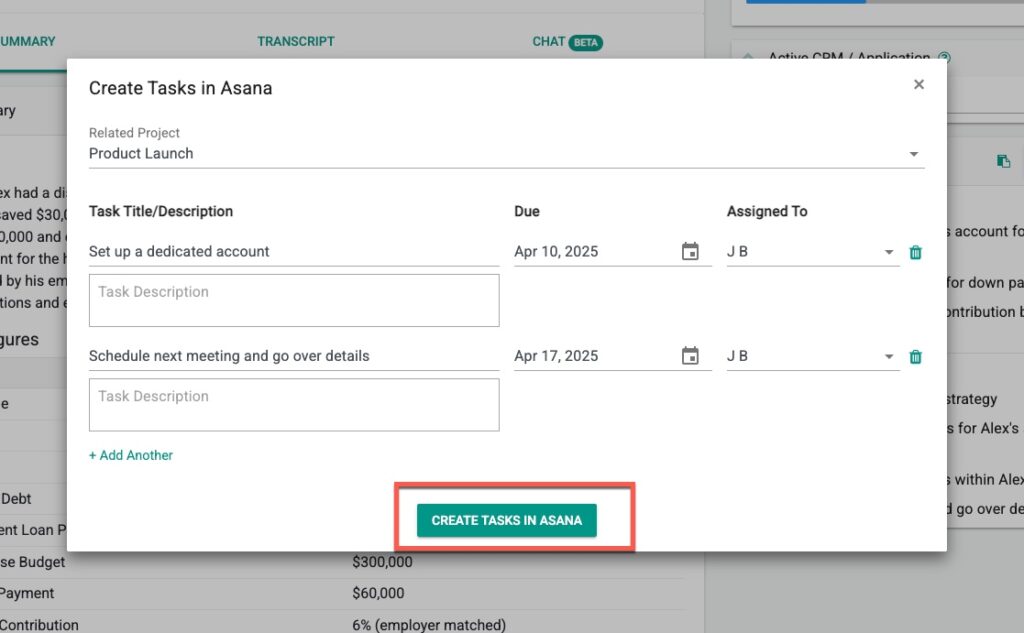
Next Choose “Sync Tasks”
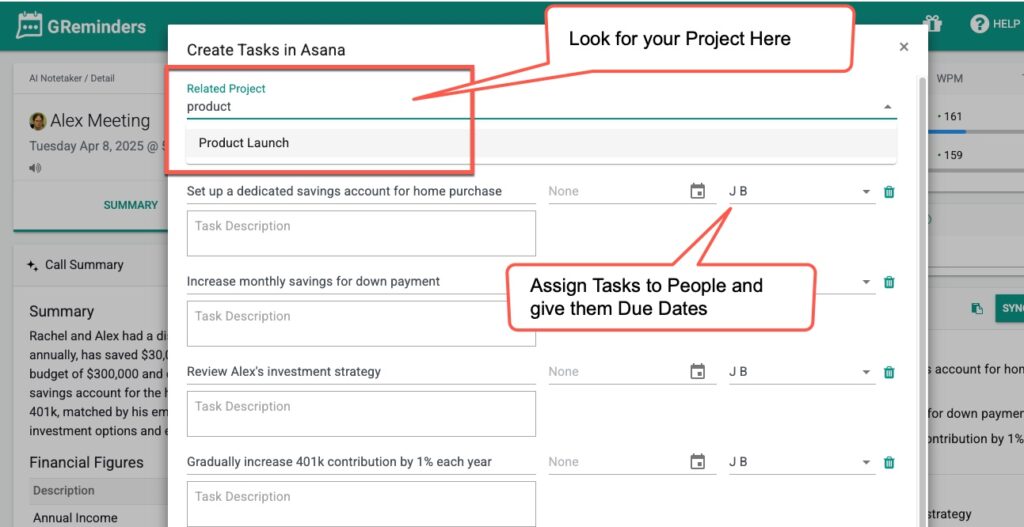
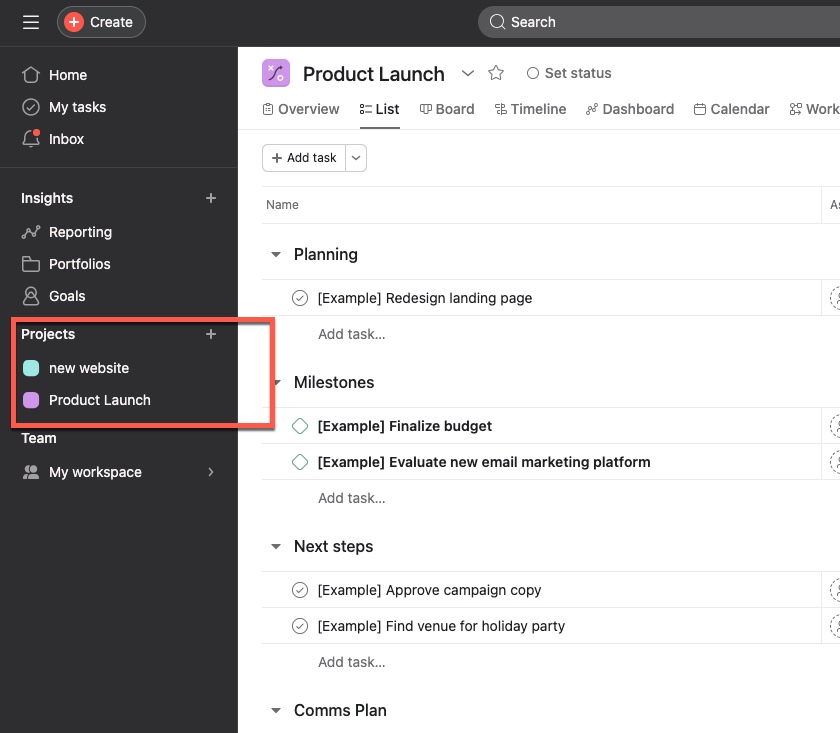
From here find your Asana Project. These should be the same Asana Projects are you see in your Asana Workspace
You can change the Task Name/Due Date/Description and also assign this to ANY Asana User (does NOT need to be GReminders User), since you are managing these tasks in Asana on a go forward basis.
Then simply click Create Tasks in Asana and the Task(s) will be automatically Pushed to Asana.
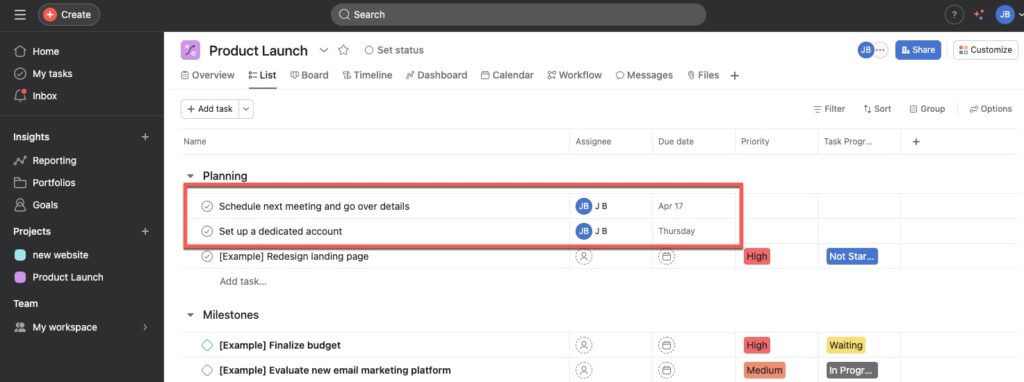
They will Appear in your Project:
That’s It!
Any questions? Email to [email protected]
Happy Tasking!
FAQs
How do I connect my Asana account to GReminders?
Go to Org Settings > Integrations > Asana, click Setup, and authorize your Asana account. Then select the Primary Workspace where you want your tasks created.
Do all GReminders users need to authorize their Asana connection individually?
Yes, each GReminders user must authorize their Asana connection by going to their Profile > Connected Services and connecting Asana. The admin's connection at the Org Level does not automatically authorize other users.
How do I push AI Notetaker tasks to Asana projects?
Navigate to an AI Notetaker Summary, select Asana under Active CRM / Applications, choose 'Sync Tasks', find your Asana Project, adjust task details as needed, assign to any Asana user, and click 'Create Tasks in Asana' to push the tasks automatically.