If you use GoTo Connect as your VOIP or Telephone Provider, you can now push all your Inbound and Outbound calls through AI Notetaker. If you are using GoToMeeting, AI Notetaker is natively compatible with that and you do not need to do anything else.
Benefits include:
- Automatic Summaries of the Call
- Extracting Tasks/Action Items from the Call
- Recommending Workflows to be Triggered from the Call
- One click push into your CRM or System of Record
Read More about the Benefits of AI Notetaker here.
How to Connect your GoTo Connect Account(s)
First you need Super Admin permissions on your GoTo Connect Account.
Next, Within GReminders go to Setup > Integrations > GoTo Connect. Connect your Super Admin account to GoTo Connect.
If this is successful you will have successfully connected your Main account to GReminders.
Please note, EACH User who has a GoTo Connect Phone Line or Extension must also connect their User Account. Each user will be able to do this under Profile > My Integrations and connect THEIR GoTo Connect User Account.
Please note it is possible to connect multiple extensions under a single GReminders User. To do this you need to connect multiple “GoToConnect Users”. Simply repeat the process above Profile > My Integrations > and add another GoToConnect User Connection. You may want to do this in Incognito or Private Browsing mode so the system doesnt confuse your GoTo connection with your main GoTo User.
Make Sure Call Recordings are Enabled
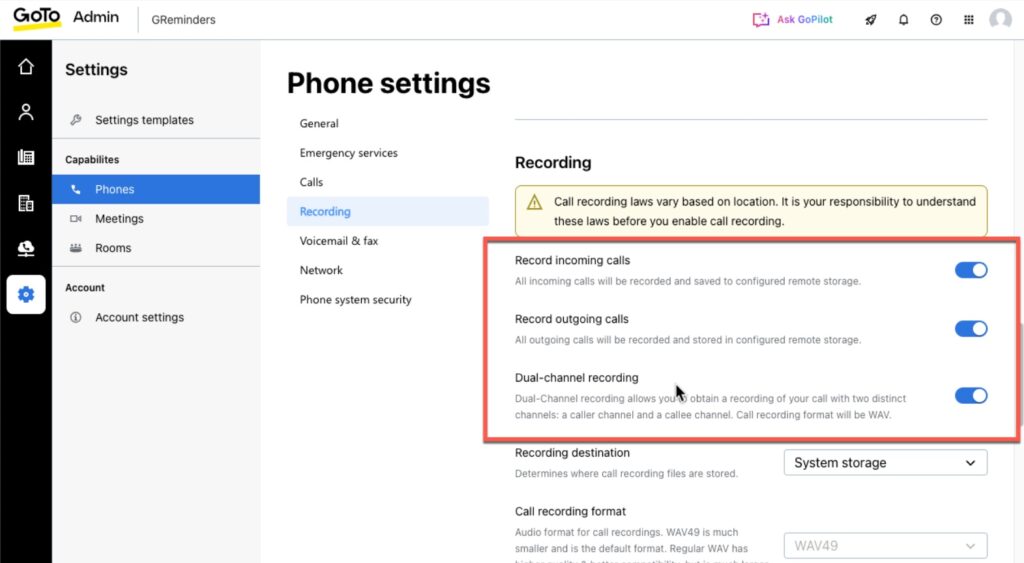
Next, in order for GReminders to get the recording, you need to enable Recordings on your GoTo Account. We recommend you set them to auto record.
In GoTo App navigate to Setup > Settings > Phones enable Recording Incoming & Outgoing Calls w/ Dual Channel Recording Support:
Alternatively you can also record calls adhoc from your Soft Phone.
That’s it.
Any Inbound or Outbound calls made will automatically be pushed to AI Notetaker.
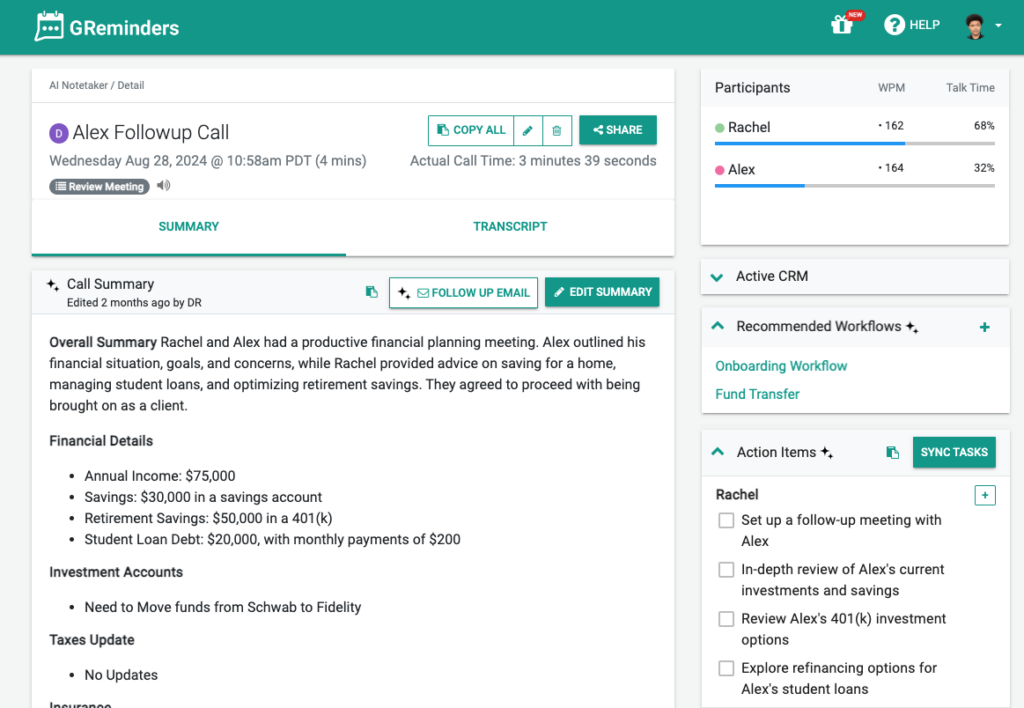
Your Notetaker recording and summary will look something like this:
Any Questions? Email to [email protected]
FAQs
How do I connect my GoTo Connect account to GReminders?
First, you need Super Admin permissions on your GoTo Connect account. Then, within GReminders, go to Setup > Integrations > GoTo Connect and connect your Super Admin account. Each user with a GoTo Connect phone line or extension must also connect their individual user account under Profile > My Integrations.
Do I need to enable call recordings for AI Notetaker to work with GoTo Connect?
Yes, you need to enable call recordings on your GoTo Connect account. It is recommended to set recordings to auto record. You can enable this in the GoTo App by navigating to Setup > Settings > Phones and enabling Recording Incoming & Outgoing Calls with Dual Channel Recording Support.
What are the benefits of using AI Notetaker with GoTo Connect calls?
AI Notetaker automatically summarizes calls, extracts tasks and action items, recommends workflows to be triggered from the call, and allows one-click push of call information into your CRM or system of record.