
GReminders integrates with Microsoft Copilot, bringing the same powerful scheduling, calendar, CRM, and practice intelligence directly into the Microsoft 365 ecosystem. Whether you’re working in Outlook, Teams, or other Microsoft applications, Copilot can leverage GReminders to help you schedule meetings, answer questions about your practice, and access the information you need without leaving your workflow.
You can Build a dedicated Scheduling Agent or Custom AI Workflow Agent to support various Use Cases.
Setting it Up
Go to CoPilot Studio: https://copilotstudio.microsoft.com/
In general you should be somewhat familiar with how to setup Agents in CoPilot.
You can either add the Tool and then add the Tool to an existing Agent OR you can setup a Tool first and then add it to a New Agent.
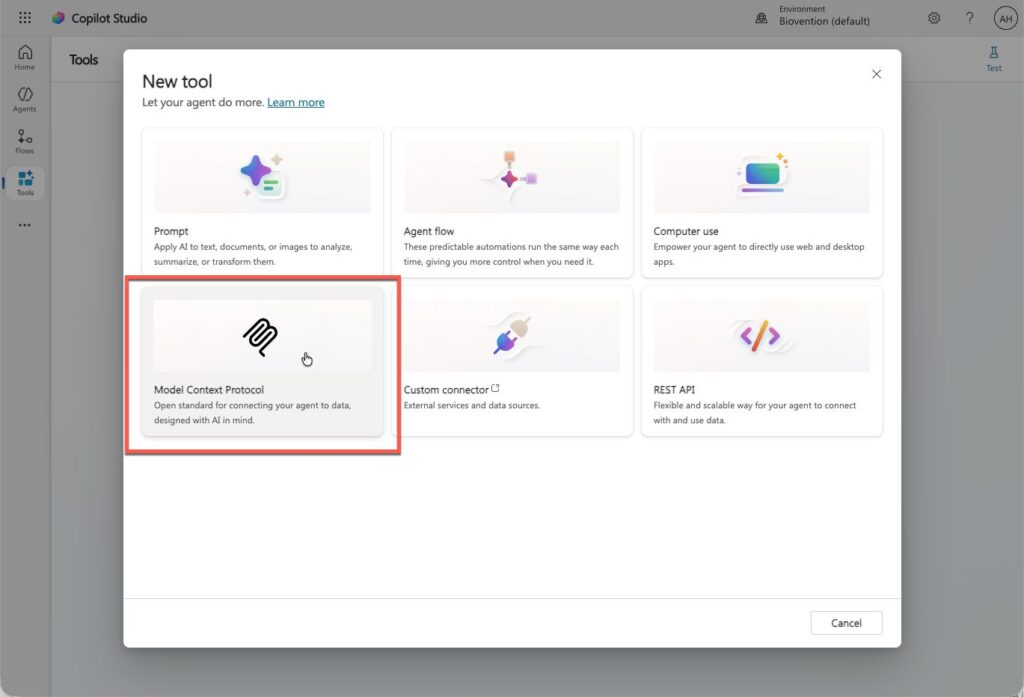
To setup GReminders as a Tool click Tools > New Tool
Select MCP
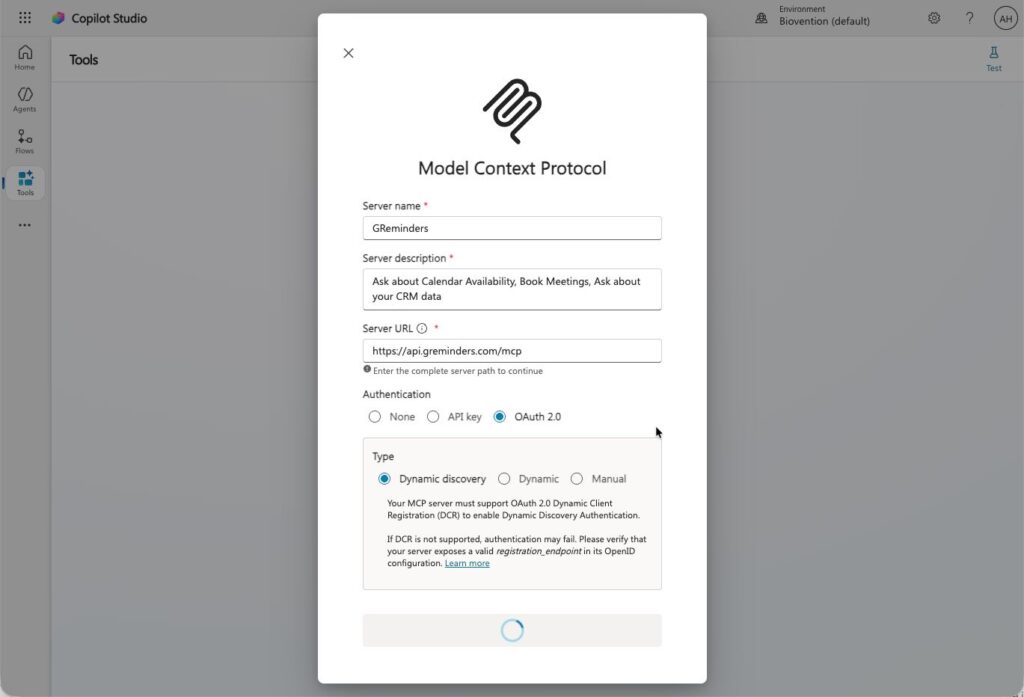
Enter the following:
Name: GReminders
Enter a Description i.e. Ask about your Calendar Availability, Book Meetings and Ask about your Client Data
Server URL: https://api.greminders.com/mcp
Select OAuth2.0 and select Dynamic Discovery
Then click Add
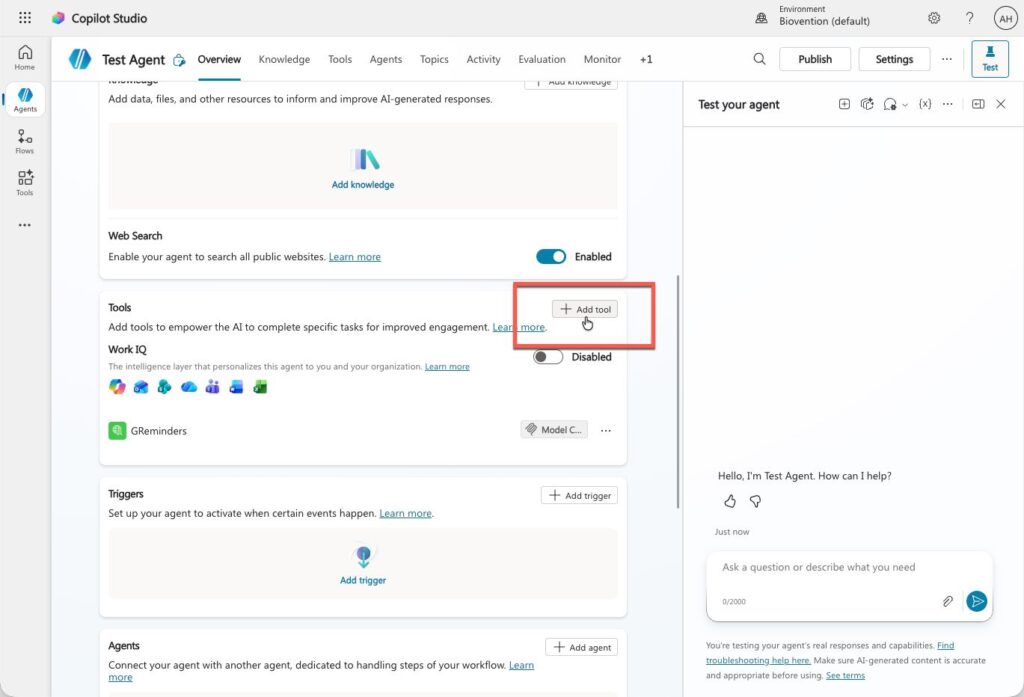
Then navigate to an existing Agent or create a New Agent and add the GReminders Tool
Search for GReminders
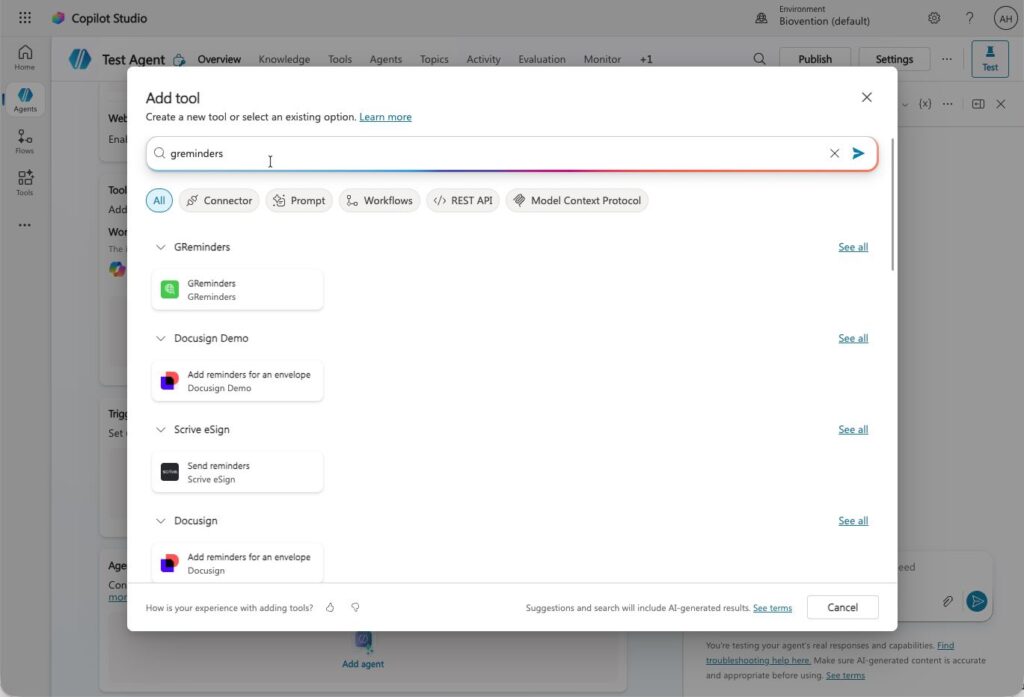
Click on the GReminders Card
Then click Connection and Create New Connection. This is where you Authenticate GReminders to CoPilot
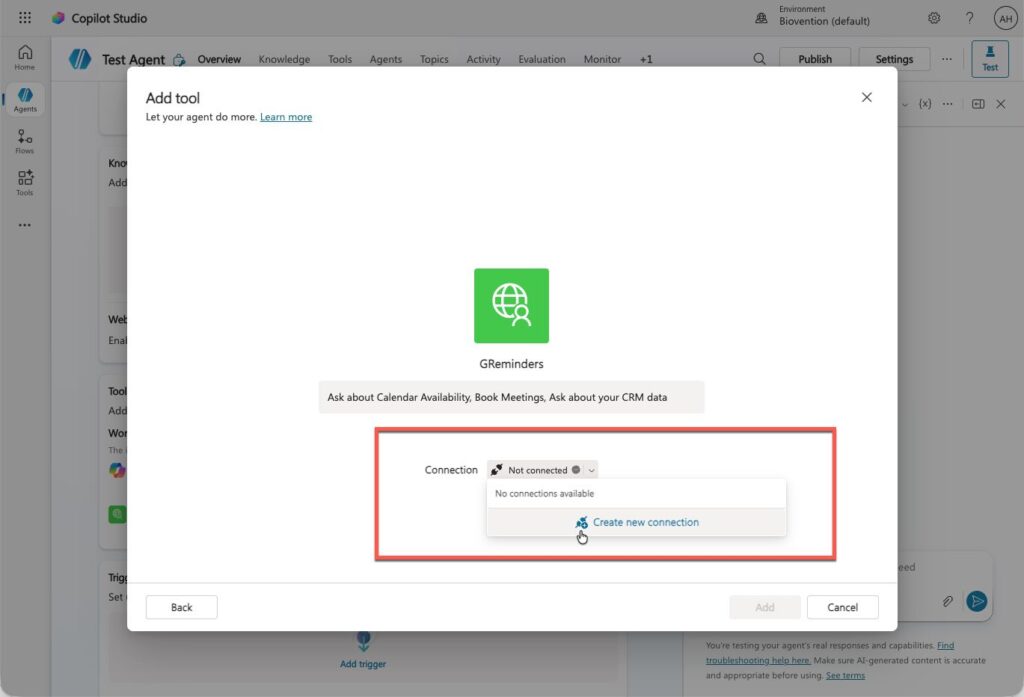
Enter your GReminders Credentials when asked and Approve the connection between CoPilot and GReminders
Then click Add
From here you can Test your Agent with prompts.
Example:
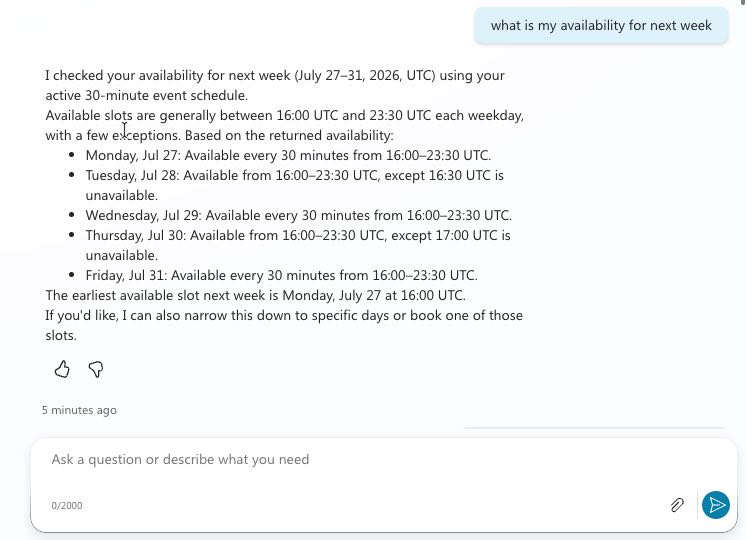
Start asking questions.
Other Example prompts:
- What are my event types?
- Book me a meeting with [CLIENT NAME] for next week (if client is on your CRM database we should be able to pull data from it)
- Find availability for [TEAM MEMBER] (this being another user)
- What clients will turn 65 this year
- How many active clients do I have
- Should work with any Statuses, Types, Tags, etc…
- Summarize the last few interactions with [CLIENT NAME]
- for [CONTACT NAME] summarize the most recent interactions
This is only the beginning of what’s possible with GReminders and Microsoft Copilot. From streamlining scheduling and instantly finding client information to asking AI questions across your CRM and connected systems, the possibilities continue to grow. As we expand the integration, even more capabilities will be available to help advisors and their teams work more efficiently.
To get the most value from GReminders and Microsoft Copilot, we highly recommend working with our Customer Success team. We’ll help you identify the best use cases, share proven best practices, and ensure you’re taking full advantage of everything the integration has to offer.
Questions or ready to get started? Reach out to [email protected] – we’d love to help.
FAQs
How do I set up GReminders with Microsoft Copilot?
Go to CoPilot Studio, add GReminders as a Tool, create or navigate to an existing Agent, and authenticate using your GReminders credentials.
What can I ask GReminders through Microsoft Copilot?
You can ask about calendar availability, book meetings, find team member availability, and summarize interactions with clients.
How can I get support for using GReminders with Microsoft Copilot?
You can reach out to the Customer Success team or email [email protected] for assistance and best practices.