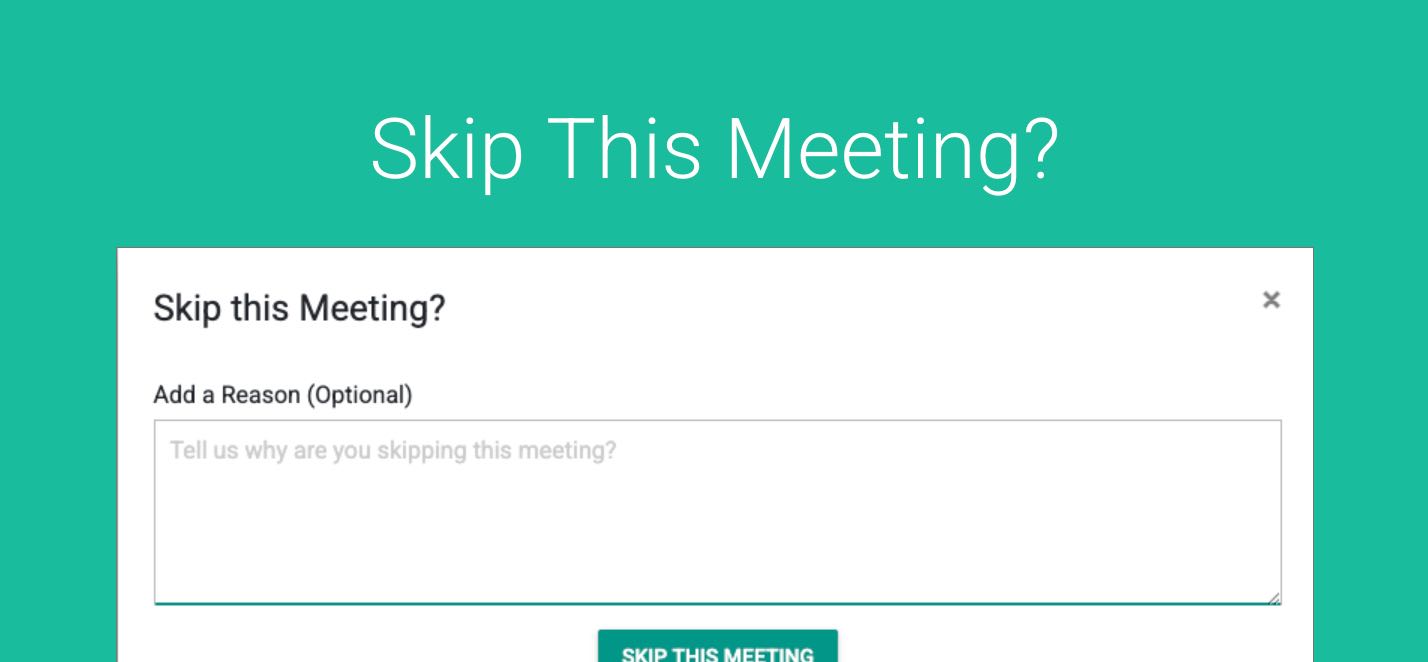
Automating Emails or SMS messages to client to remind them its time to book their bi-annual or annual review is a major efficiency pickup for your Organization.
We encourage you to read this article for how to use Bulk Sends in General.
IF you are using Continued Automations, which sends clients 2-3 followup emails when they have NOT booked, you can now offer them the ability to “Skip” this round.
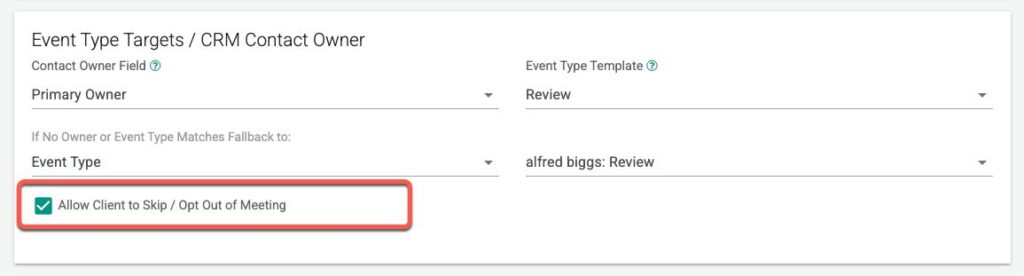
When setting you your Bulk Send you can check the box “Allow Clients to Skip”
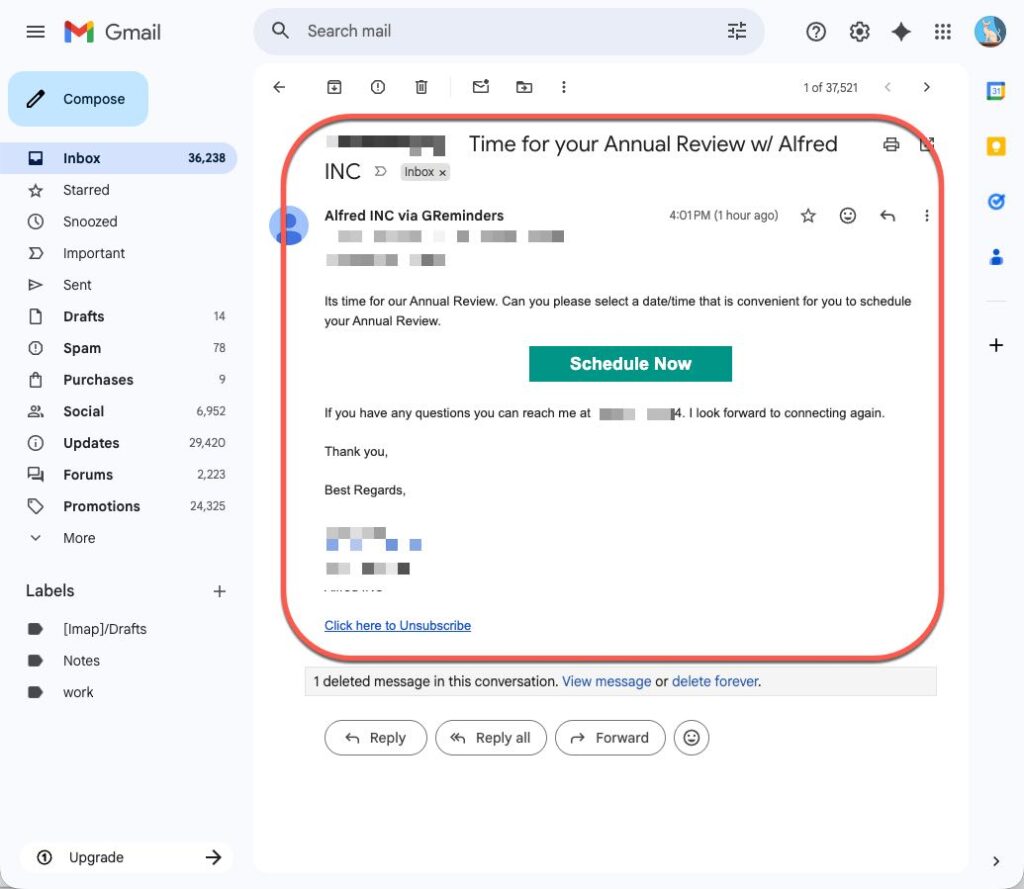
When the client gets the email to book a meeting:
Once they click on Schedule Now they will see something like this:
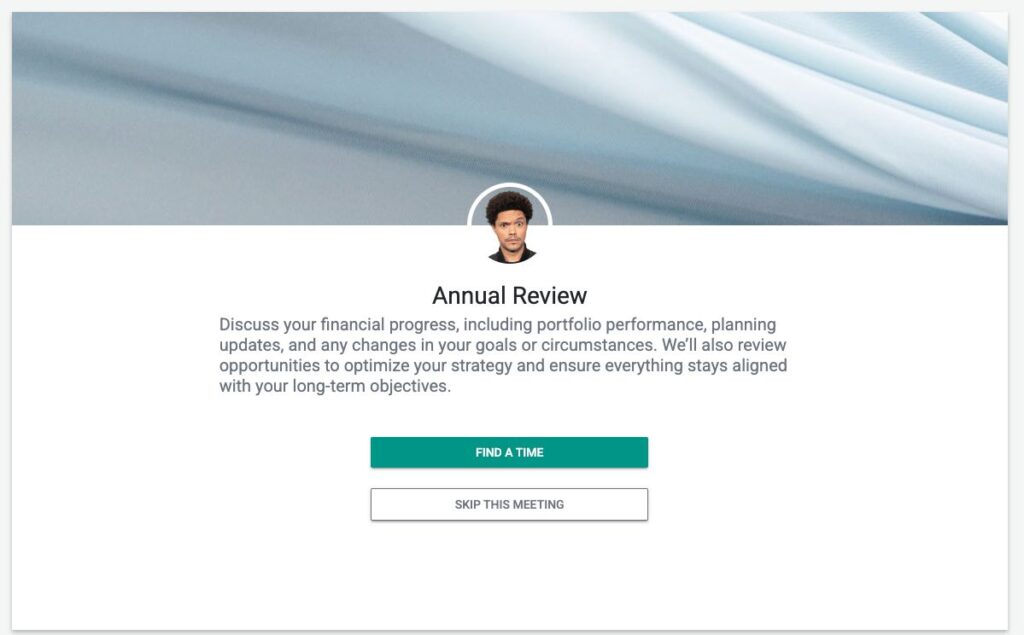
This gives them the ability to SKIP the Meeting (so they won’t be bothered for continued notifications) OR they can click Find a Time and book a meeting.
That’s It
Any questions? Email to [email protected]
FAQs
What is the purpose of automating emails or SMS messages to clients?
Automating emails or SMS messages to clients serves as a reminder for them to book their bi-annual or annual review, which significantly improves organizational efficiency.
How can clients avoid receiving follow-up reminders if they do not want to book a meeting?
Clients can choose to 'Skip' the round of follow-up emails by clicking the 'Skip' option when they receive the booking email, which stops further notifications.
How do I enable clients to skip follow-up notifications in Bulk Sends?
When setting up your Bulk Send, you can check the box labeled 'Allow Clients to Skip' to give clients the option to skip continued notifications.