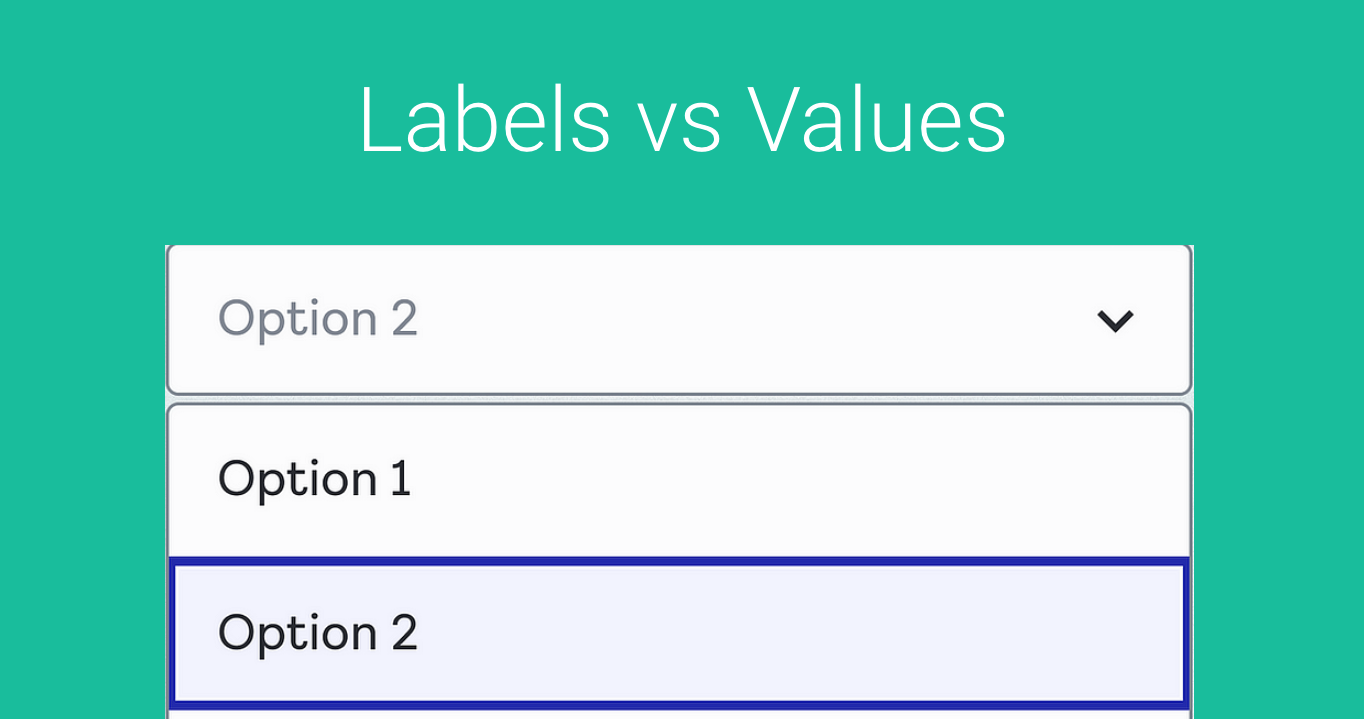
Fields that “control” the input of a client are very useful. They normalize the data in our records and allow us to find value in analytics and various reporting.
Let’s take a look at a simple example.
Let’s say we want to track the “Source” of a lead or a booking. Where did the lead come from? Or how did this person hear about us to book a call with us?
If you added a field to one of your booking forms with “Where did you hear about us?” and simply left it as a free form text field, you would get all kinds of random responses.
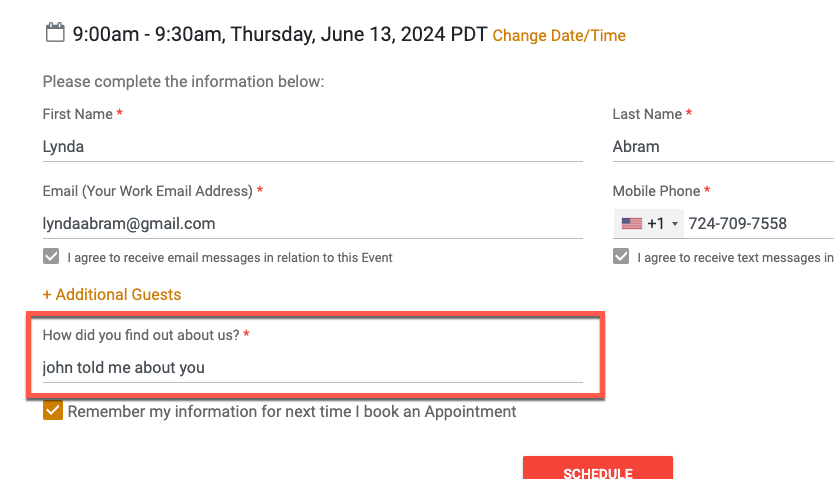
This is fine for looking at the response, but won’t allow you to report on since every response will be different.
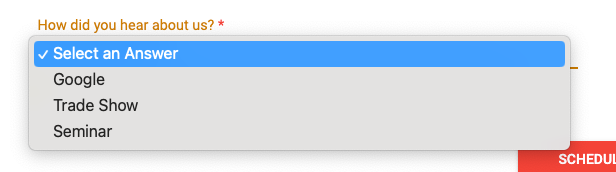
A much better approach is to offer a selection such as this:
Ok, so now that we know the value of normalized responses, let’s turn our attention to Labels vs. Values.
In your CRM or Database you may represent the value differently than what is Displayed to the User.
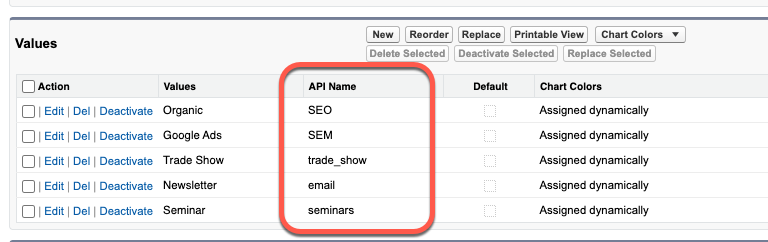
Let’s take a look at an example from Salesforce. This is the field Configuration for a custom field for a Picklist/Dropdown. As you can see, the Values are “what the user sees” but the API Name is what is actually stored in the CRM Database.
Here is that same field and what the user sees when they interact with the form:
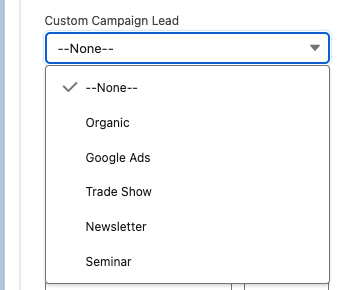
But again, when we select “Organic” what is actually stored in the CRM Record is “SEO”.
So similarly in GReminders, we also need to store the Value, but can represent the “Label” differently.
Go to Setup > Custom Fields, create or edit an existing custom field that is a Dropdown/Radio or Checkbox and you will see “Labels” and “Values”:
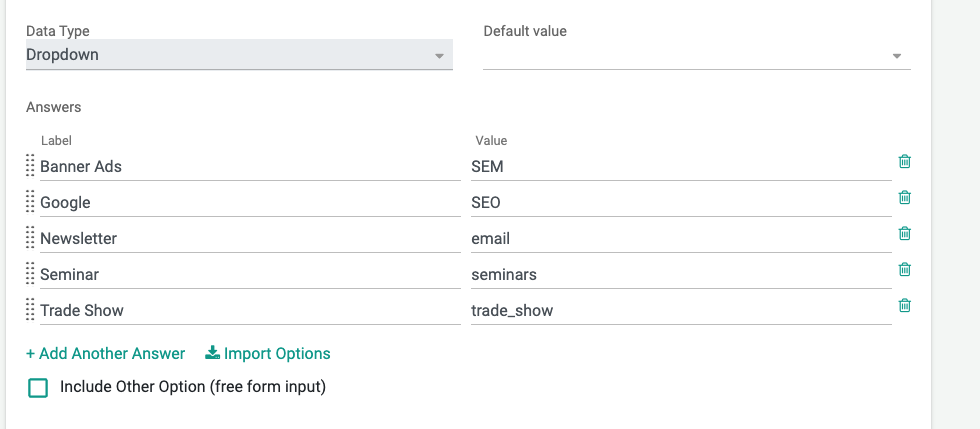
Same deal here, the user will see the Label and what is stored is the Value.
So when you map the Fields in GReminders we will write back the VALUE and not the LABEL.
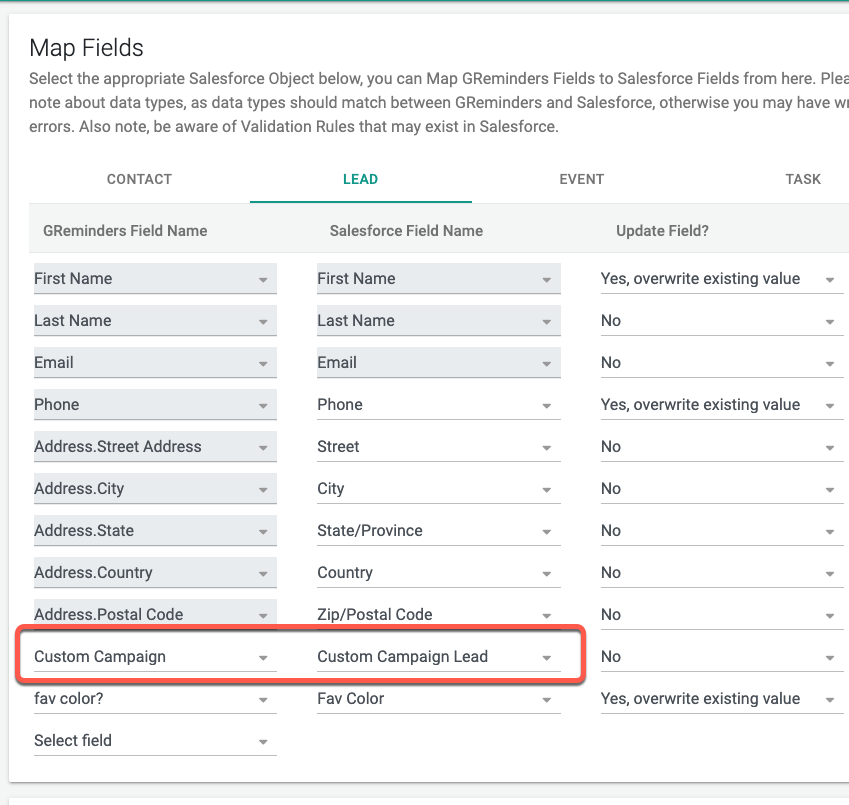
Understanding the difference between Labels and Values will help you when mapping fields and understanding how values are stored.
Hint:
If you generally want to see how a system stores values, go find a dropdown and “inspect” it via Chrome or similar browser. Right Click on the dropdown and click INSPECT
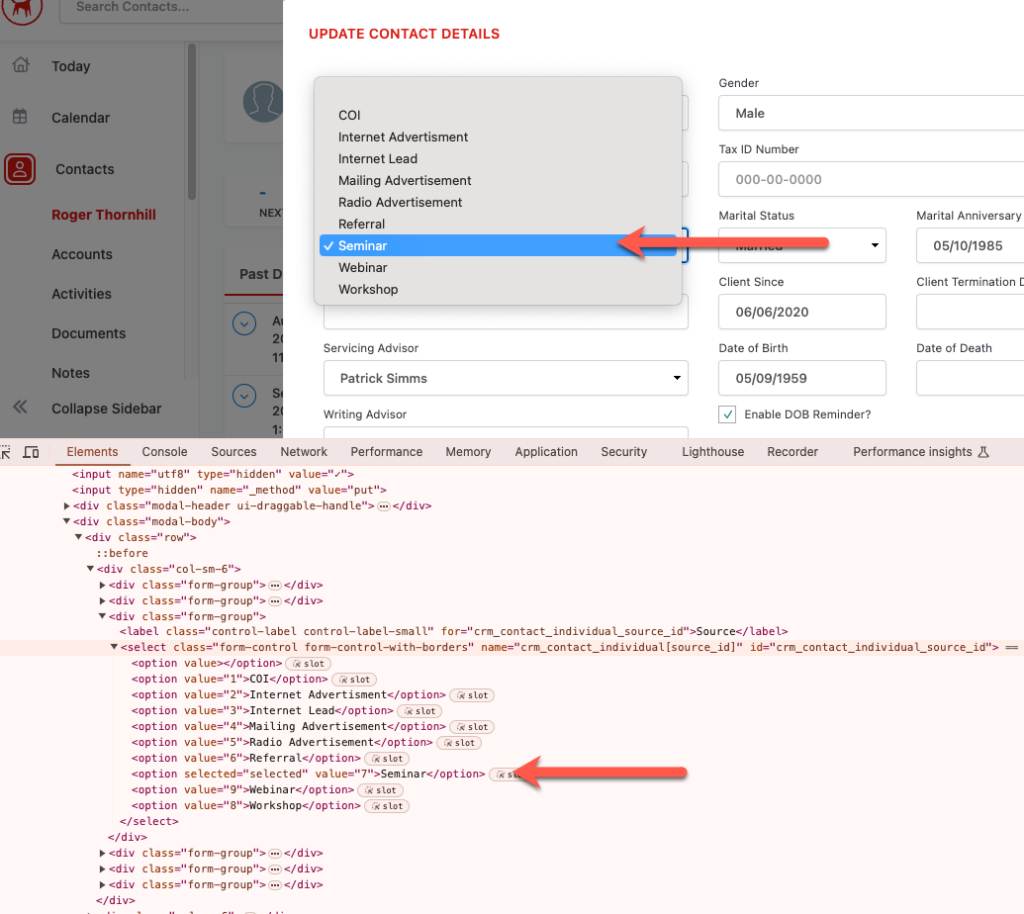
You will see the Value for “Seminar” is actually 7.
This is usually a good way to tell if the Label and Value differ from each other.
That’s It!
Any Questions? Email to [email protected]
Happy Scheduling!
FAQs
Why is it better to use controlled fields like dropdowns instead of free form text fields for input?
Controlled fields normalize data by limiting responses to predefined options, which helps maintain consistent records and enables effective reporting and analytics. Free form text fields can result in varied and inconsistent responses that are difficult to analyze.
What is the difference between Labels and Values in dropdown fields?
Labels are the text displayed to users in the dropdown menu, while Values are the actual data stored in the CRM or database. For example, a user might see 'Organic' as a label, but the stored value could be 'SEO'.
How can I check what values are stored behind dropdown options in a system?
You can inspect the dropdown element using a browser's developer tools (e.g., right-click the dropdown in Chrome and select 'Inspect'). This will show the underlying values associated with each label, helping you understand how data is stored.